
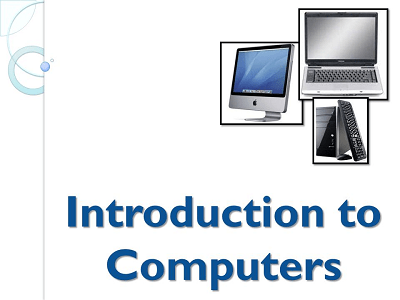
Introduction to computer
Computers are electronic devices that process and store data using binary code, which is represented by 0s and 1s. They have become an essential part of our modern world, used in various industries, businesses, homes, and for personal use. Computers come in different forms, including desktops, laptops, tablets, and smartphones, and have revolutionized the way we communicate, work, learn, and entertain ourselves.
Components of a Computer:
A computer typically consists of several key components, including:
- Central Processing Unit (CPU): Also known as the brain of the computer, the CPU performs all the processing tasks and executes instructions. It interprets and performs calculations, manages data, and controls the flow of information within the computer.
- Memory (RAM): Random Access Memory (RAM) is the temporary storage space used by the computer to hold data and instructions that are currently in use. It allows for quick access to data and programs, but is volatile and loses its contents when the computer is turned off.
- Storage Devices: These devices are used to store data and programs permanently, even when the computer is powered off. Examples include hard disk drives (HDD), solid-state drives (SSD), USB drives, and cloud storage.
- Input Devices: These devices allow users to input data and commands into the computer. Examples include keyboards, mice, touchscreens, scanners, and microphones.
- Output Devices: These devices display or provide output from the computer. Examples include monitors, printers, speakers, and headphones.
- Software: Software refers to the programs and applications that run on a computer. This includes operating systems, word processors, web browsers, multimedia players, and many others.
- Networking Components: Networking components such as routers, switches, and network cards allow computers to connect and communicate with each other, enabling data transfer and communication over networks such as the Internet.
Types of Computers:
There are several types of computers, including:
- Personal Computers (PC): These are commonly used by individuals for personal and professional tasks. They come in desktop and laptop forms and are widely used for general computing, web browsing, content creation, gaming, and more.
- Servers: These are powerful computers used to store, manage, and serve data and applications over networks. They are used in businesses and data centers to host websites, run databases, manage networks, and perform other server-side tasks.
- Mainframe Computers: These are large-scale computers used by organizations for high-volume, data-intensive tasks such as processing financial transactions, managing large databases, and handling complex scientific computations.
- Supercomputers: These are highly powerful computers used for advanced scientific and research applications, such as weather modeling, molecular modeling, and nuclear simulations.
Conclusion:
Computers are powerful and versatile devices that have transformed the way we live and work. They consist of various components and are used for a wide range of tasks, from simple day-to-day activities to complex scientific calculations. Understanding the basic components and types of computers is essential for anyone who wants to work with or use computers in their daily lives.
What is required Introduction to computer
Computers are electronic devices that process and store data using binary code, which is represented by 0s and 1s. They have become an essential part of our modern world, used in various industries, businesses, homes, and for personal use. Computers come in different forms, including desktops, laptops, tablets, and smartphones, and have revolutionized the way we communicate, work, learn, and entertain ourselves.
Components of a Computer:
A computer typically consists of several key components, including:
- Central Processing Unit (CPU): Also known as the brain of the computer, the CPU performs all the processing tasks and executes instructions. It interprets and performs calculations, manages data, and controls the flow of information within the computer.
- Memory (RAM): Random Access Memory (RAM) is the temporary storage space used by the computer to hold data and instructions that are currently in use. It allows for quick access to data and programs, but is volatile and loses its contents when the computer is turned off.
- Storage Devices: These devices are used to store data and programs permanently, even when the computer is powered off. Examples include hard disk drives (HDD), solid-state drives (SSD), USB drives, and cloud storage.
- Input Devices: These devices allow users to input data and commands into the computer. Examples include keyboards, mice, touchscreens, scanners, and microphones.
- Output Devices: These devices display or provide output from the computer. Examples include monitors, printers, speakers, and headphones.
- Software: Software refers to the programs and applications that run on a computer. This includes operating systems, word processors, web browsers, multimedia players, and many others.
- Networking Components: Networking components such as routers, switches, and network cards allow computers to connect and communicate with each other, enabling data transfer and communication over networks such as the Internet.
Types of Computers:
There are several types of computers, including:
- Personal Computers (PC): These are commonly used by individuals for personal and professional tasks. They come in desktop and laptop forms and are widely used for general computing, web browsing, content creation, gaming, and more.
- Servers: These are powerful computers used to store, manage, and serve data and applications over networks. They are used in businesses and data centers to host websites, run databases, manage networks, and perform other server-side tasks.
- Mainframe Computers: These are large-scale computers used by organizations for high-volume, data-intensive tasks such as processing financial transactions, managing large databases, and handling complex scientific computations.
- Supercomputers: These are highly powerful computers used for advanced scientific and research applications, such as weather modeling, molecular modeling, and nuclear simulations.
Conclusion:
Computers are powerful and versatile devices that have transformed the way we live and work. They consist of various components and are used for a wide range of tasks, from simple day-to-day activities to complex scientific calculations. Understanding the basic components and types of computers is essential for anyone who wants to work with or use computers in their daily lives.
he need for an introduction to computers can vary depending on the audience. In general, anyone who is new to computers or wants to gain a basic understanding of how computers work may require an introduction to computers. This can include:
- Beginners: Individuals who are new to computers and have little or no prior experience with them may need an introduction to computers. This can include people of all ages, from young children to elderly individuals who are just starting to explore the world of technology.
- Students: Students who are studying computer science, information technology, or related fields may require an introduction to computers as part of their curriculum. This can help them build a foundation of knowledge about the basic components, functions, and uses of computers.
- Professionals: Professionals who are transitioning to a new role or field that requires computer literacy, such as office workers, administrators, or managers, may need an introduction to computers to familiarize themselves with the basics of computer technology and its applications in their work.
- Educators: Educators who teach computer literacy, computer science, or related subjects may need to provide an introduction to computers to their students to ensure they have a solid understanding of computer concepts before delving into more advanced topics.
- Entrepreneurs and Small Business Owners: Entrepreneurs and small business owners who want to leverage technology for their businesses may require an introduction to computers to understand the potential applications of computers in managing their operations, communicating with customers, and leveraging digital tools for business growth.
- Seniors and Non-Technical Individuals: Seniors and individuals who are not familiar with technology may require an introduction to computers to familiarize themselves with the basic concepts and functionalities of computers, as they become increasingly prevalent in various aspects of daily life.
In summary, an introduction to computers may be required by a wide range of individuals, including beginners, students, professionals, educators, entrepreneurs, small business owners, seniors, and non-technical individuals who want to gain a basic understanding of how computers work and how they can be used in various contexts.
When is required Introduction to computer
- Educational Institutions: Introduction to computers may be part of the curriculum in schools, colleges, and universities, particularly for students studying computer science, information technology, or related fields. It may be required as a foundational course to provide students with a basic understanding of computer concepts and technology before diving into more advanced topics.
- Professional Training Programs: Some professional training programs or workshops may require an introduction to computers as a prerequisite or as part of the training curriculum. This can be relevant for professionals who need to gain computer literacy or upgrade their skills in a specific field that involves computer usage.
- New Job Roles: Employees who are transitioning to new job roles that require computer literacy, such as office workers, administrators, or customer service representatives, may need an introduction to computers to familiarize themselves with the basic concepts and tools they will be using in their new roles.
- Personal Enrichment: Individuals who are interested in learning about computers and technology for personal enrichment or to enhance their digital literacy skills may seek an introduction to computers. This can include individuals of all ages, from children to seniors, who want to understand the basics of computers and how they are used in everyday life.
- Entrepreneurship or Small Business Ownership: Entrepreneurs and small business owners who want to utilize computers for their businesses may require an introduction to computers to understand the potential applications of technology in managing their operations, marketing, and communication with customers.
- Technology Adoption: Individuals or organizations that are adopting new technologies or software applications may require an introduction to computers to familiarize themselves with the basics of computer technology, software usage, and best practices for using the technology effectively.
- Career Development: Professionals who are looking to advance their careers in technology-related fields, such as IT, software development, or data analysis, may need an introduction to computers as a foundational knowledge base to build upon.
In summary, an introduction to computers may be required in various situations, including educational institutions, professional training programs, new job roles, personal enrichment, entrepreneurship or small business ownership, technology adoption, and career development, where individuals or organizations seek to gain a basic understanding of computer concepts, technology, and applications.
How is required Introduction to computer
The way an introduction to computers is required can vary depending on the specific context or setting. Here are some common approaches:
- Curricular Requirement: In educational institutions, an introduction to computers may be required as part of the curriculum for certain courses or programs, such as computer science, information technology, or related fields. It may be a mandatory course that students need to complete in order to progress in their academic program.
- Prerequisite Requirement: In some cases, an introduction to computers may be required as a prerequisite for more advanced courses or programs that assume a basic understanding of computer concepts and technology. Students may need to complete an introductory course before they can enroll in higher-level courses.
- Employer Requirement: In the workplace, employers may require employees to undergo an introduction to computers as part of their job training or professional development. This can be relevant for job roles that require basic computer skills, such as office workers, administrators, or customer service representatives.
- Training Program Requirement: Professional training programs, workshops, or technology adoption programs may require participants to complete an introduction to computers as part of the training curriculum. This can ensure that participants have a foundational understanding of computer concepts and technology before moving on to more advanced topics.
- Personal Interest: Individuals who are interested in learning about computers and technology for personal enrichment or to enhance their digital literacy skills may voluntarily seek out an introduction to computers through online courses, tutorials, or self-paced learning programs.
- Technology Adoption Initiative: Organizations that are adopting new technologies or software applications may implement a technology adoption initiative that includes an introduction to computers as part of the onboarding process for employees. This can help employees familiarize themselves with the basic concepts and tools they will be using in their work environment.
The specific requirements for an introduction to computers can vary depending on the context and purpose. It may be mandatory as part of an academic curriculum, a prerequisite for more advanced courses, an employer requirement, a training program requirement, a personal interest, or part of a technology adoption initiative in the workplace.
Case Study: Introduction to Computer Training Program for Employees
Company XYZ is a medium-sized manufacturing company that recently implemented a new enterprise resource planning (ERP) software system to streamline its operations and improve productivity. However, many of the company’s employees, particularly those in non-technical roles, lacked basic computer literacy skills and struggled to adapt to the new system.
To address this challenge, the company decided to implement an introduction to computer training program for its employees. The training program aimed to provide a foundational understanding of computer concepts and technology, and enable employees to effectively use the new ERP system.
Objectives:
- Improve employees’ computer literacy skills.
- Enhance employees’ understanding of basic computer concepts.
- Enable employees to effectively use the new ERP system.
- Increase overall productivity and efficiency.
Implementation:
- Needs Assessment: The company conducted a needs assessment to identify the specific computer literacy skills required for employees to effectively use the new ERP system. This involved surveying employees, assessing their current computer skills, and identifying knowledge gaps.
- Curriculum Development: Based on the needs assessment, a curriculum for the introduction to computer training program was developed. The curriculum covered topics such as computer hardware, software, operating systems, file management, internet usage, and basic troubleshooting.
- Training Delivery: The training program was delivered through a combination of instructor-led sessions, online tutorials, and hands-on practice sessions using computers. The training was conducted in small groups to ensure personalized attention and effective learning.
- Training Materials: Training materials, including instructional guides, manuals, and tutorials, were provided to employees for self-study and reference. These materials were designed to be user-friendly and accessible to employees with varying levels of computer literacy.
- Assessment and Feedback: Regular assessments were conducted to measure employees’ progress and identify areas for improvement. Feedback was provided to employees to help them identify their strengths and weaknesses and work on improving their computer literacy skills.
- Follow-up Support: After the initial training program, follow-up support was provided to employees, including additional training sessions, refresher courses, and on-demand support for specific computer-related issues.
Results:
- Improved Computer Literacy: The introduction to computer training program helped employees improve their computer literacy skills, including understanding computer hardware, software, operating systems, file management, internet usage, and basic troubleshooting.
- Enhanced ERP System Usage: Employees were able to effectively use the new ERP system, resulting in increased efficiency and productivity in their day-to-day tasks. They were also able to leverage the software’s features and functionalities to perform their job responsibilities more effectively.
- Increased Employee Confidence: Employees gained confidence in their computer skills, which translated into increased confidence in using other computer-based tools and technologies in their work environment.
- Positive Feedback: Employees provided positive feedback on the training program, citing increased understanding of computer concepts and improved ability to use computers in their job roles.
Conclusion:
The introduction to computer training program implemented by Company XYZ proved to be successful in improving employees’ computer literacy skills, enhancing their understanding of basic computer concepts, and enabling them to effectively use the new ERP system. The program resulted in increased productivity, efficiency, and employee confidence in using computers in their day-to-day tasks. It serves as a good example of how a targeted training program can address the challenges of computer literacy in the workplace and improve employees’ overall technology skills.
Title: Introduction to Computer: Empowering Users with Essential Digital Literacy Skills
Abstract: In today’s digital age, computer literacy has become an essential skill for individuals to effectively participate in the modern workforce and society. The rapid advancement of technology has transformed the way we live and work, making computers an integral part of our daily lives. However, not everyone is equipped with the necessary knowledge and skills to confidently navigate the digital landscape. This white paper aims to provide an in-depth overview of the importance of introduction to computer training, its key components, and the benefits it can bring to individuals and organizations alike.
Introduction: Computers have become ubiquitous in our personal and professional lives, revolutionizing the way we communicate, collaborate, and access information. From desktops and laptops to tablets and smartphones, computers have become an integral part of our daily routines. As technology continues to evolve at an unprecedented pace, computer literacy has become a critical skill for individuals of all ages and backgrounds. Introduction to computer training aims to provide users with the foundational knowledge and skills necessary to effectively use computers and navigate the digital world.
Key Components of Introduction to Computer Training: Introduction to computer training typically covers a wide range of topics to ensure users have a well-rounded understanding of computer concepts and technology. Some of the key components of an effective introduction to computer training program may include:
- Computer Hardware: Understanding the basic components of a computer, such as the CPU, RAM, hard drive, and peripherals, and their functions.
- Operating Systems: Familiarizing users with different operating systems, such as Windows, macOS, and Linux, and their features and functionalities.
- Software Applications: Introducing users to various software applications, such as word processors, spreadsheets, web browsers, and email clients, and teaching them how to use them.
- File Management: Teaching users how to create, save, organize, and manage files and folders on a computer.
- Internet Usage: Educating users on safe and responsible internet usage, including web browsing, online communication, and online security.
- Basic Troubleshooting: Equipping users with basic troubleshooting skills to identify and resolve common computer issues.
Benefits of Introduction to Computer Training: Introduction to computer training can bring numerous benefits to individuals and organizations alike. Some of the key benefits include:
- Increased Digital Literacy: Computer training empowers users with essential digital literacy skills, enabling them to effectively use computers and navigate the digital world with confidence.
- Enhanced Employability: Computer literacy is a valuable skill in today’s job market, and individuals with strong computer skills are often more employable and can access a wider range of job opportunities.
- Improved Productivity: Computer training equips users with the skills to effectively use software applications, manage files, and utilize the internet, resulting in increased productivity in personal and professional tasks.
- Enhanced Digital Citizenship: Introduction to computer training promotes responsible and safe internet usage, helping users become responsible digital citizens and protect themselves from online threats.
- Increased Access to Information and Resources: Computer literacy enables users to access and utilize information and resources available online, expanding their knowledge and learning opportunities.
Conclusion: In conclusion, introduction to computer training is a vital component of digital literacy in today’s digital age. It equips individuals with essential knowledge and skills to effectively use computers and navigate the digital world, resulting in increased productivity, employability, and access to information and resources. Organizations can also benefit from introduction to computer training as it empowers their employees with the skills necessary to effectively use technology in their roles, contributing to overall organizational efficiency and success. Investing in introduction to computer training is a strategic move to empower individuals and organizations with the essential skills needed to thrive in the digital era.