
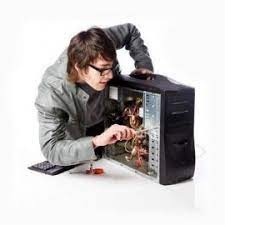
Computer assembly and system innovation
Computer assembly refers to the process of putting together individual hardware components to create a functional computer system. It involves carefully connecting and installing components such as the central processing unit (CPU), motherboard, memory (RAM), storage devices, power supply, and various peripherals. The assembly process typically includes the following steps:
- Planning: Determine the purpose of the computer system and the specific requirements such as processing power, memory capacity, storage needs, and connectivity options. Select compatible hardware components based on these requirements.
- Preparing the Workspace: Set up a clean and static-free workspace with adequate lighting and the necessary tools. Ensure proper grounding to prevent electrostatic discharge that could damage sensitive components.
- Motherboard Installation: Install the CPU onto the motherboard, following the manufacturer’s instructions. Attach the CPU cooler, if required. Install the motherboard into the computer case and secure it with screws.
- Memory Installation: Insert the memory modules (RAM) into the memory slots on the motherboard, ensuring they are properly aligned. Apply gentle pressure until they click into place.
- Storage Device Installation: Connect the hard drives or solid-state drives (SSD s) to the appropriate connectors on the motherboard or expansion cards. Secure them in the drive bays using screws or brackets.
- Power Supply Installation: Mount the power supply unit (PSU) into the case and connect the necessary power cables to the motherboard, storage devices, and other components. Ensure proper cable management to promote airflow and minimize clutter.
- Peripheral Installation: Connect peripherals such as the keyboard, mouse, monitor, speakers, and any other devices required for the system. Use the appropriate ports and cables, ensuring a secure connection.
- Cable Management: Organize the cables neatly, using cable ties or clips to secure them and prevent interference with airflow. This promotes efficient cooling and facilitates future maintenance.
- Testing and BIOS Setup: Power on the computer system and check for any error messages or abnormal behavior. Enter the BIOS (Basic Input/Output System) to configure system settings, such as boot order, date and time, and hardware monitoring.
- Operating System Installation: Install the operating system of choice, following the instructions provided by the software. This typically involves booting from an installation media (e.g., USB drive or DVD) and following the on-screen prompts.
System innovation, on the other hand, refers to the continuous improvement and advancement of computer systems through technological advancements, new concepts, and novel approaches. It involves the development and integration of innovative hardware and software components to enhance performance, functionality, energy efficiency, user experience, and other aspects of computer systems. System innovation can take various forms, such as:
- Processor and Chip set Advancements: Innovations in processor technology, including the development of faster and more efficient CPU s, multi-core processors, and specialized processors for specific tasks (e.g., graphics processing units – GPU s).
- Storage Technologies: Introduction of new storage technologies such as solid-state drives (SSD s) with higher capacity, faster speeds, and improved reliability. Emerging technologies like non-volatile memory express (NV Me) and 3D X Point offer even greater performance.
- Connectivity and Networking: Advancements in networking technologies, including faster Ethernet standards (e.g., 10 Gigabit Ethernet), wireless connectivity (Wi-Fi 6 and upcoming Wi-Fi 6E), and the implementation of high-speed data transfer protocols (e.g., USB 3.2, Thunderbolt).
- Virtualization and Cloud Computing: Innovations in virtualization technologies and the growth of cloud computing, enabling scal able and flexible computing resources, improved resource utilization, and remote access to software and data.
- User Interfaces and Interaction: Development of more intuitive and immersive user interfaces, such as touchscreens, gesture recognition, voice control, augmented reality
What is required Computer assembly and system innovation
Computer Assembly: To perform computer assembly, you will need the following:
- Computer Components: Purchase the necessary hardware components required for your computer system, such as CPU, motherboard, memory (RAM), storage devices (hard drives or SSD s), power supply unit (PS U), graphics card (if needed), and peripherals (keyboard, mouse, monitor, etc.).
- Screwdrivers and Tools: Have a set of screwdrivers with various sizes and types to handle different screws commonly used in computer assembly. Additionally, other tools such as cable ties, pliers, and thermal paste may be needed for specific tasks.
- Anti-Static Precautions: To protect sensitive components from electrostatic discharge, use an anti-static wrist strap or work on an anti-static mat. This helps prevent damage caused by static electricity.
- Work Area: Set up a clean, well-lit, and static-free workspace. Ensure you have enough space to lay out the components and perform the assembly process comfortably.
- Assembly Guide: It’s advisable to refer to the assembly guide or manual provided with the components or consult online resources that provide step-by-step instructions for assembling a computer system. These resources offer guidance on properly connecting the components and troubleshooting common issues.
System Innovation: System innovation in computer technology requires a combination of the following elements:
- Research and Development: Invest in research and development efforts to explore new technologies, concepts, and approaches. This involves staying up to date with the latest advancements in computer hardware, software, networking, and other related fields.
- Collaboration and Partnerships: Foster collaborations with other organizations, academic institutions, and industry experts to exchange knowledge, share ideas, and collectively work towards system innovation. Collaborations can lead to breakthroughs and novel solutions.
- Cutting-Edge Technologies: Embrace and incorporate cutting-edge technologies into computer systems. This includes advancements in processors, storage technologies (such as SSD s or NVM e), networking protocols, virtualization, cloud computing, artificial intelligence, and machine learning.
- User-Centric Design: Focus on user needs and experiences when developing new computer systems. Consider usability, intuitive interfaces, accessibility, and customization options to enhance user satisfaction and productivity.
- Market Analysis and Feedback: Conduct market analysis and gather feedback from end-users, IT professionals, and industry experts. This helps identify emerging trends, customer demands, and areas for improvement, guiding the innovation process.
- Continuous Learning and Adaptation: Foster a culture of continuous learning and adaptability within the organization. Encourage employees to stay updated with the latest technologies, attend conferences, participate in training programs, and engage in knowledge-sharing activities.
- Risk Assessment and Testing: Before implementing system innovations, conduct thorough risk assessments and testing to ensure reliability, compatibility, and security. Rigorous testing and quality assurance processes help identify and resolve any issues before deployment.
- Feedback Loop: Establish a feedback loop to gather input and insights from end-users after system deployment. This helps monitor system performance, identify areas for further improvement, and incorporate user feedback in future iterations.
By combining these elements, organizations can foster computer system innovation, leading to the development of advanced, efficient, and user-friendly systems that cater to the evolving needs of users and the industry.
Who is required Computer system and system innovation
Computer system and system innovation require the involvement of various individuals and roles within an organization. Here are some key stakeholders involved in computer system implementation and innovation:
- IT Managers and Executives: IT managers and executives play a crucial role in overseeing computer system implementation and innovation within an organization. They provide strategic direction, allocate resources, and make decisions regarding technology adoption and innovation initiatives.
- System Architects: System architects are responsible for designing and planning computer systems. They assess the organization’s requirements, evaluate available technologies, and create a system architecture that aligns with the organization’s goals. They ensure scalability, reliability, and security of the computer systems.
- IT Professionals: IT professionals, including system administrators, network engineers, and technicians, are responsible for implementing, configuring, and maintaining computer systems. They ensure proper installation, troubleshooting, and day-to-day management of hardware, software, and networks.
- Research and Development (R&D) Teams: R&D teams focus on exploring new technologies, conducting experiments, and prototyping innovative solutions. They engage in research, collaborate with external partners, and contribute to the development of cutting-edge computer systems.
- Software Developers: Software developers play a vital role in system innovation by creating new applications, software tools, and platforms. They develop custom software solutions that enhance system functionality, improve user experience, and address specific organizational needs.
- User Experience (UX) Designers: UX designers focus on creating user-friendly interfaces and optimizing the user experience of computer systems. They conduct user research, design interfaces, and iterate on designs based on user feedback to ensure usability, efficiency, and satisfaction.
- Data Scientists and Analysts: Data scientists and analysts contribute to system innovation by leveraging data to gain insights, identify patterns, and drive informed decision-making. They analyze system performance data, user feedback, and market trends to uncover areas for improvement and innovation.
- Quality Assurance (QA) Testers: QA testers are responsible for testing computer systems to identify bugs, vulnerabilities, and usability issues. They perform comprehensive testing, ensure system reliability, and provide feedback to developers for refinement and improvement.
- End Users: End users, such as employees, customers, or clients, play a crucial role in providing feedback and insights that drive system innovation. Their experiences, needs, and preferences shape the development and improvement of computer systems.
- External Partners and Consultants: Organizations often collaborate with external partners, consultants, and vendors specializing in specific technologies or domains. These collaborations provide access to expertise, resources, and innovative solutions that contribute to system innovation.
Effective collaboration, communication, and coordination among these stakeholders are crucial for successful computer system implementation and innovation. By leveraging the collective knowledge, skills, and insights of these individuals, organizations can drive advancements in computer systems and stay competitive in a rapidly evolving technological landscape.
When is required Computer assembly and system innovation
Computer assembly and system innovation are required in various scenarios and situations. Here are some instances when they are commonly needed:
Computer Assembly:
- Building Custom Computers: Computer assembly is necessary when you want to build a custom computer system tailored to your specific requirements. This could include gaming PCs, workstations, servers, or specialized machines for specific tasks like video editing or 3D rendering.
- Upgrading Existing Systems: If you have an existing computer system that needs upgrading, you may need to disassemble and reassemble components. This could involve replacing outdated components with newer ones, such as upgrading the CPU, adding more RAM, or installing a faster storage drive.
- Repairing Faulty Components: When a hardware component in your computer fails or becomes faulty, you may need to replace it. This requires disassembling the computer, removing the defective part, and installing a new component.
- Troubleshooting Hardware Issues: If you encounter hardware-related problems like overheating, random shutdowns, or hardware conflicts, you may need to disassemble the computer to diagnose and resolve the issue. This could involve checking connections, reseating components, or identifying faulty parts.
System Innovation:
- Technological Advancements: As new technologies emerge, system innovation is required to incorporate these advancements into computer systems. This includes integrating faster processors, adopting new storage technologies, leveraging improved networking protocols, or implementing cutting-edge interfaces like USB-C or Thunderbolt.
- Enhanced Performance: System innovation is often pursued to improve the performance of computer systems. This could involve optimizing hardware configurations, developing more efficient algorithms, or leveraging parallel computing techniques to achieve higher processing speeds or better resource utilization.
- Energy Efficiency and Sustainability: In today’s environmentally conscious world, system innovation aims to develop more energy-efficient and sustainable computer systems. This includes designing low-power components, optimizing power management features, and adopting eco-friendly manufacturing processes.
- User Experience and Interface Design: System innovation focuses on enhancing the user experience by developing intuitive interfaces, improving accessibility features, and incorporating user feedback. This could involve developing innovative input methods, enhancing touchscreen capabilities, or implementing voice recognition technologies.
- Security and Data Protection: System innovation is crucial for addressing emerging security threats and protecting sensitive data. This includes developing robust encryption methods, implementing advanced authentication mechanisms, and integrating security features at the hardware level to ensure secure computing environments.
- Scalability and Adaptability: As computing needs evolve, system innovation is required to build able and adaptable computer systems. This involves designing architectures that can handle increasing workloads, accommodate future expansion, and seamlessly integrate with cloud computing or virtualization technologies.
- Industry-Specific Solutions: System innovation is often driven by industry-specific needs. For example, the healthcare sector may require innovative systems for electronic medical records, tele medicine, or medical imaging, while the financial industry may seek secure and high-performance systems for trading platforms or data analytics.
These are just a few examples of when computer assembly and system innovation are required. In general, computer assembly is necessary when building, upgrading, or repairing computers, while system innovation is an ongoing process driven by advancements in technology, user needs, performance improvements, and industry-specific requirements.
Where is required Computer assembly and system innovation
Computer assembly and system innovation are required in various contexts and environments. Here are some common situations where they are needed:
- Individual Users: Computer assembly is required by individuals who want to build their own custom computer systems according to their specific needs and preferences. This could be for personal use, gaming, media creation, or any other purpose. System innovation is relevant for individuals who want to stay updated with the latest technologies and improve their computing experience.
- Businesses and Organizations: Computer assembly is often needed by businesses and organizations that require custom-built computer systems for their operations. This could include setting up workstations for employees, configuring servers for data storage and processing, or deploying specialized systems for specific tasks. System innovation is important for businesses to stay competitive, enhance productivity, and meet evolving industry demands.
- Educational Institutions: Educational institutions, such as schools, colleges, and universities, may require computer assembly for setting up computer labs or upgrading existing infrastructure. System innovation is relevant in the education sector to introduce students to new technologies, promote digital literacy, and prepare them for the evolving technology landscape.
- Research and Development: Computer assembly and system innovation are vital in research and development environments where cutting-edge technologies and advanced computing capabilities are needed. This includes fields such as scientific research, engineering, data analysis, and simulations, where high-performance computing systems and specialized hardware configurations are required.
- Data Centers: Data centers, which house large-scale computing infrastructure and servers, often require computer assembly and system innovation. As data volumes and processing demands increase, data centers need to assemble and maintain powerful computing clusters, storage systems, and networking infrastructure. System innovation is crucial in data centers to improve energy efficiency, optimize resource utilization, and enhance data processing capabilities.
- Technology Companies: Computer assembly and system innovation are at the core of technology companies that develop and manufacture computer systems, components, and software. These companies require expertise in designing, assembling, and innovating computer systems to meet market demands, deliver cutting-edge products, and stay ahead of the competition.
- Government and Defense: Governments and defense organizations often have unique computing requirements, ranging from secure systems for sensitive data handling to high-performance computing clusters for complex simulations. Computer assembly and system innovation are essential in these sectors to ensure reliable, secure, and efficient computing environments.
- Cloud Service Providers: Cloud service providers require large-scale computer assembly to build and maintain their data centers. They also focus on system innovation to improve scalability, enhance security, optimize resource allocation, and develop new services for their customers.
These are just a few examples of where computer assembly and system innovation are required. In general, computer assembly and system innovation are relevant in any context where computing technology is used, ranging from individual users to large organizations and specialized industries.
How is required Computer assembly and system innovation
Computer Assembly: Computer assembly is required to ensure that the hardware components of a computer system are properly connected and functioning together. Here’s how computer assembly is typically done:
- Component Compatibility: Before assembling a computer, it’s important to ensure that all the components are compatible with each other. This involves checking the compatibility of the motherboard with the CPU, RAM, and other components, as well as verifying power supply requirements, expansion slots, and connectivity options.
- Preparation: Clear a clean and static-free workspace to assemble the computer. Gather the necessary tools such as screwdrivers, cable ties, thermal paste, and any specialized tools required for specific components.
- Motherboard Installation: Begin by installing the motherboard into the computer case. Align the screw holes on the motherboard with those on the case and secure it using screws or standoffs to prevent any short circuits.
- CPU and Cooler Installation: Install the CPU into the motherboard’s CPU socket according to the manufacturer’s instructions. Apply thermal paste (if required) and attach the CPU cooler/fan to ensure proper cooling.
- Memory (RAM) Installation: Insert the RAM modules into the appropriate memory slots on the motherboard. Align the notches on the RAM module with those on the slot and firmly press down until it clicks into place.
- Storage Device Installation: Install the storage devices such as hard drives or solid-state drives (SSD s) into the appropriate drive bays in the computer case. Connect the data and power cables to the storage devices and the motherboard.
- Graphics Card and Expansion Cards: If using a dedicated graphics card or other expansion cards, install them into the appropriate expansion slots on the motherboard. Secure them with screws or latches and connect any necessary power cables.
- Power Supply Unit (PSU) Installation: Install the power supply unit into the computer case. Connect the necessary power cables from the PS U to the motherboard, storage devices, graphics card, and other components requiring power.
- Cable Management: Organize and route the cables neatly to improve airflow and aesthetics. Use cable ties or Velcro straps to secure and manage the cables, keeping them away from fans or other components that may obstruct airflow.
- External Connections: Connect the necessary peripherals such as the keyboard, mouse, monitor, and speakers to the appropriate ports on the motherboard or expansion cards.
- Testing and Troubleshooting: Once the assembly is complete, connect the power cord and turn on the computer. Verify that all components are functioning properly, including checking for the display output, accessing the BIOS/UEFI settings, and running diagnostic tests if needed.
System Innovation: System innovation involves incorporating new technologies, improving performance, and enhancing user experiences. Here’s how system innovation is typically approached:
- Research and Analysis: Stay updated with the latest advancements in computer technology, monitor industry trends, and conduct research to identify areas where innovation is needed. Analyze user needs, market demands, and competitive landscapes to guide the innovation process.
- Prototype and Testing: Develop prototypes or proof-of-concept systems to test and validate new ideas and technologies. Conduct extensive testing and collect feedback to identify potential issues, refine the design, and ensure the system meets the desired objectives.
- Collaboration and Partnerships: Collaborate with other organizations, industry experts, and researchers to leverage their knowledge and expertise. Partnerships can bring fresh perspectives, additional resources, and shared experiences, fostering innovation in computer systems.
- User-Centric Design: Emphasize user-centric design principles when developing and improving computer systems. Conduct user research, gather feedback, and incorporate user preferences and requirements into the design process. This includes focusing on usability, accessibility, and intuitive interfaces.
- Performance Optimization: Innovate to improve system performance by leveraging advancements in hardware and software technologies. This could involve developing
Case study on Computer assembly and system innovation
Case Study: Computer Assembly and System Innovation in an Educational Institution
Background: A prestigious university is experiencing rapid growth in its student population and needs to upgrade its computer labs to support the increasing demand for technology-driven education. The existing computer systems are outdated and unable to meet the performance requirements of modern software and applications. The university decides to undertake a computer assembly and system innovation project to revamp its computer labs and provide state-of-the-art technology to its students.
Objectives:
- Assemble high-performance computers that meet the specific requirements of different departments and courses.
- Integrate innovative features and technologies to enhance the user experience and promote digital literacy.
- Improve energy efficiency and sustainability to align with the university’s environmental goals.
- Ensure scalability and adaptability to accommodate future technology advancements and changing educational needs.
- Enhance system security to protect student data and privacy.
Implementation:
- Planning and Requirement Gathering: The university forms a project team consisting of IT professionals, system architects, faculty members, and representatives from different departments. They assess the specific computing needs of various disciplines, taking into account software requirements, graphics processing capabilities, storage requirements, and network connectivity.
- Component Selection and Procurement: Based on the requirements gathered, the project team researches and selects appropriate hardware components for the computer systems. They consider factors such as CPU performance, RAM capacity, storage options (SSD or HDD), graphics cards, and network adapters. They procure the components from reputable vendors and ensure compatibility between the chosen components.
- Custom Computer Assembly: The project team establishes a dedicated assembly area where technicians carefully assemble the computers following industry best practices. They install the selected components, including CPUs, RAM modules, storage drives, graphics cards, and power supplies, into the computer cases. They pay close attention to cable management to ensure proper airflow and easy maintenance.
- System Innovation: To promote digital literacy and innovation, the project team integrates innovative features such as touch-enabled monitors, advanced user interfaces, and collaboration tools. They deploy high-resolution displays for multimedia production labs and specialized hardware for disciplines like computer graphics, data analysis, and virtual reality.
- Energy Efficiency and Sustainability: To align with the university’s sustainability goals, the project team focuses on energy-efficient solutions. They select power supplies with high efficiency ratings and implement power management features to optimize energy usage. They also integrate automated shutdown mechanisms and implement power-saving settings on the computer systems.
- Scalability and Adaptability: To future-proof the computer labs, the project team designs the systems with scalability in mind. They incorporate expansion slots and additional drive bays to allow for future hardware upgrades. They also plan for network infrastructure upgrades to support emerging technologies such as 5G and high-speed internet connections.
- Security Measures: System security is prioritized to protect student data and privacy. The project team implements robust security measures, including encrypted storage drives, secure boot protocols, and user authentication mechanisms. They deploy firewalls, intrusion detection systems, and regular software updates to mitigate security risks.
- Testing and Deployment: Before deploying the computer systems in the labs, the project team rigorously tests each assembled system for stability, compatibility, and performance. They verify the proper functioning of hardware components, test software compatibility, and conduct stress tests to ensure system stability under heavy workloads. Once satisfied with the results, the systems are deployed in the computer labs.
Results and Benefits:
- Enhanced User Experience: Students have access to high-performance computers equipped with the latest technologies, leading to improved productivity and efficiency in their coursework.
- Innovation and Digital Literacy: The integration of innovative features and tools fosters creativity, collaboration, and digital literacy among students, preparing them for the demands of the modern workforce.
- Energy Efficiency and Sustainability: The implemented energy-efficient measures reduce the university
White paper on Computer assembly and system innovation
White papers are comprehensive documents that provide detailed information, analysis, and insights into a particular subject. They often involve extensive research, data collection, and expert knowledge.
If you are looking for a white paper on computer assembly and system innovation, I recommend conducting a literature search or consulting reputable sources in the field of computer hardware, system design, and innovation. You may find white papers published by technology companies, research organizations, or academic institutions that delve into these topics.
Additionally, you can consider reaching out to experts in the field, attending industry conferences or webinars, or exploring academic journals and publications for more in-depth information on computer assembly and system innovation.
Please note that while I can provide general information and insights on computer assembly and system innovation, I cannot generate a comprehensive white paper on the topic.