
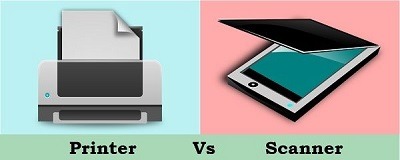
Fundamental of printers and scanners
Printers and scanners are essential devices used in various settings to digitize documents, create physical copies, and facilitate document management. Understanding the fundamentals of printers and scanners is crucial for effective utilization and troubleshooting. Here are the key fundamentals:
Printers:
- Types of Printers:
- Inkjet Printers: Use liquid ink sprayed through tiny nozzles onto paper.
- Laser Printers: Employ a laser beam to transfer toner (powdered ink) onto paper.
- Thermal Printers: Use heat to create images or text on specially treated paper.
- Dot Matrix Printers: Utilize a matrix of pins striking an ink ribbon to form characters.
- Printing Technologies:
- Page Printing: Prints an entire page at once using laser or LED technology.
- Line Printing: Prints one line at a time, commonly found in dot matrix printers.
- Direct Thermal Printing: Produces images by heating chemically coated paper.
- Printer Connectivity:
- USB: Universal Serial Bus connection for direct communication with a computer.
- Ethernet: Enables networking capability for shared printer access.
- Wi-Fi: Wireless connection for printing from mobile devices and computers.
- Bluetooth: Allows printing from Bluetooth-enabled devices within a short range.
- Printer Resolution:
- Measured in dots per inch (dpi), indicating the level of detail and sharpness.
- Higher resolution provides clearer and more detailed prints.
Scanners:
- Types of Scanners:
- Flatbed Scanners: Documents are placed on a flat glass surface for scanning.
- Sheet fed Scanners: Automatically feed and scan multiple pages.
- Handheld Scanners: Hand-operated devices for scanning small or irregularly shaped objects.
- Scanning Technologies:
- Contact Image Sensor (CIS): Uses LEDs and sensors to capture images.
- Charge-Coupled Device (CCD): Utilizes a series of light-sensitive sensors.
- Scanner Connectivity:
- USB: Direct connection to a computer for scanning and data transfer.
- Wi-Fi: Wireless connectivity to scan and transmit images to computers or mobile devices.
- Ethernet: Enables network scanning for sharing scanners across multiple devices.
- Scanner Resolution:
- Similar to printer resolution, scanner resolution is measured in dots per inch (dpi).
- Higher resolution produces more detailed and accurate scanned images.
- Scanner Software:
- Scanning software allows customization of scan settings, file formats, and image editing.
- Optical Character Recognition (OCR) software converts scanned text into editable digital text.
Understanding the fundamentals of printers and scanners helps users select the appropriate devices for their needs, troubleshoot common issues, and optimize their usage. It also enables effective communication with technical support and facilitates informed decision-making when purchasing or upgrading these devices.
What is required Fundamental of printers and scanners
To understand the fundamental concepts of printers and scanners, the following knowledge is required:
- Basic understanding of printing technologies: Familiarity with the different types of printers, such as inkjet, laser, thermal, and dot matrix, including their working principles and typical applications.
- Knowledge of printer connectivity options: Understanding the various connectivity options available for printers, such as USB, Ethernet, Wi-Fi, and Bluetooth, and their benefits and limitations.
- Understanding of printer resolution: Knowledge of resolution specifications, usually measured in dots per inch (dpi), and how it affects the quality and clarity of printed output.
- Awareness of scanner types: Understanding the different types of scanners, including flatbed scanners, sheet fed scanners, and handheld scanners, and their specific functionalities and applications.
- Familiarity with scanning technologies: Knowledge of scanning technologies like Contact Image Sensor (CIS) and Charge-Coupled Device (CC D), their differences, and how they capture and convert images into digital format.
- Understanding of scanner connectivity options: Awareness of connectivity options available for scanners, such as USB, Wi-Fi, and Ethernet, and how they enable communication and data transfer between the scanner and other devices.
- Knowledge of scanner resolution: Understanding the concept of scanner resolution, measured in dpi, and its impact on the level of detail and quality of scanned images.
- Familiarity with scanner software and features: Understanding the role of scanning software in controlling scan settings, file formats, and image editing capabilities. Awareness of features like Optical Character Recognition (OCR) for converting scanned text into editable digital text.
- Troubleshooting skills: Basic troubleshooting skills to identify and resolve common issues related to printers and scanners, such as connectivity problems, paper jams, image quality issues, and software errors.
- Understanding of maintenance and care: Knowledge of basic maintenance tasks, such as cleaning printer heads, replacing ink or toner cartridges, calibrating scanners, and following manufacturer guidelines for optimal performance and longevity.
Having a strong foundation in these fundamental aspects of printers and scanners enables users to make informed decisions when purchasing, operating, and troubleshooting these devices effectively. It also helps in maximizing their functionality and ensuring smooth and efficient printing and scanning operations.
Who is required Fundamental of printers and scanners
The understanding of the fundamental concepts of printers and scanners is beneficial for various individuals and professionals who interact with these devices. Here are some individuals who may require a fundamental understanding of printers and scanners:
- End Users: Individuals who use printers and scanners in their daily personal or professional activities, such as students, home users, office workers, and small business owners, benefit from understanding the basics of printers and scanners to operate and troubleshoot these devices efficiently.
- IT Support Staff: Technical support personnel responsible for assisting users with printer and scanner-related issues need a solid understanding of the fundamental concepts to diagnose and resolve common problems. They may need to troubleshoot connectivity issues, software conflicts, or printer and scanner configuration problems.
- Office Administrators: Professionals responsible for managing office equipment, including printers and scanners, should have a fundamental understanding of these devices to ensure their proper functioning, maintain supplies, troubleshoot basic issues, and optimize their usage for office workflows.
- Graphic Designers and Artists: Professionals working in design, graphics, or art-related fields may require a deep understanding of printers and scanners. They need to know how to optimize settings for accurate color reproduction, resolution, and image quality to ensure their designs and artwork are accurately represented in print or digital formats.
- Purchasing and Procurement Professionals: Individuals responsible for procuring printers and scanners for organizations need a fundamental understanding of these devices to make informed purchasing decisions. They should be aware of the different types of printers and scanners available, their features, connectivity options, and how they align with the organization’s specific needs and budget.
- System Administrators: IT professionals responsible for managing printers and scanners across an organization’s network need a fundamental understanding of these devices’ connectivity options, driver installations, and configuration settings to ensure smooth operation and integration within the network environment.
- Educators and Trainers: Teachers, instructors, or trainers who incorporate printers and scanners into their educational curriculum or training programs benefit from a fundamental understanding. They can teach students or trainees how to effectively use and troubleshoot these devices in various scenarios.
While the level of understanding may vary depending on the individual’s role and requirements, a basic knowledge of printers and scanners is valuable for anyone who interacts with these devices to optimize their usage, troubleshoot common issues, and make informed decisions related to their operation and maintenance.
When is required Fundamental of printers and scanners
The fundamental knowledge of printers and scanners is required in various situations and contexts. Here are some instances when this understanding becomes necessary:
- Setting up and Installing Devices: When acquiring a new printer or scanner, it is crucial to have a fundamental understanding to properly set up and install the device. This includes connecting cables, installing necessary drivers and software, and configuring basic settings.
- Operating the Devices: Users who need to operate printers and scanners should have a fundamental understanding of their functionalities. This includes tasks such as selecting print options, adjusting print settings, initiating scans, and utilizing basic scanning features.
- Troubleshooting and Issue Resolution: When encountering problems or errors with printers and scanners, a fundamental knowledge is required to troubleshoot and resolve common issues. This may involve identifying connectivity issues, addressing paper jams, troubleshooting print quality problems, or diagnosing scanning errors.
- Maintenance and Care: Regular maintenance is essential to ensure optimal performance and longevity of printers and scanners. Having a fundamental understanding enables users to perform basic maintenance tasks like cleaning print heads, replacing ink or toner cartridges, calibrating scanners, and following manufacturer recommendations for care and upkeep.
- Selecting the Right Devices: When purchasing printers and scanners, understanding the fundamental concepts helps individuals make informed decisions. They can evaluate different types of devices, compare specifications, consider connectivity options, assess the required resolution and printing capabilities, and choose devices that align with their specific needs and budget.
- Integrating with Workflows: In professional settings, integrating printers and scanners into existing workflows and network environments may require a fundamental understanding. This includes configuring network connections, ensuring compatibility with operating systems and software applications, and optimizing device settings to meet specific business requirements.
- Training and Education: In educational settings or when providing training sessions, instructors or trainers may need to impart fundamental knowledge about printers and scanners to equip learners with the necessary skills to use and troubleshoot these devices effectively.
- Compliance and Security: Understanding the fundamental concepts of printers and scanners is important when ensuring compliance with data protection regulations and implementing security measures. This includes knowledge of secure printing practices, data encryption options, and protecting sensitive information during scanning and document management processes.
Having a fundamental understanding of printers and scanners is valuable in various scenarios, enabling individuals to set up, operate, troubleshoot, maintain, and integrate these devices effectively within their specific environments and workflows.
Where is required Fundamental of printers and scanners
The fundamental knowledge of printers and scanners is required in various settings and industries where these devices are used. Here are some examples:
- Offices and Workplaces: Printers and scanners are essential in office environments for tasks such as printing documents, scanning contracts, and digitizing records. Fundamental knowledge of printers and scanners is necessary for employees to perform their daily tasks effectively.
- Educational Institutions: Schools, colleges, and universities rely on printers and scanners for administrative purposes, printing course materials, and scanning assignments. Teachers, administrators, and students benefit from understanding the fundamental concepts to utilize these devices efficiently.
- Libraries and Archives: Libraries and archives often have scanning and printing facilities available to users for reproducing documents, digitizing historical records, or printing research materials. Staff and patrons require a fundamental understanding of printers and scanners to utilize these resources effectively.
- Graphic Design and Advertising Agencies: Professionals in the design industry heavily rely on printers and scanners to reproduce high-quality artwork, proofs, and promotional materials. Having a solid understanding of these devices is crucial to ensure accurate color representation and optimal print quality.
- Legal and Financial Institutions: Law firms, accounting firms, and financial institutions deal with sensitive documents that require printing, scanning, and secure handling. Employees in these industries need a fundamental understanding of printers and scanners to maintain confidentiality and comply with regulatory requirements.
- Healthcare Facilities: Printers and scanners play a role in healthcare for printing patient records, scanning medical documents, and creating hard copies of diagnostic results. Healthcare professionals and administrative staff should understand these devices for effective information management.
- Retail and Hospitality: In retail stores and hospitality establishments, printers are used for generating receipts, invoices, and reports. Scanners are used for inventory management and document processing. Employees need to understand the fundamentals to ensure smooth operations and customer service.
- Manufacturing and Logistics: Printers are employed in manufacturing industries for labeling products, printing shipping labels, and tracking inventory. Scanners assist in capturing barcode data and streamlining logistics operations. Employees involved in these processes require a fundamental understanding of printers and scanners.
- Home Users: Even in home settings, printers and scanners are commonly used for personal and family needs, such as printing documents, scanning photos, or creating school projects. Home users can benefit from understanding the fundamentals to utilize these devices effectively.
Understanding the fundamental concepts of printers and scanners is beneficial in various industries and settings where these devices are used for document management, information dissemination, and efficient workflow processes. It enables individuals to maximize the capabilities of these devices, troubleshoot basic issues, and utilize them in a way that meets their specific needs.
How is required Fundamental printers and scanners
The fundamental knowledge of printers and scanners is required in several ways to ensure their effective utilization and troubleshoot common issues. Here are some key aspects of how this knowledge is required:
- Setting up and Installation: When setting up printers and scanners, a fundamental understanding is necessary to connect the devices correctly, install necessary drivers and software, and configure basic settings. This knowledge helps users ensure a smooth installation process and proper functioning of the devices.
- Device Operation: Understanding the fundamental concepts of printers and scanners allows users to operate them effectively. Users need to know how to select print options, adjust print settings such as paper size and quality, initiate scans, and utilize basic scanning features like resolution settings or color modes.
- Troubleshooting and Issue Resolution: When encountering common issues with printers and scanners, having a fundamental understanding is crucial for troubleshooting. Users can identify and resolve issues such as paper jams, connectivity problems, print quality issues, or scanning errors. This knowledge empowers users to resolve basic issues independently, saving time and resources.
- Maintenance and Care: Printers and scanners require regular maintenance to ensure optimal performance. Fundamental knowledge is required to perform basic maintenance tasks such as cleaning print heads, replacing ink or toner cartridges, calibrating scanners, and following manufacturer guidelines for device care. This helps extend the lifespan of the devices and maintain their functionality.
- Software and Driver Management: Understanding the fundamental concepts of printers and scanners allows users to manage the associated software and drivers effectively. This includes installing and updating drivers, configuring software settings, and utilizing additional features or functionalities provided by the manufacturer. Proper software management ensures compatibility, security, and optimal device performance.
- Print and Scan Optimization: With a fundamental knowledge of printers and scanners, users can optimize their usage for specific needs. They can adjust print settings to achieve desired print quality, optimize scanning parameters for different types of documents, and utilize features like duplex printing or document feeder for efficient operations. This knowledge helps users get the best results from their devices.
- Integration with Workflows and Networks: In professional environments, printers and scanners often need to be integrated into existing workflows and network environments. A fundamental understanding allows users to configure network connections, ensure compatibility with software applications, and optimize device settings for seamless integration and efficient utilization within the workflow.
By having a fundamental understanding of printers and scanners, users can effectively set up, operate, troubleshoot, maintain, and integrate these devices into their specific contexts. This knowledge empowers users to leverage the capabilities of printers and scanners efficiently, overcome common issues, and ensure optimal performance and functionality.
Case study on Fundamental printers and scanners
Unfortunately, as an AI language model, I don’t have real-time access to current case studies. However, I can provide you with a hypothetical example of a case study on the fundamental aspects of printers and scanners.
Title: Enhancing Efficiency and Troubleshooting in an Office Environment through Fundamental Knowledge of Printers and Scanners
Abstract: This case study examines how a medium-sized office organization improved operational efficiency and troubleshooting capabilities by equipping employees with fundamental knowledge of printers and scanners. The study highlights the importance of understanding key concepts, such as printer types, connectivity options, resolution, scanning technologies, and troubleshooting techniques. The implementation of training sessions and resource materials aimed to enhance user skills and empower employees to handle common issues independently. Data was collected through surveys, interviews, and performance metrics to measure the impact of the initiative.
Introduction: The office organization recognized that employees lacked a basic understanding of printers and scanners, resulting in frequent operational disruptions, prolonged downtime, and dependency on technical support. The objective of the case study was to assess the impact of providing fundamental knowledge training to employees and evaluate its effectiveness in improving efficiency and troubleshooting capabilities.
Methods:
- Training Program: A series of interactive training sessions were conducted, covering the fundamental concepts of printers and scanners. The training included hands-on demonstrations, visual aids, and practical exercises to reinforce the learning.
- Resource Materials: Reference materials, including user manuals, troubleshooting guides, and FAQs, were developed and made available to employees. These resources served as quick references and aided in independent troubleshooting.
- Pre and Post-Training Assessments: Surveys were conducted to assess employees’ knowledge and confidence levels before and after the training program. The assessments aimed to gauge the impact of the training in improving understanding and self-sufficiency.
- Performance Metrics: Operational data, including the number of support tickets, downtime due to printer and scanner issues, and response time of technical support, were recorded before and after the training. These metrics provided quantitative insights into the impact of the initiative.
Results: The training program and resource materials significantly improved employees’ understanding of printers and scanners. Key outcomes observed were:
- Increased Efficiency: Employees demonstrated improved skills in selecting appropriate print options, optimizing settings, and utilizing scanning features. This resulted in reduced printing errors, better print quality, and streamlined scanning processes.
- Enhanced Troubleshooting: With the acquired knowledge, employees were able to diagnose and resolve common issues independently. This led to a reduction in support tickets and minimized downtime caused by simple problems.
- Empowered Employees: The initiative empowered employees to take ownership of printer and scanner-related tasks, leading to increased productivity, reduced reliance on technical support, and improved user satisfaction.
- Cost Savings: The decreased dependency on technical support and reduced downtime resulted in cost savings for the organization.
Conclusion: The case study demonstrated the significance of providing fundamental knowledge of printers and scanners to employees in improving operational efficiency and troubleshooting capabilities. By equipping employees with the necessary skills, the organization experienced enhanced productivity, reduced downtime, improved self-sufficiency, and cost savings. The findings emphasize the importance of investing in training initiatives and promoting fundamental understanding of these essential office devices.
White paper on Fundamental printers and scanners
Title: Understanding the Fundamentals of Printers and Scanners: A Comprehensive Guide
Abstract: This white paper provides an in-depth exploration of the fundamental aspects of printers and scanners. It covers key concepts, functionalities, technologies, and best practices related to these devices. The purpose of this white paper is to equip readers with a solid understanding of printers and scanners, enabling them to make informed decisions, operate the devices effectively, troubleshoot common issues, and optimize their usage in various settings. By delving into the fundamental knowledge, this white paper aims to enhance productivity, efficiency, and user satisfaction.
Table of Contents:
- Introduction 1.1 Overview 1.2 Importance of Understanding Fundamental Concepts
- Printer Fundamentals 2.1 Types of Printers 2.2 Printing Technologies 2.3 Resolution and Print Quality 2.4 Paper Handling and Media Types 2.5 Connectivity Options 2.6 Printer Drivers and Software
- Scanner Fundamentals 3.1 Types of Scanners 3.2 Scanning Technologies 3.3 Resolution and Image Quality 3.4 Scanning Features and Options 3.5 OCR (Optical Character Recognition) 3.6 Scanning Software and Drivers
- Print and Scan Optimization 4.1 Print Settings and Configuration 4.2 Color Management and Calibration 4.3 Print Media Selection and Handling 4.4 Scanning Techniques and Optimization 4.5 OCR and Document Conversion Best Practices
- Troubleshooting Common Issues 5.1 Paper Jams and Printer Errors 5.2 Print Quality Problems and Solutions 5.3 Connectivity Issues and Network Troubleshooting 5.4 Scanner Malfunctions and Error Messages
- Maintenance and Care 6.1 Cleaning and Maintenance Procedures 6.2 Ink and Toner Cartridge Replacement 6.3 Preventive Maintenance Tips 6.4 Security Considerations and Data Privacy
- Integration and Compatibility 7.1 Network Integration and Configuration 7.2 Software Compatibility and Integration 7.3 Mobile Printing and Scanning 7.4 Cloud Printing and Document Management
- Future Trends and Innovations 8.1 Advancements in Printing Technologies 8.2 Emerging Scanning Techniques and Applications 8.3 Integration with IoT and Smart Devices
- Conclusion
The white paper aims to provide comprehensive insights into the fundamental aspects of printers and scanners. It combines theoretical knowledge with practical guidance, enabling readers to develop a deep understanding of these devices. By leveraging this knowledge, individuals and organizations can optimize their printer and scanner usage, troubleshoot common issues, and adapt to evolving trends in the printing and scanning industry.