
Peripheral Devices
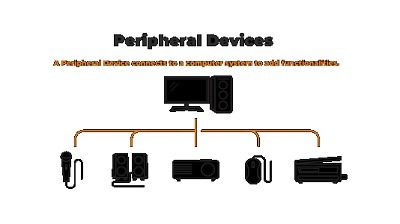
Peripheral devices are hardware components that connect to a computer and provide additional functionality or input/output capabilities. These devices expand the computer’s capabilities and allow users to interact with the machine. Peripheral devices can be broadly categorized into several types based on their functions:
1. Input Devices:
- Keyboard: Allows users to input text and commands into the computer.
- Mouse: Provides a pointing device for graphical user interfaces and precise control.
- Touchpad: Commonly found on laptops, it serves as an alternative to a mouse.
- Trackball: Offers an alternative to the mouse with a stationary ball that is rolled to control the cursor.
- Scanner: Converts physical documents or images into digital formats.
- Graphics Tablet: Used by artists and designers for precise drawing and graphics work.
- Microphone: Captures audio input, enabling voice commands, audio recording, and communication.
- Barcode Scanner: Reads barcodes for inventory management and retail applications.
- Webcam: Captures video for video conferencing, live streaming, and online communication.
- Fingerprint Scanner: Used for biometric authentication and security purposes.
2. Output Devices:
- Monitor/Display: Displays visual output, including text, images, and videos.
- Printer: Produces hard copies of digital documents and images.
- Speakers: Output audio for multimedia content, gaming, and communication.
- Projector: Projects computer content onto a larger screen or surface for presentations and entertainment.
- Headphones/Headsets: Provides private audio output for listening to music and communication.
3. Storage Devices:
- Hard Disk Drive (HDD): Provides long-term storage for data and applications.
- Solid-State Drive (SSD): Offers faster and more durable storage compared to HDDs.
- USB Flash Drive: Provides portable, removable storage for data.
- External Hard Drive: Expands storage capacity and offers backup solutions.
- Memory Card Reader: Reads memory cards used in cameras and other devices.
- Optical Drives (CD/DVD/Blu-ray): Reads and writes data to optical discs.
4. Communication Devices:
- Modem: Connects to the internet through telephone lines (DSL) or cable (cable modem).
- Network Interface Card (NIC): Enables wired or wireless network connectivity.
- Router: Manages network traffic and allows multiple devices to connect to the internet.
- Bluetooth Adapter: Enables wireless communication with Bluetooth devices such as headphones, keyboards, and mice.
5. Game and Entertainment Devices:
- Game Controller: Used for gaming and navigating through gaming interfaces.
- Joystick: Commonly used for flight simulation and certain gaming genres.
- Virtual Reality (VR) Headsets: Provide an immersive gaming and multimedia experience.
- Gaming Keyboards and Mice: Designed with additional features for gaming enthusiasts.
- Gamepads and Racing Wheels: Specialized controllers for gaming genres like racing and sports.
These peripheral devices enhance the functionality of computers, making them more versatile and adaptable to a wide range of tasks, from basic office work to gaming, creative design, and communication. Users can choose and customize peripherals based on their specific needs and preferences.
What is required Peripheral Devices
An introduction to peripheral devices typically covers the fundamental types of peripherals, their functions, and how they enhance a computer’s capabilities. Here’s what is generally required in an introduction to peripheral devices:
1. Definition of Peripheral Devices:
- Begin by explaining what peripheral devices are: hardware components that connect to a computer to provide additional input, output, storage, or communication capabilities.
2. Types of Peripheral Devices:
- Provide an overview of the common types of peripheral devices, including input devices, output devices, storage devices, communication devices, and game/entertainment devices.
3. Input Devices:
- Describe input devices such as keyboards, mice, touchpads, scanners, and microphones, emphasizing their roles in providing data and commands to the computer.
4. Output Devices:
- Explain output devices like monitors/displays, printers, speakers, and headphones, highlighting their functions in presenting information to users.
5. Storage Devices:
- Discuss storage devices, including hard disk drives (HDDs), solid-state drives (SSDs), USB flash drives, external hard drives, and optical drives, and how they store and retrieve data.
6. Communication Devices:
- Introduce communication devices such as modems, network interface cards (NICs), routers, Bluetooth adapters, webcams, and microphones for online communication and connectivity.
7. Game and Entertainment Devices:
- Mention gaming peripherals like game controllers, joysticks, virtual reality (VR) headsets, and specialized gaming keyboards and mice, highlighting their role in gaming and multimedia experiences.
8. How Peripherals Enhance Computers:
- Explain how peripheral devices expand a computer’s functionality and adaptability, making it suitable for various tasks and user preferences.
9. Installation and Connectivity:
- Touch on the basics of connecting and configuring peripheral devices with a computer, including hardware connections and driver installations.
10. Considerations When Choosing Peripherals: – Discuss factors to consider when selecting peripherals, such as compatibility, performance, ergonomics, and personal preferences.
11. Examples and Use Cases: – Provide real-world examples and use cases for each type of peripheral device, illustrating their practical applications.
12. Emerging Technologies: – Mention emerging trends in peripheral devices, such as wireless technologies (e.g., Bluetooth), virtual reality, and advances in input/output technology.
13. Maintenance and Troubleshooting: – Briefly touch on maintenance tips and common troubleshooting issues users may encounter with peripheral devices.
14. Compatibility and Interface Types: – Explain how compatibility between a computer and peripherals is determined, including the types of interfaces used (e.g., USB, HDMI, Bluetooth).
15. Resources and Recommendations: – Provide recommended resources, websites, or brands for purchasing and learning more about peripheral devices.
16. Practical Exercises or Demonstrations: – Depending on the course format, consider including hands-on exercises or demonstrations where students can connect and use peripheral devices.
17. Q&A and Discussion: – Encourage questions and discussions to ensure students have a clear understanding of the concepts and practical aspects of peripheral devices.
By covering these topics, an introduction to peripheral devices can help students understand the various hardware components that enhance a computer’s functionality and cater to specific user needs.
When is required Peripheral Devices
The need for peripheral devices arises in various situations and contexts where users require additional input, output, storage, or communication capabilities to enhance their computing experience. Peripheral devices are required in the following situations:
- Basic Computer Usage: Even for everyday tasks like typing documents or browsing the internet, peripherals such as keyboards and mice are essential for input.
- Multimedia and Entertainment: For watching movies, playing games, or listening to music, peripherals like monitors, speakers, headphones, and gaming controllers provide a more immersive experience.
- Productivity and Office Work: In office settings, peripherals such as printers, scanners, and ergonomic keyboards contribute to efficiency and document management.
- Creative and Graphic Design: Graphic designers and artists rely on specialized peripherals like graphics tablets and high-quality monitors to create digital artwork.
- Data Storage and Backup: External hard drives and USB flash drives are needed for data storage, backup, and portability.
- Communication: Webcams, microphones, and headsets are crucial for video conferencing, online meetings, and voice calls.
- Networking: Routers, network interface cards (NICs), and Wi-Fi adapters enable network connectivity, especially in homes and offices.
- Gaming: Gamers require gaming peripherals such as gaming mice, keyboards, controllers, and VR headsets to enhance gameplay and immersion.
- Specialized Tasks: In certain industries, specialized peripherals like barcode scanners, RFID readers, and POS (Point of Sale) devices are essential for retail and inventory management.
- Home Automation: Smart home devices like smart speakers, smart thermostats, and smart lighting systems often require peripherals for control and configuration.
- Scientific and Technical Applications: In research and scientific fields, specialized peripherals like data acquisition devices, sensors, and scientific cameras are necessary for data collection and analysis.
- Accessibility: Adaptive peripherals, such as Braille displays, screen readers, and adaptive keyboards, are required to make computers accessible to individuals with disabilities.
- Gaming and Esports: Esports professionals often use high-performance peripherals to gain a competitive edge, including gaming monitors, mechanical keyboards, and precision mice.
- Content Creation: Content creators, including YouTubers and streamers, require peripherals like high-quality microphones, cameras, and capture cards for recording and streaming content.
- Virtual Reality and Augmented Reality: VR headsets, motion controllers, and AR glasses are used in virtual and augmented reality applications, including gaming, education, and training.
The specific peripheral devices needed depend on the user’s requirements, preferences, and the tasks they want to perform with their computer. As technology advances, new peripheral devices continue to emerge, expanding the range of options available to users for different purposes.
Where is required Peripheral Devices
Peripheral devices are required and used in a wide range of settings and environments where computers and computing technology play a role. Here are some common places and situations where peripheral devices are required or beneficial:
- Home: In a home setting, peripheral devices are used for everyday computing tasks, entertainment, and communication. Examples include keyboards, mice, monitors, printers, speakers, and webcams for video calls.
- Office: Offices require various peripherals to support productivity and document management. These include printers, scanners, ergonomic keyboards, computer monitors, and networking equipment like routers.
- Schools and Educational Institutions: In educational settings, peripherals are used for teaching, research, and administrative purposes. This may include interactive whiteboards, projectors, document cameras, and specialized input devices for science and engineering labs.
- Retail Stores: Retail businesses rely on peripherals such as barcode scanners, cash registers (which include peripherals like receipt printers and customer displays), and point-of-sale (POS) systems.
- Gaming Arenas and Esports Centers: Gaming venues require specialized gaming peripherals, including high-refresh-rate monitors, gaming mice, mechanical keyboards, and gaming chairs.
- Healthcare Facilities: Hospitals and clinics use peripherals like barcode scanners for patient identification, printers for medical records, and medical imaging devices for diagnostics.
- Production and Manufacturing Facilities: Manufacturing environments often use specialized peripherals for automation, quality control, and data collection, such as industrial barcode scanners and control panels.
- Entertainment and Media Production: Studios and production companies require peripherals like high-resolution monitors, graphics tablets, and professional-grade audio equipment for content creation.
- Aerospace and Engineering: Engineers and researchers in aerospace and engineering fields use peripherals for tasks such as 3D modeling, simulations, and data acquisition with specialized devices.
- Remote Work and Telecommuting: In remote work scenarios, peripherals like webcams, noise-canceling headsets, and ergonomic keyboards are crucial for effective communication and productivity.
- Gaming at Home: Gamers at home use gaming peripherals for an immersive gaming experience. This includes gaming consoles, gaming PCs, gaming monitors, controllers, gaming headsets, and VR headsets.
- Smart Homes: In smart homes, users employ peripheral devices to control and monitor home automation systems, including smart speakers, smart thermostats, and home security cameras.
- Research Labs: Scientific and research laboratories utilize specialized peripherals for data acquisition, analysis, and control systems, including sensors, lab equipment interfaces, and scientific cameras.
- Art and Design Studios: Graphic designers, artists, and illustrators rely on peripherals such as graphics tablets, high-quality monitors, and color calibration tools for their creative work.
- Accessibility Centers: Assistive technology centers and organizations serving individuals with disabilities use adaptive peripherals to make computers and technology accessible to all.
These are just a few examples, and peripheral devices can be found in virtually every sector and industry where computing is involved. The choice of peripherals depends on the specific tasks, needs, and goals of each environment.
How is required Peripheral Devices
The necessity and usage of peripheral devices depend on the specific requirements and functions they serve in a computing environment. Here’s how peripheral devices are required and used in various situations:
- Input Devices:
- Keyboards and Mice: These are required in almost all computing settings for data input and navigation.
- Scanners: Essential for digitizing physical documents and images, commonly used in offices and libraries.
- Microphones: Crucial for voice input, voice commands, and audio recording, used in offices, home entertainment, and communication.
- Graphics Tablets: Necessary for digital artists and designers for precise drawing and graphic design.
- Barcode Scanners: Vital for retail, inventory management, and tracking systems.
- Webcams: Used in video conferencing, online education, security, and personal communication.
- Output Devices:
- Monitors/Displays: Required for visual output in offices, homes, gaming, and various industries.
- Printers: Essential for creating hard copies of documents and graphics, used in offices, homes, and manufacturing.
- Speakers: Needed for audio output in entertainment, communication, and multimedia applications.
- Headphones/Headsets: Used for private audio output in gaming, multimedia, and online communication.
- Projectors: Necessary for presentations, education, and large-scale visual displays.
- Storage Devices:
- Hard Disk Drives (HDDs) and Solid-State Drives (SSDs): Essential for data storage and retrieval in personal computers and servers.
- External Hard Drives and USB Flash Drives: Required for data backup, portability, and sharing.
- Memory Card Readers: Commonly used in cameras, smartphones, and other portable devices.
- Communication Devices:
- Modems: Required for internet connectivity through various technologies like DSL and cable.
- Network Interface Cards (NICs): Needed for wired and wireless network connectivity in homes, offices, and data centers.
- Routers: Essential for managing network traffic and connecting multiple devices to the internet.
- Bluetooth Adapters: Used for wireless communication with Bluetooth devices, such as headphones and keyboards.
- Webcams and Microphones: Crucial for video conferencing, online meetings, and remote communication.
- Game and Entertainment Devices:
- Game Controllers: Required for gaming on consoles and PCs.
- VR Headsets: Essential for virtual reality gaming and experiences.
- Specialized Gaming Peripherals: Necessary for competitive gaming and enhanced gameplay.
- Sound Systems: Needed for immersive audio experiences in gaming, home theaters, and entertainment.
- Specialized Tasks:
- Barcode Scanners and POS Systems: Required for retail businesses.
- Industrial Peripherals: Necessary for manufacturing and industrial automation.
- Scientific Equipment Interfaces: Vital for laboratories and research institutions.
- Aerospace and Engineering Tools: Essential for engineers and researchers in specialized fields.
- Accessibility Devices:
- Assistive Peripherals: Necessary for making computers and technology accessible to individuals with disabilities.
- Smart Home Devices:
- Smart Speakers, Thermostats, and Cameras: Required for controlling and monitoring home automation systems.
Peripheral devices serve specific functions and cater to diverse user needs in different environments, making them essential components in modern computing ecosystems. Their usage varies widely based on the context, whether it’s for work, entertainment, education, or specialized applications.
Case Study on Peripheral Devices
Title: Enhancing Efficiency and Ergonomics in an Office Setting with Peripheral Devices
Introduction: In this case study, we’ll explore how a medium-sized office organization successfully improved its efficiency and employee satisfaction by strategically implementing various peripheral devices. The company aimed to optimize its workflow, streamline tasks, and enhance employee comfort and productivity.
Company Profile:
- Name: XYZ Solutions, Inc.
- Industry: Information Technology Services
- Size: Approximately 150 employees
- Location: Urban area
Challenges: XYZ Solutions, Inc. faced several challenges before implementing peripheral devices:
- Manual Data Entry: Data entry tasks were time-consuming and prone to errors, impacting the accuracy of reports and client deliverables.
- Ergonomic Concerns: Employees frequently reported discomfort and repetitive strain injuries due to prolonged computer use.
- Communication Barriers: The organization needed improved communication tools for team collaboration and client meetings.
Solutions:
1. Ergonomic Keyboards and Mice:
- XYZ Solutions invested in ergonomic keyboards and mice for all employees. These peripherals reduced the risk of repetitive strain injuries and improved overall comfort.
2. Dual Monitors:
- To enhance productivity, employees were provided with dual monitors. This allowed for better multitasking, smoother workflow, and easier reference between documents.
3. Document Scanners:
- The implementation of document scanners eliminated the need for manual data entry. Documents and contracts could be quickly scanned and converted into digital formats, reducing errors and saving time.
4. Video Conferencing Equipment:
- High-quality webcams, microphones, and speakers were installed in meeting rooms and at employee workstations. This upgrade improved the quality of virtual client meetings and internal communications.
5. Wireless Headsets:
- Employees in client-facing roles received wireless headsets. This allowed them to move freely during phone calls, contributing to better customer interactions and increased comfort.
Results:
1. Improved Efficiency:
- The introduction of document scanners significantly reduced data entry time, leading to faster report generation and more accurate client deliverables.
2. Enhanced Ergonomics:
- Employee satisfaction improved as ergonomic keyboards, mice, and dual monitors reduced discomfort and fatigue associated with extended computer use.
3. Streamlined Communication:
- The upgrade in video conferencing equipment resulted in clearer audio and video quality during client meetings and internal discussions.
4. Increased Productivity:
- The combination of dual monitors and ergonomic peripherals contributed to a more efficient workflow, leading to increased productivity and reduced errors.
5. Employee Satisfaction:
- Employee feedback indicated a notable improvement in comfort, job satisfaction, and overall well-being, resulting in reduced absenteeism and increased motivation.
Conclusion: By strategically integrating various peripheral devices into its daily operations, XYZ Solutions, Inc. successfully addressed its challenges, improved efficiency, and enhanced employee satisfaction. The investment in ergonomic peripherals and communication tools not only improved productivity but also contributed to a healthier and more comfortable work environment. This case study serves as an example of how well-chosen peripheral devices can positively impact an organization’s performance and employee well-being.
White Paper on Peripheral Devices
Title: Unlocking Productivity and User Experience: The Role of Peripheral Devices in Modern Computing Environments
Abstract: This white paper explores the significance of peripheral devices in contemporary computing environments. It delves into the types, functions, and impact of peripheral devices on productivity, user experience, and overall efficiency. From input and output devices to specialized peripherals, we will examine their critical roles and how organizations and individuals can harness their potential to enhance computing experiences.
Table of Contents:
- Introduction
- Definition of Peripheral Devices
- Importance in Modern Computing
- Types of Peripheral Devices
- Input Devices
- Output Devices
- Storage Devices
- Communication Devices
- Game and Entertainment Devices
- Specialized Devices
- The Evolution of Peripherals
- Historical Overview
- Technological Advancements
- Impact on Productivity
- Streamlining Workflow
- Enhancing Multitasking
- Reducing Manual Data Entry
- Improving Document Management
- User Experience and Ergonomics
- Ergonomic Keyboards and Mice
- Dual Monitors and Widescreen Displays
- Audio Devices and Headsets
- Accessibility Peripherals
- Specialized Applications
- Peripherals in Specific Industries
- Scientific and Research Peripherals
- Gaming and Entertainment Devices
- Smart Home Integration
- Connectivity and Compatibility
- Interface Types (USB, Bluetooth, HDMI, etc.)
- Ensuring Peripheral Compatibility
- Selecting the Right Peripheral Devices
- Factors to Consider
- Matching Peripherals to Use Cases
- Future Trends in Peripheral Devices
- Wireless and Cordless Technologies
- Augmented Reality (AR) and Virtual Reality (VR)
- Sustainable and Eco-Friendly Peripherals
- Best Practices for Implementing Peripherals
- Office and Business Environments
- Home Users and Remote Work
- Gaming and Entertainment
- Challenges and Considerations
- Security and Data Privacy
- Maintenance and Support
- Cost Considerations
- Case Studies
- Real-world examples of how peripheral devices have impacted organizations and individuals.
- Conclusion
- Recap of the Importance of Peripheral Devices
- The Ongoing Evolution of Peripherals
- The Future of Computing with Peripherals
- References
- Citations and resources for further reading.
Introduction: Peripheral devices have transformed the way we interact with computers and have become integral to our daily lives. From enhancing productivity and streamlining tasks to improving ergonomics and user experience, the role of peripherals is ever-expanding. This white paper explores the diverse world of peripheral devices, their historical evolution, their impact on productivity and user experience, and the emerging trends that are shaping the future of computing.
Conclusion: Peripheral devices are not mere add-ons to computers but vital components that can significantly enhance productivity, comfort, and user experience. Whether in an office setting, at home, or in specialized industries, the right selection and implementation of peripheral devices can unlock new levels of efficiency and creativity. As technology continues to advance, the potential for innovation and improvement in peripheral devices remains limitless, promising a future where computing is even more seamlessly integrated into our daily lives.