
UI/UX for responsive design
COURTESY :- vrindawan.in
Wikipedia
User interface (UI) design or user interface engineering is the design of user interfaces for machines and software, such as computers, home appliances, mobile devices, and other electronic devices, with the focus on maximizing usability and the user experience. In computer or software design, user interface (UI) design primarily focuses on information architecture. It is the process of building interfaces that clearly communicates to the user what’s important. UI design refers to graphical user interfaces and other forms of interface design. The goal of user interface design is to make the user’s interaction as simple and efficient as possible, in terms of accomplishing user goals (user-centered design).
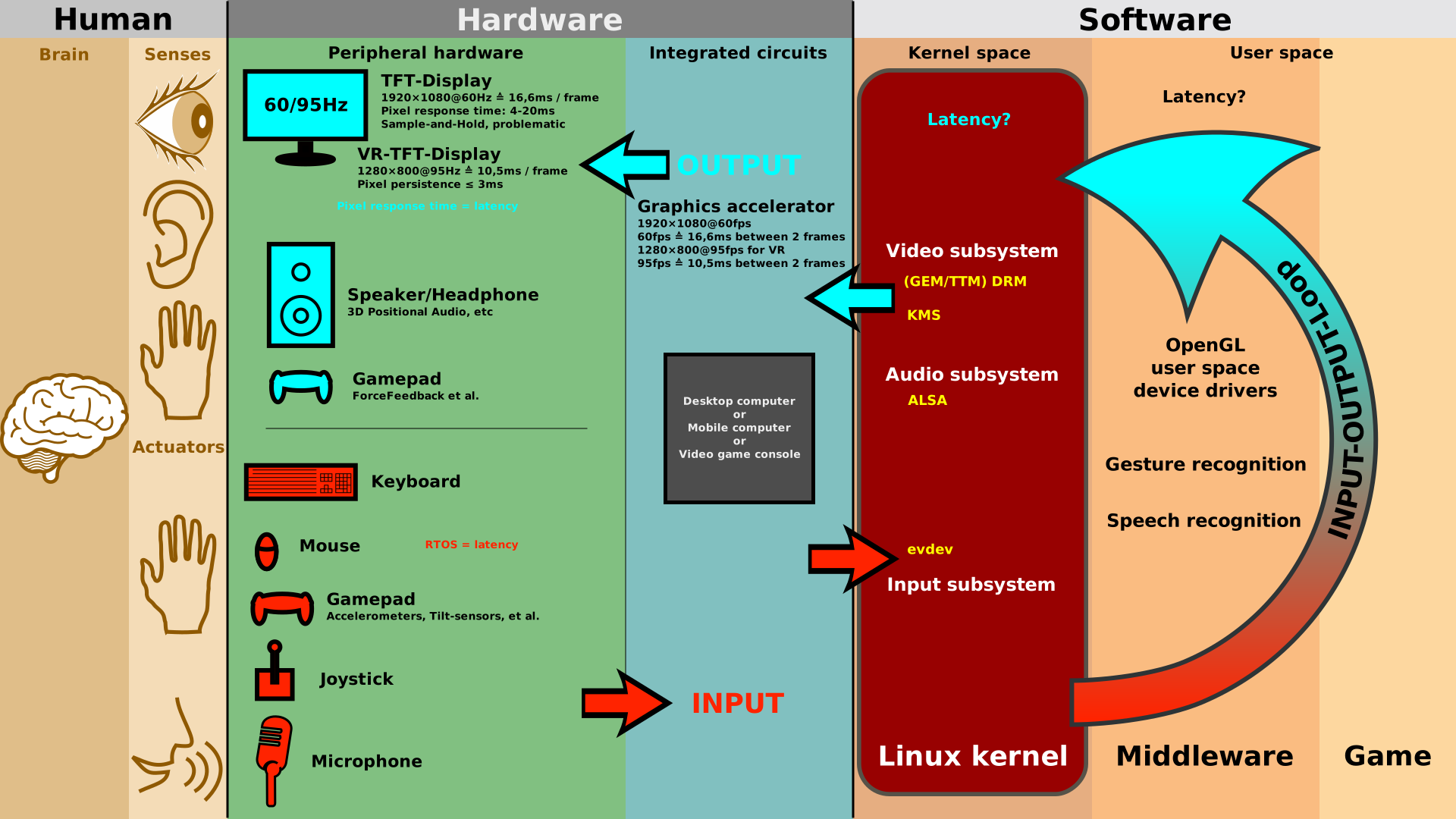
User interfaces are the points of interaction between users and designs. There are three types:
- Graphical user interfaces (GUIs) – Users interact with visual representations on a computer’s screen. The desktop is an example of a GUI.
- Interfaces controlled through voice – Users interact with these through their voices. Most smart assistants, such as Siri on smartphones or Alexa on Amazon devices, use voice control.
- Interactive interfaces utilizing gestures- Users interact with 3D design environments through their bodies, e.g., in virtual reality (VR) games.
Interface design is involved in a wide range of projects, from computer systems, to cars, to commercial planes; all of these projects involve much of the same basic human interactions yet also require some unique skills and knowledge. As a result, designers tend to specialize in certain types of projects and have skills centered on their expertise, whether it is software design, user research, web design, or industrial design.
Good user interface design facilitates finishing the task at hand without drawing unnecessary attention to itself. Graphic design and typography are utilized to support its usability, influencing how the user performs certain interactions and improving the aesthetic appeal of the design; design aesthetics may enhance or detract from the ability of users to use the functions of the interface. The design process must balance technical functionality and visual elements (e.g., mental model) to create a system that is not only operational but also usable and adaptable to changing user needs.
Compared to UX design, UI design is more about the surface and overall look of a design. User interface design is a craft in which designers, perform an important function in creating the user experience. On the other hand, the term UX design refers to the entire process of creating a user experience.
Don Norman and Jakob Nielsen said:
It’s important to distinguish the total user experience from the user interface (UI), even though the UI is obviously an extremely important part of the design. As an example, consider a website with movie reviews. Even if the UI for finding a film is perfect, the UX will be poor for a user who wants information about a small independent release if the underlying database only contains movies from the major studios.
User interface design requires a good understanding of user needs. It mainly focuses on the needs of the platform and its user expectations. There are several phases and processes in the user interface design, some of which are more demanded upon than others, depending on the project. Note: for the remainder of this section, the word system is used to denote any project whether it is a website, application, or device.)
- Functionality requirements gathering – assembling a list of the functionality required by the system to accomplish the goals of the project and the potential needs of the users.
- User and task analysis – a form of field research, it’s the analysis of the potential users of the system by studying how they perform the tasks that the design must support, and conducting interviews to elaborate their goals. Typical questions involve:
- What would the user want the system to do?
- How would the system fit in with the user’s normal workflow or daily activities?
- How technically savvy is the user and what similar systems does the user already use?
- What interface look & feel styles appeal to the user?
- Information architecture – development of the process and/or information flow of the system (i.e. for phone tree systems, this would be an option tree flowchart and for web sites this would be a site flow that shows the hierarchy of the pages).
- Prototyping – development of wire-frames, either in the form of paper prototypes or simple interactive screens. These prototypes are stripped of all look & feel elements and most content in order to concentrate on the interface.
- Usability inspection – letting an evaluator inspect a user interface. This is generally considered to be cheaper to implement than usability testing (see step below), and can be used early on in the development process since it can be used to evaluate prototypes or specifications for the system, which usually cannot be tested on users. Some common usability inspection methods include cognitive walk through, which focuses the simplicity to accomplish tasks with the system for new users, heuristic evaluation, in which a set of heuristics are used to identify usability problems in the UI design, and pluralistic walk through, in which a selected group of people step through a task scenario and discuss usability issues.
- Usability testing – testing of the prototypes on an actual user—often using a technique called think aloud protocol where you ask the user to talk about their thoughts during the experience. User interface design testing allows the designer to understand the reception of the design from the viewer’s standpoint, and thus facilitates creating successful applications.
- Graphical user interface design – actual look and feel design of the final graphical user interface (GUI). These are design’s control panels and faces; voice-controlled interfaces involve oral-auditory interaction, while gesture-based interfaces witness users engaging with 3D design spaces via bodily motions. It may be based on the findings developed during the user research, and refined to fix any usability problems found through the results of testing. Depending on the type of interface being created, this process typically involves some computer programming in order to validate forms, establish links or perform a desired action.
- Software maintenance – after the deployment of a new interface, occasional maintenance may be required to fix software bugs, change features, or completely upgrade the system. Once a decision is made to upgrade the interface, the legacy system will undergo another version of the design process, and will begin to repeat the stages of the interface life cycle.
The dynamic characteristics of a system are described in terms of the dialogue requirements contained in seven principles of part 10 of the ergonomics standard, the ISO 9241. This standard establishes a framework of ergonomic “principles” for the dialogue techniques with high-level definitions and illustrative applications and examples of the principles. The principles of the dialogue represent the dynamic aspects of the interface and can be mostly regarded as the “feel” of the interface.
The user experience (UX) is how a user interacts with and experiences a product, system or service. It includes a person’s perceptions of utility, ease of use, and efficiency. Improving user experience is important to most companies, designers, and creators when creating and refining products because negative user experience can diminish the use of the product and, therefore, any desired positive impacts; conversely, designing toward profitability often conflicts with ethical user experience objectives and even causes harm. User experience is subjective. However, the attributes that make up the user experience are objective.
According to Nielsen Norman Group, ‘user experience’ includes all the aspects of the interaction between the end-user with the company, its services, and its products.
The international standard on ergonomics of human-system interaction, ISO 9241, defines user experience as a “user’s perceptions and responses that result from the use and/or anticipated use of a system, product or service”. According to the ISO definition, user experience includes all the users’ emotions, beliefs, preferences, perceptions, physical and psychological responses, behaviors and accomplishments that occur before, during, and after use. The ISO also lists three factors that influence user experience: the system, the user, and the context of use.
Note 3 of the standard hints that usability addresses aspects of user experience, e.g. “usability criteria can be used to assess aspects of user experience”. The standard does not go further in clarifying the relation between user experience and usability. Clearly, the two are overlapping concepts, with usability including pragmatic aspects (getting a task done) and user experience focusing on users’ feelings stemming both from pragmatic and hedonic aspects of the system. Many practitioners use the terms interchangeably. The term “usability” pre-dates the term “user experience”. Part of the reason the terms are often used interchangeably is that, as a practical matter, a user will, at a minimum, require sufficient usability to accomplish a task while the feelings of the user may be less important, even to the user themselves. Since usability is about getting a task done, aspects of user experience like information architecture and user interface can help or hinder a user’s experience. If a website has “bad” information architecture and a user has a difficult time finding what they are looking for, then a user will not have an effective, efficient, and satisfying search.
In addition to the ISO standard, there exist several other definitions for user experience. Some of them have been studied by Law et al.
Early developments in user experience can be traced back to the Machine Age that includes the 19th and early 20th centuries. Inspired by the machine age intellectual framework, a quest for improving assembly processes to increase production efficiency and output led to the development of major technological advancements, such as mass production of high-volume goods on moving assembly lines, high-speed printing press, large hydroelectric power production plants, and radio technology to name a few.
Frederick Winslow Taylor and Henry Ford were in the forefront of exploring new ways to make human labor more efficient and productive. Taylor’s pioneering research into the efficiency of interactions between workers and their tools is the earliest example that resembles today’s user experience fundamentals.
The term user experience was brought to wider knowledge by Donald Norman in the mid-1990s. He never intended the term “user experience” to be applied only to the affective aspects of usage. A review of his earlier work suggests that the term “user experience” was used to signal a shift to include affective factors, along with the pre-requisite behavioral concerns, which had been traditionally considered in the field. Many usability practitioners continue to research and attend to affective factors associated with end-users, and have been doing so for years, long before the term “user experience” was introduced in the mid-1990s. In an interview in 2007, Norman discusses the widespread use of the term “user experience” and its imprecise meaning as a consequence thereof.
Several developments affected the rise of interest in the user experience
- Recent advances in mobile, ubiquitous, social, and tangible computing technologies have moved human-computer interaction into practically all areas of human activity. This has led to a shift away from usability engineering to a much richer scope of user experience, where users’ feelings, motivations, and values are given as much, if not more, attention than efficiency, effectiveness and basic subjective satisfaction (i.e. the three traditional usability metrics.)
- In website design, it was important to combine the interests of different stakeholders: marketing, branding, visual design, and usability. Marketing and branding people needed to enter the interactive world where usability was important. Usability people needed to take marketing, branding, and aesthetic needs into account when designing websites. User experience provided a platform to cover the interests of all stakeholders: making web sites easy to use, valuable, and effective for visitors. This is why several early user experience publications focus on website user experience.
The field of user experience represents an expansion and extension of the field of usability, to include the holistic perspective of how a person feels about using a system. The focus is on pleasure and value as well as on performance. The exact definition, framework, and elements of user experience are still evolving.
User experience of an interactive product or a website is usually measured by a number of methods, including questionnaires, focus groups, observed usability tests and other methods. A freely available questionnaire (available in several languages) is the User Experience Questionnaire (UEQ). The development and validation of this questionnaire is described in a computer science essay published in 2008.
Higher levels of user experience have been linked to increased effectiveness of digital health interventions targeting improvements in physical activity, nutrition, mental health and smoking.
Google Ngram Viewer shows wide use of the term starting in the 1930s., “He suggested that more follow-up in the field would be welcomed by the user, and would be a means of incorporating the results of user’s experience into the design of new machines.” Use of the term in relation to computer software also pre-dates Norman.
Responsive web design (RWD) or responsive design is an approach to web design that aims to make web pages render well on a variety of devices and window or screen sizes from minimum to maximum display size to ensure usability and satisfaction.
A responsive design adapts the web-page layout to the viewing environment by using techniques such as fluid proportion-based grids, flexible images, and CSS3 media queries, an extension of the
@mediarule, in the following ways:
- The fluid grid concept calls for page element sizing to be in relative units like percentages, rather than absolute units like pixels or points.
- Flexible images are also sized in relative units, so as to prevent them from displaying outside their containing element.
- Media queries allow the page to use different CSS style rules based on characteristics of the device the site is being displayed on, e.g. width of the rendering surface (browser window width or a physical display size).
- Responsive layouts automatically adjust and adapt to any device screen size, whether it is a desktop, a laptop, a tablet, or a mobile phone.
Responsive web design became more important as users of mobile devices came to account for the majority of web site visitors. In 2015, for instance, Google announced Mobile geddon and started to boost the page ranking of mobile-friendly sites when searching from a mobile device.
Responsive web design is an example of user interface plasticity.
Mobile-first design and progressive enhancement are related concepts that predate RWD. Browsers of basic mobile phones do not understand JavaScript or media queries, so a recommended practice was to create a basic web site and enhance it for smartphones and personal computers, rather than rely on graceful degradation to make a complex, image-heavy site work on mobile phones.
Luke Wroblewski has summarized some of the RWD and mobile design challenges, and created a catalog of multi-device layout patterns. He suggested that, compared with a simple HWD approach, device experience or RESS (responsive web design with server-side components) approaches can provide a user experience that is better optimized for mobile devices. Server-side CSS generator implementation of stylesheet languages like Sass can be part of such an approach. Google has recommended responsive design for smartphone websites over other approaches.
Although many publishers have implemented responsive designs, one challenge for RWD adoption was that some banner advertisements and videos were not fluid. However, search advertising and (banner) display advertising came to support specific device platform targeting and different advertisement size formats for desktop, smartphone, and basic mobile devices. Different landing page URLs have been used for different platforms, or Ajax has been used to display different advertisement variants on a page. CSS tables permitted hybrid fixed and fluid layouts.
There have been many ways of validating and testing RWD designs, ranging from mobile site validators and mobile emulators to simultaneous testing tools like Adobe Edge Inspect. The Chrome, Firefox and Safari browsers and developer tools have offered responsive design viewport resizing tools, as do third parties.
The first site to feature a layout that adapts to browser viewport width was Audi.com launched in late 2001, created by a team at razorfish consisting of Jürgen Spangl and Jim Kalbach (information architecture), Ken Olling (design), and Jan Hoffmann (interface development). Limited browser capabilities meant that for Internet Explorer, the layout could adapt dynamically in the browser whereas for Netscape, the page had to be reloaded from the server when resized.
Cameron Adams created a demonstration in 2004. By 2008, a number of related terms such as “flexible”, “liquid”, “fluid”, and “elastic” were being used to describe layouts. CSS3 media queries were almost ready for prime time in late 2008/early 2009. Ethan Marcotte coined the term responsive web design—and defined it to mean fluid grid / flexible images / media queries—in a May 2010 article in A List Apart. He described the theory and practice of responsive web design in his brief 2011 book titled Responsive Web Design. Responsive design was listed as #2 in Top Web Design Trends for 2012 by .net magazine after progressive enhancement at #1.

