
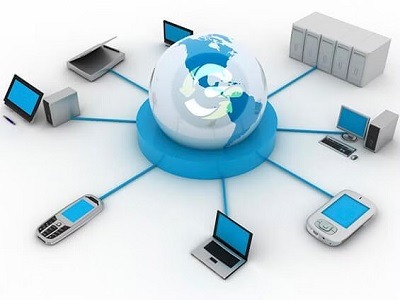
Computer communication
Computer communication refers to the exchange of data and information between computers or computing devices over a network. It involves the transmission, reception, and processing of data to enable communication and collaboration between multiple computers.
Computer communication is essential for various purposes, including sharing resources, transferring data, accessing remote systems, and facilitating communication between users. It allows computers to connect and interact with each other, enabling the seamless flow of information across networks.
Key Components of Computer Communication:
- Sender: The sender is the computer or device that initiates the communication process. It creates and sends data or messages to the intended recipient.
- Receiver: The receiver is the computer or device that receives the data or messages transmitted by the sender. It processes the received data and takes appropriate actions based on the content.
- Transmission Medium: The transmission medium refers to the physical or virtual channels through which data is transmitted between the sender and receiver. It can be wired, such as Ethernet cables or fiber optics, or wireless, such as radio waves or Wi-Fi signals.
- Protocol: Protocols are a set of rules and conventions that govern the format, timing, and error handling of data transmission. They ensure that data is transmitted and interpreted correctly by both the sender and receiver. Common protocols include TC P/IP (Transmission Control Protocol/Internet Protocol), HTTP (Hypertext Transfer Protocol), and SMT P (Simple Mail Transfer Protocol).
- Network Infrastructure: The network infrastructure consists of the hardware and software components that support computer communication. It includes routers, switches, network cables, network interfaces, and network protocols that enable connectivity and data transfer between computers.
Types of Computer Communication:
- Local Area Network (LAN): LAN refers to a network that connects computers within a limited geographic area, such as an office building or a school campus. LAN allows computers to share resources, such as printers and files, and communicate with each other.
- Wide Area Network (WAN): WAN connects computers over a larger geographic area, typically spanning multiple locations or cities. The internet is an example of a WAN that connects computers globally.
- Wireless Communication: Wireless communication enables computers to communicate without the need for physical cables. It utilizes wireless technologies such as Wi-Fi, Bluetooth, or cellular networks to transmit data between devices.
- Client-Server Communication: In client-server communication, computers act as clients and servers. Clients request services or resources from servers, and servers respond to those requests. This model is commonly used for web browsing, email, and accessing shared files.
- Peer-to-Peer Communication: In peer-to-peer communication, computers can directly communicate and share resources with each other without relying on a central server. This model is commonly used for file-sharing applications.
Benefits of Computer Communication:
- Resource Sharing: Computer communication enables the sharing of resources, such as printers, files, and databases, among multiple computers, enhancing efficiency and collaboration.
- Remote Access: Computer communication allows users to access and control remote systems, enabling remote work, remote troubleshooting, and remote administration.
- Information Exchange: Computer communication facilitates the exchange of information, enabling real-time communication, messaging, email, and collaborative work.
- Scalability: Computer communication allows networks to scale by adding more devices or expanding the network infrastructure to accommodate growing data transmission requirements.
- Global Connectivity: Through the internet and other wide-area networks, computer communication provides global connectivity, enabling communication and data exchange on a global scale.
Computer communication is a fundamental aspect of modern computing, enabling seamless connectivity, collaboration, and information exchange. It plays a crucial role in various domains, including business, education, healthcare, research, and entertainment, revolutionizing the way we communicate and interact in the digital age.
What is required Computer communication
To establish computer communication, several requirements are necessary. These requirements ensure effective and reliable data transmission between computers or computing devices. Here are some essential requirements for computer communication:
- Hardware Components:
- Computers or computing devices: These devices serve as the endpoints for communication, such as desktop computers, laptops, servers, or mobile devices.
- Network interface cards (NI C): NIC s enable computers to connect to the network by providing the necessary physical and data link layer functionality.
- Cables or wireless connectivity: Physical cables, such as Ethernet cables, fiber optic cables, or wireless technologies like Wi-F i or Bluetooth, are required to establish the physical connection between devices.
- Network Infrastructure:
- Routers and switches: These networking devices facilitate the routing and switching of data packets within a network, ensuring proper transmission and delivery.
- Network protocols: Standardized protocols, such as TC P/IP, Ethernet, Wi-Fi, or Bluetooth protocols, are required to enable communication between devices.
- Network topology: The network topology defines the arrangement and configuration of devices within a network, such as a star, bus, or mesh topology.
- Software Components:
- Operating system: The operating system running on each computer or device provides the necessary networking capabilities, including device drivers, network stack, and protocols.
- Network protocols: Computers need to support common network protocols, such as IP (Internet Protocol), TC P (Transmission Control Protocol), UD P (User Data gram Protocol), and HTTP (Hypertext Transfer Protocol), to enable communication at different layers of the network stack.
- Network services: Various network services, such as DN S (Domain Name System), DHC P (Dynamic Host Configuration Protocol), or FTP (File Transfer Protocol), are required to enable specific functionalities and applications.
- IP Addressing and Name Resolution:
- IP addressing: Each device in a network requires a unique IP address to identify and route data packets to the correct destination.
- Domain Name System (DN S): DN S translates human-readable domain names (e.g., www.example.com) into IP addresses, allowing users to access resources using domain names rather than numerical IP addresses.
- Security Measures:
- Firewalls and network security devices: These devices help protect the network from unauthorized access, malware, and other security threats.
- Encryption protocols: Encryption ensures secure transmission of data over the network by encoding it in a way that can only be deciphered by authorized recipients.
- Access controls: User authentication, authorization mechanisms, and access controls are necessary to manage and restrict access to network resources.
- Network Management:
- Network monitoring tools: These tools monitor network performance, troubleshoot issues, and ensure the efficient operation of the network.
- Configuration and management tools: Network administrators use these tools to configure, manage, and maintain network devices and services.
- Standardization:
- Standards and protocols: The adherence to industry-standard protocols and specifications ensures interoperability between different devices and networks. This enables communication and data exchange across diverse hardware and software platforms.
By meeting these requirements, organizations can establish robust and efficient computer communication networks that enable seamless data transmission, collaboration, and access to resources. These requirements are essential for building reliable networks and supporting various applications and services that rely on computer communication.
Who is required Computer communication
In computer communication, several parties play essential roles in establishing and maintaining effective communication. Here are some key stakeholders involved in computer communication:
- Users: Users are individuals or entities who initiate and participate in computer communication. They interact with computers or computing devices to send and receive data, access resources, and communicate with other users.
- Network Administrators: Network administrators are responsible for managing and maintaining computer networks. They configure network devices, ensure network security, monitor network performance, and troubleshoot network issues. They play a crucial role in ensuring smooth communication and connectivity between computers.
- Network Engineers: Network engineers design, plan, and implement computer networks. They are involved in selecting appropriate network architectures, protocols, and technologies to facilitate efficient communication. Network engineers work closely with network administrators to deploy and optimize network infrastructure.
- Hardware and Software Vendors: Companies that develop and manufacture hardware components, such as network interface cards, routers, switches, and networking devices, play a vital role in enabling computer communication. Software vendors develop networking protocols, operating systems, and applications that facilitate communication over networks.
- Internet Service Providers (ISP s): ISP s provide the infrastructure and services required for internet connectivity. They establish connections between networks, offer access to the internet, and ensure data transmission between different networks. ISP s play a critical role in enabling global computer communication.
- Standards Organizations: Standards organizations, such as the Internet Engineering Task Force (IETF) and the Institute of Electrical and Electronics Engineers (IEEE), develop and maintain standards and protocols that govern computer communication. These standards ensure interoperability, compatibility, and reliable communication between different systems and networks.
- Regulatory Bodies: Regulatory bodies and government agencies may have a role in overseeing and regulating aspects of computer communication. They establish guidelines, policies, and regulations related to network security, data privacy, and fair communication practices.
- Service Providers: Service providers offer various communication services, such as email, web hosting, video conferencing, and cloud services. They provide the infrastructure and platforms that enable users to communicate, collaborate, and access resources over computer networks.
- Security Professionals: Security professionals focus on ensuring the confidentiality, integrity, and availability of data and communication in computer networks. They implement security measures, such as firewalls, encryption, and intrusion detection systems, to protect networks from unauthorized access, data breaches, and cyber threats.
- End Devices and Servers: Computers, laptops, servers, mobile devices, and other endpoints are essential components of computer communication. These devices host applications, store data, and enable users to connect and communicate over networks.
Effective computer communication requires collaboration and coordination among these stakeholders to establish reliable networks, develop standards, implement security measures, and deliver services that meet the communication needs of users and organizations.
When is required Computer communication
Computer communication is required in various scenarios and situations where the exchange of data and information between computers or computing devices is necessary. Here are some common instances where computer communication is required:
- Internet Access: Computer communication is required whenever users need to connect their devices to the internet to access websites, online services, and resources. This includes activities like web browsing, email communication, social media interactions, online banking, and e-commerce.
- File Sharing and Collaboration: Computer communication enables users to share files, documents, and multimedia content with others over a network. It facilitates collaborative work environments where multiple users can access and edit shared files simultaneously, whether in business settings, educational institutions, or personal projects.
- Remote Access and Control: Computer communication allows users to remotely access and control computers or computing resources from a different location. This is useful for tasks like remote troubleshooting, accessing files on a remote server, or remotely managing and administering computer systems.
- Messaging and Communication: Computer communication enables various forms of communication, including instant messaging, video conferencing, voice calls, and email. It allows individuals and organizations to communicate and collaborate in real-time, regardless of geographical distances.
- Data Transfer and Data Exchange: Computer communication is required when transferring data between devices or networks. This includes activities like uploading and downloading files, transferring data to cloud storage services, syncing data between devices, or transferring data between systems in an enterprise environment.
- Internet of Things (Io T): The Io T relies on computer communication to connect and exchange data between smart devices and sensors. This includes scenarios like smart homes, industrial automation, healthcare monitoring devices, and smart city infrastructure.
- Online Gaming and Entertainment: Computer communication is essential for online gaming, where players connect with each other over the internet to participate in multiplayer games. It also enables streaming services for video, music, and other forms of digital entertainment.
- Business Applications: In business environments, computer communication is required for various applications, such as accessing centralized databases, sharing information within an organization, conducting online transactions, managing supply chains, and facilitating customer interactions.
- Remote Monitoring and Control: Computer communication enables remote monitoring and control of devices and systems. For example, it allows remote monitoring of industrial processes, remote control of home automation systems, and remote management of network infrastructure.
- Internet-Based Services: Many online services and platforms rely on computer communication to provide their functionalities. This includes cloud computing services, social media platforms, online storage and backup services, and software-as-a-service (Saa S) applications.
Overall, computer communication is required in numerous contexts, from personal activities to enterprise-level operations. It facilitates connectivity, data exchange, collaboration, and access to resources, enabling individuals, organizations, and systems to communicate effectively and leverage the power of networked computing.
Where is required Computer communication
Computer communication is required in various locations or settings where there is a need for data exchange and connectivity between computers or computing devices. Here are some common places where computer communication is required:
- Home: In households, computer communication is necessary for internet access, sharing files and printers among devices, streaming media content, and communication through email or video conferencing. It enables family members to connect their computers, smartphones, tablets, and smart home devices to the local network and the internet.
- Offices and Workplaces: Computer communication is crucial in office environments for tasks such as accessing shared files and databases, sending emails, conducting video conferences, and collaborating on projects. It allows employees to connect their computers, laptops, and mobile devices to the office network to access resources and communicate with colleagues.
- Educational Institutions: Schools, colleges, and universities rely on computer communication to support teaching, learning, and administrative processes. It enables students and teachers to access online learning platforms, exchange assignments and materials, communicate through educational applications, and access educational resources over the network.
- Business Organizations: Computer communication is essential in businesses of all sizes. It facilitates internal communication, such as email, instant messaging, and video conferencing, as well as external communication with clients, partners, and customers. It enables the exchange of data and information between departments, remote offices, and external stakeholders.
- Data Centers: Data centers serve as centralized locations for storing, processing, and managing large amounts of data. Computer communication is critical within data centers to ensure efficient data transfer between servers, storage systems, and networking equipment. It enables high-speed communication between different components of the data center infrastructure.
- Public Places: Computer communication is required in public places like airports, coffee shops, libraries, and hotels to provide wireless internet access to visitors. This allows individuals to connect their devices to the internet for various purposes, such as browsing the web, checking emails, or accessing online services.
- Healthcare Facilities: In healthcare settings, computer communication is essential for managing electronic health records, transmitting medical images and reports, and facilitating communication between healthcare providers. It enables seamless exchange of patient information, remote consultations, and access to medical resources over secure networks.
- Industrial Environments: Computer communication is integral to industrial environments, such as manufacturing plants, utilities, and automation systems. It enables control systems to communicate with sensors, actuators, and machinery for real-time monitoring, data acquisition, and process control.
- Research Institutions: Research institutions rely on computer communication for collaboration, data sharing, and access to online research resources. It allows researchers to communicate, exchange research findings, and access scientific databases and publications.
- Internet Backbone and Infrastructure: Computer communication is required in the infrastructure that forms the backbone of the internet, including internet service providers (ISP s), network service providers, and data centers. It enables the interconnection of networks globally and facilitates the flow of data between different regions and countries.
In summary, computer communication is required in various settings, including homes, offices, educational institutions, businesses, data centers, public places, healthcare facilities, industrial environments, research institutions, and the internet infrastructure itself. It enables connectivity, data exchange, collaboration, and access to resources in different contexts, supporting a wide range of applications and services.
How is required Computer communication
Computer communication is required to establish and maintain connectivity between computers or computing devices, enabling the exchange of data and information. Here are some key aspects of how computer communication is required:
- Establishing Connections: Computer communication is necessary to establish connections between devices. This involves configuring network settings, such as IP addresses, sub net masks, and gateway addresses, to enable devices to communicate with each other. Whether through wired or wireless connections, computer communication allows devices to discover and connect to the network.
- Data Transmission: Once the connection is established, computer communication facilitates the transmission of data between devices. This includes sending and receiving data packets, which are small units of data, across the network. Data transmission can occur through various protocols and technologies, such as Ethernet, Wi-Fi, or cellular networks, depending on the network infrastructure and devices involved.
- Protocols and Standards: Computer communication relies on protocols and standards to ensure compatibility and interoperability between devices and networks. Protocols define the rules and procedures for data transmission, including addressing, error detection and correction, and flow control. Common protocols include TC P/IP (Transmission Control Protocol/Internet Protocol) for internet communication and Wi-Fi protocols for wireless communication.
- Network Layers: Computer communication follows a layered approach, where data transmission is divided into multiple layers, each with specific functions and protocols. This layered architecture, such as the OS I (Open Systems Interconnection) model or the TC P/IP model, ensures efficient and modular communication. Each layer performs specific tasks, such as data encapsulation, addressing, routing, and error handling, contributing to the overall communication process.
- Network Services: Computer communication involves various network services that enable specific functionalities. These services include DN S (Domain Name System) for translating domain names to IP addresses, DHC P (Dynamic Host Configuration Protocol) for assigning IP addresses dynamically, and FTP (File Transfer Protocol) for file sharing. Services like email, web browsing, video conferencing, and file sharing rely on computer communication to function.
- Error Detection and Correction: Computer communication incorporates mechanisms for error detection and correction to ensure reliable data transmission. Check sums, cyclic redundancy checks (CR C), and error correction codes are used to detect and recover from errors that may occur during data transmission. These mechanisms help maintain data integrity and ensure the accuracy of transmitted information.
- Security and Encryption: Computer communication is required to implement security measures to protect data and communication from unauthorized access and interception. Encryption protocols, such as SS L/TL S (Secure Sockets Layer/Transport Layer Security), are used to secure data transmission by encrypting the data and providing authentication and confidentiality. Firewalls, virtual private networks (VPN s), and intrusion detection systems (IDS) are employed to secure network infrastructure.
- Network Management: Computer communication involves network management practices to monitor and manage network performance, troubleshoot issues, and ensure optimal operation. Network management tools and techniques are used to monitor bandwidth usage, identify bottlenecks, track network health, and configure network devices.
- Collaboration and Sharing: Computer communication enables collaboration and sharing of resources among users. It allows multiple users to access shared files, collaborate on documents in real-time, and communicate through messaging and video conferencing tools. This fosters teamwork and facilitates efficient information exchange.
- Scalability and Growth: As technology advances and networks expand, computer communication is required to accommodate scalability and growth. It allows for the addition of new devices, the integration of new technologies, and the expansion of network infrastructure to support increased data traffic and user demands.
In summary, computer communication is necessary to establish connections, transmit data, adhere to protocols and standards, provide network services, ensure error detection and correction, implement security measures, manage networks, support collaboration, and accommodate scalability. It plays a vital role in enabling effective communication and data exchange between computers and
Case study on Computer communication
Title: Enhancing Collaboration and Communication through Computer Networking: A Case Study
Introduction: In today’s interconnected world, computer communication plays a critical role in enabling seamless collaboration and effective communication among individuals and organizations. This case study examines the implementation of computer communication in a mid-sized software development company, XY Z Solutions, to enhance collaboration and streamline communication among its teams and clients.
Company Background: XY Z Solutions is a software development company specializing in developing custom software solutions for clients across various industries. The company employs a team of software engineers, designers, project managers, and quality assurance professionals who work together to deliver high-quality software products.
Challenge: Prior to implementing computer communication solutions, XY Z Solutions faced several challenges that hindered effective collaboration and communication. The teams were dispersed across different departments and geographic locations, making it difficult to share information, coordinate tasks, and maintain clear communication channels. Traditional communication methods, such as phone calls and emails, were inefficient and often led to delays, miscommunication, and duplication of efforts.
Solution: To address these challenges, XY Z Solutions implemented a comprehensive computer communication system that leveraged networking technologies and collaboration tools. The following solutions were implemented:
- Local Area Network (LAN): A robust LAN infrastructure was established within the company’s premises to connect all the computers and devices. This allowed for fast and reliable data transfer between team members within the office, facilitating seamless collaboration and file sharing.
- Wide Area Network (WAN): To connect geographically dispersed teams and clients, XY Z Solutions set up a secure WAN infrastructure. This enabled remote teams and clients to access the company’s internal resources, collaborate on projects, and communicate effectively.
- Virtual Private Network (VP N): To ensure secure and encrypted communication between remote teams and the main office, a VP N was implemented. This allowed remote team members to securely connect to the company’s internal network, access sensitive data, and communicate securely.
- Collaboration Tools: XY Z Solutions adopted a suite of collaboration tools, including project management software, instant messaging platforms, and video conferencing solutions. These tools facilitated real-time communication, task management, document sharing, and virtual meetings, promoting effective collaboration and streamlined communication across teams.
- Cloud-Based Storage and File Sharing: To centralize data storage and enhance accessibility, XY Z Solutions implemented cloud-based storage and file sharing platforms. This enabled team members to access project files, documents, and resources from anywhere, promoting collaboration and eliminating version control issues.
Results and Benefits: The implementation of computer communication solutions yielded several positive outcomes for XY Z Solutions:
- Improved Collaboration: The networking infrastructure and collaboration tools enabled seamless collaboration among team members, regardless of their physical location. Real-time communication, shared project spaces, and centralized document management enhanced teamwork and accelerated project delivery.
- Streamlined Communication: The adoption of instant messaging and video conferencing tools facilitated quick and efficient communication among team members and clients. Real-time communication reduced the need for lengthy email exchanges, resulting in faster decision-making and issue resolution.
- Enhanced Productivity: The efficient sharing of information, centralized document management, and streamlined communication significantly improved productivity within the company. Team members could access the resources and information they needed promptly, eliminating unnecessary delays and increasing overall efficiency.
- Client Satisfaction: The enhanced communication and collaboration capabilities enabled XY Z Solutions to provide better customer service and meet client expectations more effectively. Regular video conferences and real-time updates fostered stronger relationships with clients, improved transparency, and ensured project milestones were met on time.
- Cost Savings: By leveraging computer communication solutions, XY Z Solutions reduced the need for travel and in-person meetings, leading to cost savings. Virtual meetings and remote collaboration eliminated the expenses associated with travel, resulting in more efficient resource allocation.
Conclusion: This case study illustrates the trans formative impact of computer communication in enhancing collaboration and communication within XY Z Solutions. By leveraging networking technologies, collaboration tools,
White paper on Computer communication
Title: Unleashing the Power of Computer Communication: A White Paper
Abstract: Computer communication is the cornerstone of our modern digital world, enabling the seamless exchange of data and information across networks. This white paper explores the fundamental concepts, technologies, and applications of computer communication. It delves into the underlying protocols, network architectures, and communication models that make computer communication possible. Additionally, it examines the diverse applications of computer communication in various sectors, highlighting its importance in enhancing collaboration, driving innovation, and enabling global connectivity. This white paper aims to provide a comprehensive overview of computer communication, its challenges, advancements, and potential future developments.
- Introduction
- Definition and Importance of Computer Communication
- Evolution and Significance of Computer Networks
- Networking Technologies
- Local Area Networks (LAN s) and Wide Area Networks (WAN s)
- Ethernet, Wi-Fi, and Cellular Networks
- Network Infrastructure Components: Routers, Switches, and Modems
- Network Topo logies: Bus, Star, Ring, and Mesh
- Protocols and Standards
- TC P/IP Protocol Suite
- OS I Model and Protocol Stack
- Application Layer Protocols: HTTP, SM TP, FTP, DN S, etc.
- Transport Layer Protocols: TC P and UD P
- Network Layer Protocols: IP, ICM P, and Routing Protocols
- Network Architecture and Communication Models
- Client-Server Model
- Peer-to-Peer Model
- Hybrid Models: Cloud Computing and Distributed Systems
- Message Passing and Packet Switching
- Security in Computer Communication
- Encryption and Authentication
- Virtual Private Networks (VPN s) and Secure Communication
- Firewalls and Intrusion Detection Systems (IDS)
- Emerging Technologies and Trends
- Internet of Things (Io T)
- 5G Networks and Mobile Communication
- Software-Defined Networking (SD N)
- Edge Computing and Fog Computing
- Applications of Computer Communication
- Internet Access and Web Browsing
- Email and Messaging Systems
- File Sharing and Cloud Storage
- Voice and Video Communication
- Online Gaming and Entertainment
- E-commerce and Online Banking
- Tele medicine and Remote Healthcare
- Challenges and Future Directions
- Scalability and Network Congestion
- Security and Privacy Concerns
- Quality of Service (Qo S) and Traffic Management
- Internet Governance and Regulatory Issues
- Artificial Intelligence and Machine Learning in Computer Communication
- Conclusion
- Recap of Key Concepts and Technologies
- Potential Future Developments
- Importance of Computer Communication in the Digital Age
This white paper aims to provide a comprehensive understanding of computer communication, its underlying technologies, protocols, and applications. By exploring its challenges and future directions, we can gain insights into how computer communication will continue to shape our connected world and drive innovation across industries. With the ever-increasing reliance on digital communication, understanding and harnessing the power of computer communication is vital for individuals, organizations, and societies to thrive in the digital age.