
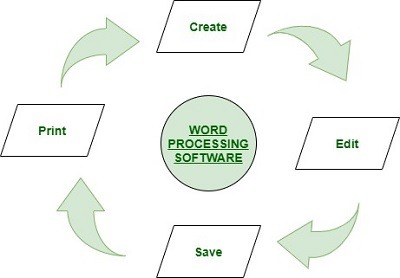
Elements of word processing ,spreadsheets
Elements of Word Processing:
- Text Input and Editing: Word processing software allows users to input and edit text easily. They can type, delete, copy, paste, and format text to create content.
- Formatting Options: Users can apply various formatting options to their text, such as font styles, sizes, colors, bold, italics, underline, alignment, and indentation.
- Page Layout: Word processing tools offer options to manage the layout of the document, including setting page margins, paper size, page orientation (portrait or landscape), and headers/footers.
- Spelling and Grammar Checking: Most word processors have built-in spell checkers and grammar checkers to identify and correct spelling and grammar errors.
- Inserting Media: Users can insert images, tables, charts, hyperlinks, and other multimedia elements to enhance the visual appeal and functionality of the document.
- Page Numbering and Table of Contents: Word processing software can automatically generate page numbers and create a table of contents based on document headings.
- Collaboration: Many word processors support real-time collaboration, allowing multiple users to work on the same document simultaneously and see each other’s changes in real-time.
- Track Changes: Users can track changes made to the document by different collaborators, accept or reject changes, and leave comments for discussions.
- Document Export and Printing: Finished documents can be saved in various formats (e.g., DOCX, PDF, RTF) and printed for physical distribution.
Elements of Spreadsheets:
- Data Entry and Manipulation: Spreadsheets consist of cells organized in rows and columns, allowing users to input and manipulate numerical data easily.
- Formulas and Functions: Spreadsheets support formulas and functions that enable users to perform calculations on data, create relationships between cells, and automate repetitive tasks.
- Charts and Graphs: Users can create visual representations of data using various chart types, such as bar charts, line graphs, pie charts, and more.
- Conditional Formatting: Conditional formatting allows users to apply different formatting styles to cells based on specific conditions, making it easier to highlight important data.
- Sorting and Filtering: Spreadsheets enable users to sort data in ascending or descending order and apply filters to view specific subsets of data.
- Data Validation: Users can set validation rules to ensure that data entered into cells meets specific criteria, preventing errors and maintaining data integrity.
- Cell References and Data Linking: Spreadsheets support cell references, allowing users to link data across different sheets and perform dynamic calculations.
- Data Analysis Tools: Advanced spreadsheets provide data analysis tools like pivot tables, goal seek, solver, and statistical functions to gain insights from large datasets.
- Import and Export: Spreadsheets can import data from various sources, and data can be exported to different file formats for sharing and analysis.
Conclusion:
The elements of word processing and spreadsheets provide essential features and functionalities that empower users to create, manage, and analyze textual documents and numerical data efficiently. Whether it’s creating professional documents or performing complex data analysis, word processing and spreadsheets play a crucial role in enhancing productivity and decision-making in various domains and industries.
What is required Elements of word processing, spreadsheets
The elements required for word processing and spreadsheets involve the essential features and tools that enable users to effectively create, edit, format, and manage textual documents and numerical data. Below are the key elements for each:
Elements of Word Processing:
- Text Input and Editing: A basic requirement is the ability to input and edit text. Users should be able to type, delete, and modify content within the document.
- Formatting Options: Word processing software should offer a variety of formatting options, such as font styles, sizes, colors, bold, italics, underline, and alignment (left, right, center, justified).
- Paragraph Formatting: Users should be able to control paragraph settings, including line spacing, indentation, and bullet/numbered lists.
- Page Layout: The software should allow users to manage page layout, including margins, paper size, orientation (portrait or landscape), and page numbering.
- Spelling and Grammar Checking: An essential feature is an in-built spell checker that highlights misspelled words and grammar mistakes, along with suggestions for corrections.
- Inserting Media: Word processing software should support inserting images, tables, charts, and other media to enhance the visual appeal and information presentation of the document.
- Collaboration Tools: Collaboration features, such as comments, track changes, and real-time collaboration, facilitate teamwork and review processes.
- Export and Printing: Users should be able to save documents in different file formats (e.g., DOCX, PDF, RTF) and easily print the documents when required.
Elements of Spreadsheets:
- Data Entry and Manipulation: The software should allow users to input and manage data in rows and columns, enabling efficient data organization.
- Formulas and Functions: An essential aspect of spreadsheets is the ability to create formulas and use functions to perform calculations on numerical data.
- Charts and Graphs: The software should support the creation of various charts and graphs to visualize data and identify trends and patterns.
- Conditional Formatting: This feature enables users to apply different formatting styles to cells based on specific conditions, helping highlight important data.
- Sorting and Filtering: The ability to sort data in ascending or descending order and apply filters based on specific criteria aids data analysis.
- Cell References: Spreadsheets should support cell references to link data across different cells and sheets, facilitating dynamic calculations.
- Data Analysis Tools: Advanced spreadsheet applications offer various data analysis tools, such as pivot tables and data validation.
- Import and Export: The software should allow users to import data from various sources and export data to different file formats for sharing and analysis.
Conclusion:
The elements mentioned above are fundamental requirements for word processing and spreadsheets software. These features enable users to efficiently handle textual documents and numerical data, making these applications essential tools in various professional and personal tasks, including office work, data analysis, financial management, and academic projects.
Who is required Elements of word processing , Spreadsheets
The elements of word processing and spreadsheets are required by individuals, professionals, businesses, and organizations that need to manage textual documents and numerical data efficiently. These software applications have become essential tools for various tasks in different domains. Let’s explore who may require these elements:
1. Word Processing:
- Office Workers: Office workers across different industries need word processing software to create and edit documents such as letters, reports, memos, and presentations.
- Students and Educators: Students and educators use word processing software for academic assignments, research papers, lesson plans, and presentations.
- Writers and Authors: Writers and authors use word processing tools to draft and edit articles, stories, books, and other written content.
- Administrative Staff: Administrative staff in organizations use word processing software for preparing official documents, policies, and procedural manuals.
- Business Professionals: Business professionals, including managers and executives, utilize word processing for creating business proposals, contracts, and marketing materials.
- Journalists and Media Professionals: Journalists and media professionals use word processing software for writing news articles, scripts, and editorials.
2. Spreadsheets:
- Financial Analysts: Financial analysts use spreadsheets for financial modeling, data analysis, budgeting, and forecasting.
- Accountants: Accountants use spreadsheets for bookkeeping, financial statements, tax calculations, and data organization.
- Data Analysts and Researchers: Data analysts and researchers use spreadsheets for data collection, cleaning, and statistical analysis.
- Project Managers: Project managers utilize spreadsheets for tracking project progress, resource allocation, and budget management.
- Sales and Marketing Professionals: Sales and marketing professionals use spreadsheets for managing sales data, analyzing marketing campaigns, and forecasting sales.
- Inventory Managers: Inventory managers use spreadsheets for inventory tracking, stock management, and supply chain optimization.
- Academics and Researchers: Academics and researchers use spreadsheets for data analysis, experiment results, and statistical calculations.
Conclusion:
The elements of word processing and spreadsheets are required by a wide range of individuals and professionals in diverse industries and fields. From office workers and students to financial analysts and project managers, these software applications play a crucial role in improving productivity, data organization, and analysis. Whether for personal use, academic purposes, or business tasks, the features provided by word processing and spreadsheet software make them indispensable tools for modern-day work and information management.
The elements of word processing and spreadsheets are required in various situations and scenarios where effective handling of textual documents and numerical data is essential. Below are some specific instances when the elements of word processing and spreadsheets are needed:
When Word Processing is Required:
- Creating Documents: Word processing is required when creating various types of documents, such as letters, reports, resumes, and presentations.
- Academic Assignments: Students require word processing software for writing essays, research papers, and other academic assignments.
- Business Communication: Word processing is needed for drafting business emails, memos, and official correspondence.
- Content Creation: Writers, bloggers, and journalists use word processing to create articles, blog posts, and news stories.
- Document Editing: Whenever there is a need to edit and modify existing documents, word processing software is required.
- Collaborative Writing: In collaborative projects involving multiple authors, word processing tools with real-time collaboration features are essential.
When Spreadsheets are Required:
- Financial Analysis: Spreadsheets are required for financial modeling, budgeting, and data analysis in finance and accounting.
- Data Management: Spreadsheets are essential for managing and organizing numerical data, such as customer information, sales data, and inventory records.
- Statistical Analysis: Researchers and analysts use spreadsheets for data entry, statistical calculations, and visualization.
- Project Management: Spreadsheets help project managers track tasks, timelines, and resource allocation in project management.
- Business Planning: Spreadsheets are used for business planning, forecasting, and creating financial projections.
- Data Entry and Calculation: Whenever there is a need to perform calculations on numerical data, spreadsheets are required.
Common Situations:
- Office Work: Both word processing and spreadsheets are commonly used in office environments for various administrative and data-related tasks.
- Educational Institutions: Word processing and spreadsheets are used extensively in schools, colleges, and universities for academic purposes and data management.
- Business Operations: Businesses of all sizes require word processing and spreadsheets for day-to-day operations, communication, and data analysis.
- Data Analysis and Reporting: Spreadsheets are often used to analyze data and create reports for decision-making.
- Personal Use: Individuals may use word processing for personal documents like letters, resumes, and creative writing, while spreadsheets can help with personal finance management and data organization.
Conclusion:
The elements of word processing and spreadsheets are required in a wide range of personal, educational, and professional settings. From academic assignments and office work to data analysis and financial management, these tools are indispensable for efficiently handling textual documents and numerical data in various situations
The elements of word processing and spreadsheets are required in various places and settings where effective handling of textual documents and numerical data is essential. These elements find application in numerous industries, workplaces, educational institutions, and personal tasks. Here are some specific places where the elements of word processing and spreadsheets are required:
1. Offices and Workplaces:
- Word processing is required in offices and workplaces for creating and editing documents such as memos, letters, reports, proposals, and presentations.
- Spreadsheets are used for financial analysis, data management, budgeting, project tracking, and resource allocation.
2. Educational Institutions:
- Word processing is essential for students and educators to create and edit assignments, research papers, lesson plans, and class notes.
- Spreadsheets are used for academic data analysis, grading, and student record management.
3. Business and Finance:
- Word processing is used in business communication, including drafting emails, memos, contracts, and official documents.
- Spreadsheets play a vital role in financial modeling, accounting, bookkeeping, sales tracking, and business planning.
4. Data Analysis and Research:
- Spreadsheets are used by data analysts and researchers for data entry, statistical analysis, and visualizing research findings.
5. Project Management:
- Spreadsheets are used in project management to track tasks, timelines, budgets, and resource allocation.
6. Sales and Marketing:
- Spreadsheets are used in sales and marketing for data management, sales tracking, lead generation, and campaign analysis.
7. Inventory and Supply Chain Management:
- Spreadsheets are utilized in inventory management to track stock levels, reorder points, and supplier information.
8. Personal Finance Management:
- Spreadsheets are commonly used by individuals for personal finance management, budgeting, and expense tracking.
9. Non-Profit Organizations:
- Word processing is used to create fundraising letters, grant proposals, and organizational documents.
- Spreadsheets are used for donor management, fundraising tracking, and financial reporting.
10. Research Institutions and Laboratories:
- Spreadsheets are used for data analysis, experimental results, and scientific calculations.
11. Creative Industries:
- Word processing and spreadsheets are used in creative industries for project planning, content creation, and financial management.
12. Healthcare and Medical Settings:
- Spreadsheets are used for medical record management, patient data analysis, and budgeting.
Conclusion: The elements of word processing and spreadsheets are ubiquitous and have a wide range of applications in various professional, academic, and personal settings. Whether it’s managing data, creating documents, analyzing information, or planning projects, word processing and spreadsheets are fundamental tools that enhance productivity and efficiency in countless domains and industries.
Case Study: Enhancing Efficiency with Word Processing and Spreadsheets
Introduction:
This case study explores how a medium-sized company, XYZ Enterprises, improved its operational efficiency and data management by leveraging the elements of word processing and spreadsheets in their day-to-day operations.
Client Background:
XYZ Enterprises is a manufacturing company that produces and distributes electronic components. The company operates across multiple regions, with various departments handling inventory, sales, finance, and customer support.
Challenges:
- Manual Data Management: XYZ Enterprises was using traditional paper-based methods to manage inventory, sales records, and financial data. This led to errors, inefficiencies, and difficulties in data analysis.
- Document Creation Delays: The company’s manual approach to creating documents, such as invoices, purchase orders, and reports, resulted in delays and increased processing time.
- Data Discrepancies: Data discrepancies were common, leading to miscommunication between departments and inaccurate decision-making.
- Lack of Real-time Information: The absence of real-time information hindered the company’s ability to respond promptly to market changes and customer demands.
Solution:
XYZ Enterprises implemented word processing and spreadsheet software to address their challenges and streamline their operations.
Implementation:
- Word Processing:
- The company adopted word processing software to create and edit various documents, including invoices, purchase orders, and business reports.
- Standard templates were created, ensuring consistency and saving time in document preparation.
- Spreadsheets:
- Spreadsheets were used to manage inventory records, sales data, and financial information.
- Formulas and functions were applied to automate calculations, reducing manual errors.
Results:
- Efficient Data Management: With the implementation of spreadsheets, XYZ Enterprises could efficiently manage inventory, track sales, and analyze financial data. Real-time updates provided accurate information to stakeholders.
- Streamlined Document Creation: Word processing software significantly reduced the time required to create documents, improving overall workflow efficiency.
- Data Accuracy: The use of spreadsheets minimized data discrepancies, resulting in improved data accuracy and better decision-making.
- Improved Collaboration: With real-time collaboration features in spreadsheets, departments could work together seamlessly, leading to better inter-departmental communication.
- Cost Savings: The reduction in paper-based processes resulted in cost savings related to stationery and printing expenses.
Conclusion:
By adopting word processing and spreadsheet software, XYZ Enterprises successfully improved its operational efficiency, data management, and decision-making processes. The automation of calculations, streamlined document creation, and real-time data updates transformed the company’s workflow, leading to increased productivity and cost savings. The elements of word processing and spreadsheets proved to be valuable tools in enhancing XYZ Enterprises’ competitiveness and response to market dynamics.
White Paper: Leveraging Word Processing and Spreadsheets for Enhanced Productivity and Efficiency
Abstract:
This white paper explores the fundamental elements of word processing and spreadsheets and how organizations can leverage these powerful tools to enhance productivity, streamline operations, and improve data management. We delve into the key features, benefits, and real-world applications of word processing and spreadsheets, showcasing their indispensable role in various industries and domains.
1. Introduction:
The introduction provides an overview of word processing and spreadsheets as essential components of office productivity software. It highlights their significance in modern-day businesses, educational institutions, and personal tasks.
2. Elements of Word Processing:
This section details the key elements of word processing, including text input and editing, formatting options, page layout, spelling and grammar checking, inserting media, collaboration tools, and export/printing capabilities. Case studies illustrate how these elements enable efficient document creation, enhance communication, and support collaborative work environments.
3. Elements of Spreadsheets:
The elements of spreadsheets are explored in this section, covering data entry and manipulation, formulas and functions, charts and graphs, conditional formatting, sorting and filtering, cell references, and data analysis tools. Real-world examples demonstrate how these elements empower data-driven decision-making, financial analysis, and project management.
4. Benefits of Word Processing and Spreadsheets:
This section outlines the numerous benefits of using word processing and spreadsheets, including increased efficiency, improved accuracy, enhanced collaboration, data visualization, time savings, and cost-effectiveness. The paper highlights how organizations across different sectors leverage these benefits to stay competitive in the market.
5. Real-World Applications:
This section showcases the diverse real-world applications of word processing and spreadsheets. Examples range from corporate use in report generation, sales tracking, and human resource management to educational use in academic assignments, research data analysis, and grading systems.
6. Enhancing Data Management and Analysis:
This section emphasizes how spreadsheets play a vital role in data management, organization, and analysis. It delves into the use of spreadsheets for financial modeling, inventory tracking, statistical analysis, and data visualization, with case studies illustrating the impact on data-driven decision-making.
7. Streamlining Operations with Word Processing:
In this section, we explore how word processing facilitates streamlined operations in office environments, improving document creation, standardizing formats, and expediting communication. We also examine how real-time collaboration features enable seamless teamwork and document review.
8. Conclusion:
The conclusion reiterates the significance of word processing and spreadsheets as indispensable tools in modern workplaces and educational institutions. It emphasizes the importance of embracing these elements to boost productivity, enhance data management, and drive informed decision-making. The white paper concludes by encouraging organizations and individuals to leverage the power of word processing and spreadsheets to unlock their full potential in the digital age.
References:
The white paper includes references to case studies, research papers, and relevant literature supporting the benefits and applications of word processing and spreadsheets in various context
Elements of Word Processing:
- Text Input and Editing: Word processing software allows users to input and edit text easily. They can type, delete, copy, paste, and format text to create content.
- Formatting Options: Users can apply various formatting options to their text, such as font styles, sizes, colors, bold, italics, underline, alignment, and indentation.
- Page Layout: Word processing tools offer options to manage the layout of the document, including setting page margins, paper size, page orientation (portrait or landscape), and headers/footers.
- Spelling and Grammar Checking: Most word processors have built-in spell checkers and grammar checkers to identify and correct spelling and grammar errors.
- Inserting Media: Users can insert images, tables, charts, hyperlinks, and other multimedia elements to enhance the visual appeal and functionality of the document.
- Page Numbering and Table of Contents: Word processing software can automatically generate page numbers and create a table of contents based on document headings.
- Collaboration: Many word processors support real-time collaboration, allowing multiple users to work on the same document simultaneously and see each other’s changes in real-time.
- Track Changes: Users can track changes made to the document by different collaborators, accept or reject changes, and leave comments for discussions.
- Document Export and Printing: Finished documents can be saved in various formats (e.g., DOCX, PDF, RTF) and printed for physical distribution.
Elements of Spreadsheets:
- Data Entry and Manipulation: Spreadsheets consist of cells organized in rows and columns, allowing users to input and manipulate numerical data easily.
- Formulas and Functions: Spreadsheets support formulas and functions that enable users to perform calculations on data, create relationships between cells, and automate repetitive tasks.
- Charts and Graphs: Users can create visual representations of data using various chart types, such as bar charts, line graphs, pie charts, and more.
- Conditional Formatting: Conditional formatting allows users to apply different formatting styles to cells based on specific conditions, making it easier to highlight important data.
- Sorting and Filtering: Spreadsheets enable users to sort data in ascending or descending order and apply filters to view specific subsets of data.
- Data Validation: Users can set validation rules to ensure that data entered into cells meets specific criteria, preventing errors and maintaining data integrity.
- Cell References and Data Linking: Spreadsheets support cell references, allowing users to link data across different sheets and perform dynamic calculations.
- Data Analysis Tools: Advanced spreadsheets provide data analysis tools like pivot tables, goal seek, solver, and statistical functions to gain insights from large datasets.
- Import and Export: Spreadsheets can import data from various sources, and data can be exported to different file formats for sharing and analysis.
Conclusion:
The elements of word processing and spreadsheets provide essential features and functionalities that empower users to create, manage, and analyze textual documents and numerical data efficiently. Whether it’s creating professional documents or performing complex data analysis, word processing and spreadsheets play a crucial role in enhancing productivity and decision-making in various domains and industries.