
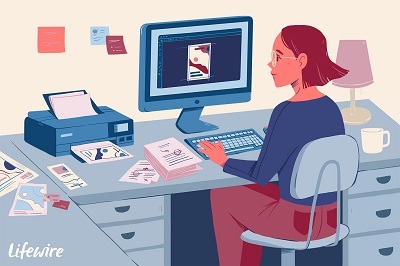
Desktop publishing
Desktop publishing refers to the process of creating and designing documents for print or digital distribution using specialized software on a personal computer or desktop computer. It involves the layout, formatting, and arrangement of text, images, and other visual elements to produce professional-looking publications.
Key Aspects of Desktop Publishing:
- Software Tools: Desktop publishing software provides a range of tools and features to create and edit publications. Popular software options include Adobe InDesign, Quark XPress, and Microsoft Publisher.
- Document Layout: Desktop publishing allows precise control over the arrangement of text, images, and graphics within a document. Designers can manipulate elements, adjust spacing, and create visually appealing layouts.
- Typography: Typography plays a crucial role in desktop publishing. Designers can choose fonts, control font sizes, adjust spacing, apply formatting (bold, italics, underline), and create hierarchy through headings and subheadings.
- Images and Graphics: Desktop publishing software allows the insertion and manipulation of images, illustrations, charts, and other graphical elements. Designers can crop, resize, and enhance images to fit within the layout.
- Color Management: Desktop publishing tools enable precise control over color usage. Designers can select and customize colors, apply color schemes, and ensure consistency across the publication.
- Templates and Styles: Desktop publishing software often provides pre-designed templates and style libraries, allowing designers to create consistent branding and streamline the layout process.
- Print and Digital Output: Desktop publishing accommodates both print and digital formats. Designers can optimize files for printing or export them in various digital formats such as PDF, EPU B, or HTML.
Applications of Desktop Publishing:
- Print Publications: Desktop publishing is widely used for creating print materials such as brochures, flyers, posters, newsletters, magazines, newspapers, books, and business cards.
- Digital Publications: With the rise of digital media, desktop publishing is employed to design digital documents, including e-books, e-magazines, interactive PDFs, online advertisements, and website layouts.
- Marketing Collateral: Desktop publishing facilitates the creation of marketing materials like product catalogs, sales presentations, banners, and promotional materials, ensuring a professional and consistent visual identity.
- Corporate Communication: Desktop publishing helps in designing corporate documents such as annual reports, employee handbooks, company newsletters, and internal communications.
- Personal Publishing: Individuals can utilize desktop publishing software for creating personalized invitations, greeting cards, resumes, and other self-published materials.
Benefits of Desktop Publishing:
- Creative Control: Desktop publishing empowers designers to have complete control over the layout, typography, and visual elements, resulting in visually appealing and customized publications.
- Cost Efficiency: By designing publications in-house, organizations can save costs associated with outsourcing graphic design work.
- Time Savings: Desktop publishing tools streamline the layout process, allowing designers to work efficiently and make changes quickly.
- Consistency: With templates and style libraries, desktop publishing ensures consistent branding and design elements throughout a publication or series of publications.
- Iterative Editing: Desktop publishing software allows for easy editing, revisions, and updates, facilitating quick adjustments to content or design elements.
In summary, desktop publishing is a powerful tool for creating professional-looking documents, providing designers with the ability to control layout, typography, and visuals to produce visually appealing publications for print and digital distribution.
What is required Desktop publishing
To engage in desktop publishing, you will need a few essential requirements. Here is a list of the key elements typically required for desktop publishing:
- Computer: A personal computer or desktop computer is essential for desktop publishing. It should have sufficient processing power, memory (RAM), and storage capacity to handle the software and files involved in the publishing process.
- Operating System: You will need an operating system such as Windows, macOS, or Linux, compatible with the desktop publishing software you plan to use.
- Desktop Publishing Software: Select a professional desktop publishing software that suits your needs. Popular options include Adobe InDesign, QuarkX Press, Scribus, and Microsoft Publisher. Choose software that offers the features and capabilities required for your specific projects.
- Fonts: A collection of high-quality fonts is necessary to create visually appealing and readable publications. Some software may come with default fonts, but you may also need to acquire additional fonts from reputable sources.
- Images and Graphics: Access to a library of high-resolution images, illustrations, icons, or other graphical elements is crucial for visually enriching your publications. You can create your own graphics or obtain them from stock image websites or graphic design resources.
- Color Management: Color plays a vital role in desktop publishing. Ensure your system is properly calibrated to accurately display and reproduce colors. Additionally, familiarize yourself with color profiles, color modes (such as CMYK for print or RGB for digital), and color management techniques to maintain consistency.
- Templates and Styles: Utilizing pre-designed templates and styles can significantly speed up the layout process and provide consistency across your publications. Some software packages include built-in templates, or you can create your own templates for future projects.
- Proofing and Printing Tools: Depending on your publishing needs, you may require proofing tools to review and correct errors in your documents. Additionally, if you plan to print your publications, you will need access to professional-grade printers, as well as the appropriate paper and printing supplies.
- Training and Knowledge: Familiarize yourself with the desktop publishing software and its features through tutorials, online courses, or self-study. Understanding design principles, typography, color theory, and layout techniques will enhance your skills and enable you to create visually appealing publications.
- Backup and Storage: Implement a backup system to protect your files and projects. Regularly save your work and consider utilizing external hard drives, cloud storage, or other backup solutions to ensure data security.
Remember that specific requirements may vary depending on your projects and the complexity of your desktop publishing needs. Consider your specific objectives and tailor your setup accordingly to meet your publishing goals effectively.
Who is required Desktop publishing
Required desktop publishing” doesn’t refer to a specific person or entity. Rather, it is a term used to indicate the necessary components or elements needed to engage in desktop publishing effectively. These elements include the computer, software, fonts, images, color management tools, templates, proofing and printing tools, training, and backup/storage systems, as mentioned in the previous response.
In terms of individuals or roles involved in desktop publishing, it typically requires someone with design skills and knowledge of desktop publishing software. This person is often referred to as a desktop publisher or graphic designer. They are responsible for creating and arranging the layout, typography, images, and other elements to produce professional-looking publications.
However, it’s important to note that desktop publishing can be performed by various individuals or professionals, depending on the context. For instance, in a small business, an employee with design skills may handle desktop publishing tasks. In larger organizations or professional settings, a dedicated graphic design team or agency may handle desktop publishing as part of their services.
When is required Desktop publishing
Desktop publishing is required in various situations where the creation of professional-looking publications is necessary. Here are some common scenarios when desktop publishing is required:
- Marketing Materials: Desktop publishing is essential for creating marketing collateral such as brochures, flyers, posters, banners, and product catalogs. These materials need to be visually appealing, effectively convey information, and align with the organization’s branding.
- Print Publications: Publishing physical documents like magazines, newspapers, newsletters, books, and manuals often requires desktop publishing. Designers layout the content, images, and graphics in a visually pleasing manner, ensuring readability and consistency.
- Digital Publications: With the rise of digital media, desktop publishing is crucial for creating e-books, e-magazines, interactive PDFs, digital advertisements, and online presentations. Designers optimize the layout for digital screens, including tablets, smartphones, and computers.
- Corporate Communications: Organizations often use desktop publishing for internal and external communication materials. This includes annual reports, employee handbooks, company newsletters, press releases, and presentations. Consistent branding, visual appeal, and clear messaging are important in these publications.
- Personal Publishing: Individuals may require desktop publishing for personal projects like creating invitations, greeting cards, resumes, portfolios, or self-published books. Desktop publishing enables customization and professional presentation.
- Educational Materials: Educational institutions, teachers, and trainers often utilize desktop publishing to create educational resources, textbooks, workbooks, and instructional materials. Effective layout and visual design support the learning process.
- Event Materials: Desktop publishing is needed for designing event materials such as programs, agendas, signage, name badges, and event invitations. These materials need to convey information clearly and make a positive impression on attendees.
- Packaging and Labels: Desktop publishing is employed to create packaging designs, labels, and product packaging graphics. Designers ensure the visual appeal, brand consistency, and effective communication of product information.
- Government and Public Sector: Government agencies and public sector organizations use desktop publishing for official documents, reports, brochures, public awareness materials, and citizen communication. These publications require professional design and visual impact.
Overall, desktop publishing is required whenever there is a need to create visually appealing, well-designed, and professionally formatted publications for print or digital distribution.
Where is required Desktop publishing
Desktop publishing is required in various settings where the creation of professional-looking publications is necessary. Here are some common contexts where desktop publishing is needed:
- Design Studios and Agencies: Graphic design studios and creative agencies often offer desktop publishing services to their clients. They use desktop publishing tools to create visually appealing designs for a wide range of print and digital publications.
- Marketing and Advertising Departments: In-house marketing and advertising teams within organizations require desktop publishing capabilities to create marketing materials, promotional campaigns, and branded content. This includes designing brochures, advertisements, social media graphics, and other visual assets.
- Publishing Companies: Traditional publishing companies, including book publishers, magazine publishers, and newspapers, rely on desktop publishing to produce their publications. Desktop publishing tools enable efficient layout, formatting, and typesetting of content.
- Educational Institutions: Schools, colleges, and universities often have dedicated desktop publishing resources to create educational materials, textbooks, course guides, and other instructional materials. These materials need to be visually appealing and effectively present educational content.
- Corporate Communications Departments: Large organizations have corporate communications departments responsible for internal and external communications. Desktop publishing is used to create newsletters, reports, presentations, and other materials that convey company information and branding.
- Small Businesses: Small businesses often engage in desktop publishing to create marketing materials, business cards, flyers, and other promotional materials. These businesses may have in-house design capabilities or work with freelance graphic designers.
- Nonprofit Organizations: Nonprofits frequently require desktop publishing for their communication and fundraising efforts. They create brochures, donor reports, event materials, and other publications to convey their mission and impact.
- Government and Public Sector: Government agencies, public institutions, and civic organizations use desktop publishing to produce official documents, reports, informational materials, and public awareness campaigns. These publications need to be visually appealing, well-organized, and accessible.
- Self-Publishing Authors: Self-publishing authors use desktop publishing tools to format and design their books, e-books, and other written works. They have control over the layout, typography, and visual elements to create a professional-looking final product.
It’s worth noting that with the advancement of technology, desktop publishing can be performed remotely and in various locations. Whether it’s in a dedicated studio, corporate office, educational institution, or the comfort of one’s own home, desktop publishing can be accomplished as long as the necessary tools and resources are available.
How is required Desktop publishing
To engage in desktop publishing, several steps and processes are typically involved. Here is a general overview of how desktop publishing is accomplished:
- Define Objectives and Gather Requirements: Understand the purpose and goals of the publication. Determine the target audience, content requirements, desired layout, and overall design direction.
- Content Preparation: Collect and organize the text, images, graphics, and other media elements that will be included in the publication. Ensure that the content is proofread and edited for accuracy and clarity.
- Select Desktop Publishing Software: Choose a suitable desktop publishing software based on your needs and budget. Popular options include Adobe In Design, QuarkX Press, S cribus, or Microsoft Publisher. Install and set up the software on your computer.
- Layout and Design: Start designing the publication layout by creating pages, setting up margins, and establishing a grid system. Arrange the text, images, and other visual elements on the pages to create an aesthetically pleasing and balanced design. Pay attention to typography, spacing, alignment, and visual hierarchy.
- Typography and Formatting: Choose appropriate fonts that complement the content and align with the publication’s style. Apply consistent formatting, such as headings, subheadings, paragraphs, and bullet points, to enhance readability and visual appeal. Adjust font sizes, line spacing, and paragraph styles as needed.
- Image and Graphic Placement: Insert images, illustrations, charts, and other graphics into the layout. Resize, crop, or edit the visuals as necessary to fit within the design. Ensure high-quality resolution for print publications and optimize images for digital formats.
- Color Management: Control and manage the colors used in the publication. Define a color palette that aligns with the brand or desired aesthetics. Apply consistent color schemes and ensure proper color reproduction for print or digital output.
- Page Transitions and Navigation (Digital): If creating digital publications, set up interactive elements such as hyperlinks, bookmarks, table of contents, and page transitions to enhance user experience and ease of navigation.
- Proofing and Editing: Review the entire publication for errors, inconsistencies, and design issues. Check for typos, alignment problems, widows and orphans (awkward line or page breaks), and overall visual coherence. Make necessary adjustments and revisions.
- Export and Output: Once the publication is finalized, export the project to the desired format. For print, generate high-resolution PDF files suitable for professional printing. For digital distribution, export to appropriate formats such as PDF, E PUB, or HTML.
- Print Production (If Applicable): If printing the publication, prepare the files for professional printing. Follow printing guidelines, including proper color profiles, bleeds, trim marks, and paper specifications. Send the files to a print service provider or prepare them for in-house printing.
- Distribution and Publishing: Distribute the publication according to your intended distribution channels. This may include uploading digital publications to websites, online platforms, or distributing print copies through physical channels.
Throughout the entire desktop publishing process, it’s important to maintain a consistent visual identity, adhere to design principles, and ensure the final publication meets the objectives and requirements set at the beginning of the project.
Case study on Desktop publishing
Case Study: Desktop Publishing for a Marketing Agency
Client: XY Z Marketing Agency Objective: Create a visually appealing brochure for a client’s product launch event
Overview: XY Z Marketing Agency was tasked with promoting a client’s new product launch event. They needed to design a brochure that would effectively showcase the product’s features, benefits, and event details to generate interest among potential attendees.
Challenges:
- Limited Time frame: The agency had a tight deadline to complete the brochure design, as the event was just a few weeks away.
- Brand Consistency: The brochure needed to align with the client’s branding guidelines to maintain consistency with their existing marketing materials.
- Engaging Design: The brochure had to be visually captivating and compelling to grab the attention of the target audience and generate excitement about the product.
Process:
- Understanding the Requirements: The agency held meetings with the client to gather information about the product, target audience, event details, and desired messaging. They also reviewed the client’s brand guidelines to ensure consistency.
- Content Preparation: The agency collaborated with the client to gather relevant content, including product descriptions, specifications, event schedule, and promotional messages. They reviewed and refined the content to ensure clarity and conciseness.
- Design Concept: Based on the client’s requirements and the target audience, the agency developed a design concept that conveyed the product’s unique selling points and captured the brand’s personality. They brainstormed ideas for layout, typography, color scheme, and imagery.
- Layout and Typography: Using desktop publishing software (Adobe In Design), the agency created a layout grid that provided a clear structure for the brochure. They selected appropriate fonts and applied consistent typography throughout the brochure, ensuring readability and visual hierarchy.
- Visual Elements: To enhance the brochure’s visual appeal, the agency sourced high-quality images and graphics that represented the product and aligned with the brand’s aesthetics. They carefully placed the visuals within the layout, considering composition and balance.
- Color Scheme and Branding: The agency incorporated the client’s brand colors and applied a complementary color scheme to create a visually cohesive and attractive design. They ensured that the colors enhanced the brand’s identity and maintained consistency with the client’s existing materials.
- Iterative Design Process: The agency worked closely with the client, sharing design drafts and incorporating feedback. They iterated on the design, making adjustments to the layout, typography, and visuals until the client was satisfied with the final look and feel.
- Proofing and Finalization: The agency conducted a thorough proofreading of the content, ensuring accuracy, grammar, and consistency. They reviewed the entire brochure for design errors, alignment issues, and visual coherence. Any necessary revisions were made.
- Printing and Distribution: Once the design was finalized, the agency prepared the brochure for professional printing. They followed printing guidelines, including color profiles, bleeds, and trim marks. The print-ready files were sent to a trusted print service provider for production. Additionally, the agency created a digital version of the brochure for online distribution and sharing.
Results: XY Z Marketing Agency successfully delivered a visually appealing brochure for their client’s product launch event. The brochure effectively showcased the product’s features, generated interest among the target audience, and maintained brand consistency. The client was satisfied with the design and reported increased engagement and attendance at the event.
This case study highlights how desktop publishing, combined with effective communication, collaboration, and attention to design principles, can result in a successful marketing collateral that meets client objectives and drives desired outcomes.
White paper on Desktop publishing
Title: The Evolution of Desktop Publishing: Empowering Visual Communication
Abstract: This white paper explores the evolution of desktop publishing and its significant impact on visual communication. It delves into the historical context, technological advancements, and the current state of desktop publishing. The paper also examines the benefits, challenges, and future prospects of desktop publishing in the digital age. By understanding the evolution and capabilities of desktop publishing, businesses and individuals can harness its power to create visually compelling publications and effectively communicate their messages.
- Introduction
- Definition and Purpose of Desktop Publishing
- Importance of Visual Communication
- Historical Evolution of Desktop Publishing
- Early Years: Emergence of Desktop Publishing in the 1980 s
- Technological Milestones: From Typesetting to Digital Publishing
- Impact of Desktop Publishing on the Printing Industry
- Key Components of Desktop Publishing
- Hardware Requirements: Computers, Printers, and Scanners
- Software Solutions: Adobe In Design, Quark X Press, Scribus, and More
- Fonts and Typography: Enhancing Readability and Aesthetics
- Images and Graphics: Visual Elements for Effective Communication
- Benefits of Desktop Publishing
- Design Control and Flexibility
- Cost-Effectiveness and Time Efficiency
- Brand Consistency and Customization
- Visual Appeal and Enhanced Communication
- Challenges and Considerations in Desktop Publishing
- Learning Curve and Skill Requirements
- Compatibility and File Formats
- Color Management and Printing Considerations
- Collaboration and Version Control
- The Digital Age: Desktop Publishing in a Changing Landscape
- Transition to Digital Publications and Interactive Media
- Multi-channel Publishing and Responsive Design
- Integration with Online Platforms and Social Media
- Future Trends and Innovations in Desktop Publishing
- Artificial Intelligence and Automation
- Augmented Reality and Virtual Reality Integration
- Collaborative Workflows and Cloud-Based Solutions
- Mobile Devices and On-the-Go Publishing
- Conclusion
- The Continued Relevance and Power of Desktop Publishing
- Leveraging Desktop Publishing for Effective Visual Communication
This white paper provides a comprehensive overview of desktop publishing, its historical progression, and its impact on visual communication. By understanding the evolution and capabilities of desktop publishing, businesses, marketers, designers, and individuals can leverage this powerful tool to create visually compelling publications, convey their messages effectively, and adapt to the evolving digital landscape.