
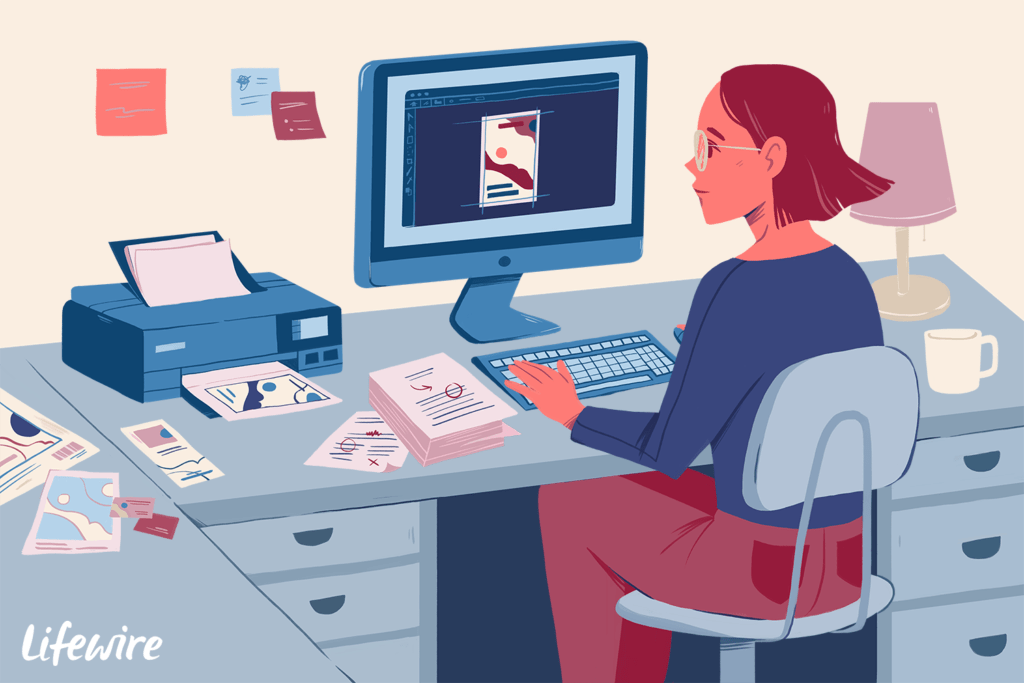
Desktop publishing
Certainly, desktop publishing involves creating and designing various types of materials for print or digital distribution. This can include documents, brochures, flyers, newsletters, magazines, books, and more. Here’s a general guide to help you with the desktop publishing process:
1. Define Your Project:
- Identify the type of material you’re designing (e.g., brochure, poster, book).
- Determine the purpose and target audience for your design.
2. Gather Content:
- Collect all text, images, graphics, and other elements you’ll need for your design.
- Ensure that your content is well-written, proofread, and properly organized.
3. Choose Software:
- Select desktop publishing software such as Adobe InDesign, Microsoft Publisher, Scribus (open-source), or other design tools.
4. Set Document Parameters:
- Determine the dimensions, orientation (portrait or landscape), and number of pages for your document.
- Set up margins, bleed areas (for print), and other document settings.
5. Layout Design:
- Plan the layout of your content, including text placement, images, headings, subheadings, and captions.
- Maintain a consistent visual hierarchy and use grids or guides for alignment.
6. Typography:
- Choose appropriate fonts that align with the design’s purpose and tone.
- Ensure readability by adjusting font size, line spacing, and kerning.
- Use font styles (bold, italic) to emphasize key points.
7. Graphic Elements:
- Incorporate images, illustrations, and other visuals that complement your content.
- Ensure images are high-resolution and properly scaled.
8. Color Scheme:
- Choose a color palette that resonates with your project’s theme and audience.
- Maintain consistency in color usage throughout the design.
9. Page Elements:
- Add headers, footers, page numbers, and other design elements as needed.
10. Proofing and Revisions: – Carefully review your design for errors, typos, and inconsistencies. – Make any necessary revisions based on feedback.
11. Export: – Export your design to the appropriate format, whether it’s a PDF for print or an image format for digital distribution.
12. Printing or Publishing: – If your design is intended for print, ensure it meets printing requirements (bleed, color profiles, etc.). – If it’s digital, distribute it through the appropriate channels (website, email, social media).
Remember, successful desktop publishing involves a combination of creativity, attention to detail, and understanding your target audience. Don’t hesitate to iterate and seek feedback throughout the design process to ensure you create a polished and effective final product.
What is required Desktop publishing
Desktop publishing requires a combination of technical skills, creativity, and attention to detail. Here’s a breakdown of what is typically required for successful desktop publishing:
1. Software Skills:
- Proficiency in desktop publishing software such as Adobe InDesign, Microsoft Publisher, QuarkXPress, Scribus, or other relevant tools.
- Familiarity with design software like Adobe Photoshop and Illustrator for creating or editing images and graphics.
2. Graphic Design Skills:
- Understanding of design principles, including layout, typography, color theory, and visual hierarchy.
- Ability to create visually appealing and balanced designs that communicate effectively with the target audience.
3. Typography Skills:
- Knowledge of typography and the ability to choose appropriate fonts, sizes, and styles for different types of content.
- Understanding of kerning, leading, and tracking to ensure readability and aesthetics.
4. Image Editing and Manipulation:
- Proficiency in editing and enhancing images using software like Adobe Photoshop or other image editing tools.
- Ability to resize, crop, and adjust images to fit the design while maintaining their quality.
5. Content Organization:
- Skills in organizing and structuring content to create a logical flow within the design.
- Ability to balance text and visuals to create engaging and informative layouts.
6. Technical Knowledge:
- Understanding of document dimensions, bleed, margins, color modes (CMYK for print, RGB for digital), and resolution for both print and digital designs.
7. Attention to Detail:
- Thorough proofreading and editing to ensure accurate and error-free content.
- Checking for consistency in fonts, colors, spacing, and alignment throughout the design.
8. Problem-Solving:
- Ability to troubleshoot and resolve technical issues that may arise during the design process.
- Finding creative solutions to design challenges while adhering to project requirements.
9. Communication Skills:
- Effective communication with clients, team members, or stakeholders to understand design objectives and incorporate feedback.
10. Time Management: – Efficiently manage time and prioritize tasks to meet project deadlines.
11. Knowledge of Printing Processes (for Print Design): – Familiarity with printing requirements such as bleeds, color profiles, and file formats to ensure the design translates accurately to print.
12. Portfolio: – Building a portfolio of previous desktop publishing projects to showcase your skills and style to potential clients or employers.
13. Creativity and Innovation: – Thinking creatively to come up with unique design concepts and innovative solutions.
Remember that while technical skills are essential, creativity and the ability to effectively communicate a message through design are equally important in the field of desktop publishing. Continuously learning about design trends, software updates, and improving your skills will contribute to your success as a desktop publisher.
Who is required Desktop publishing
In the field of desktop publishing, various professionals with different roles and skills collaborate to create and produce visually appealing and informative printed or digital materials. Here are some of the key roles that may be involved in a desktop publishing project:
- Graphic Designer: Graphic designers are responsible for creating visually appealing layouts, selecting fonts, colors, and images, and ensuring the overall aesthetics and branding of the design.
- Layout Designer: Layout designers focus on arranging text, images, and other elements within a document to create a balanced and readable composition.
- Typographer: Typographers specialize in selecting and arranging fonts to ensure readability and visual harmony. They pay attention to kerning, leading, and other typographic details.
- Illustrator: Illustrators create original artwork, graphics, or illustrations that enhance the design and convey specific messages or ideas.
- Copywriter: Copywriters write and edit the textual content that will be included in the design. They ensure the text is clear, concise, and effectively communicates the intended message.
- Editor/Proofreader: Editors review the content for grammatical errors, consistency, and clarity. Proofreaders ensure there are no typos, spelling mistakes, or formatting errors in the final design.
- Print Production Specialist: For print materials, a print production specialist ensures that the design meets the technical requirements for printing, including color profiles, resolution, bleeds, and trim lines.
- Digital Publisher: If the design is intended for digital distribution, a digital publisher ensures that the design is optimized for online platforms, responsive to different devices, and accessible to a digital audience.
- Art Director/Creative Director: In larger projects, an art director or creative director oversees the overall visual direction of the project, guiding the team to achieve the desired creative vision.
- Desktop Publishing Software Expert: Professionals who have a deep understanding of desktop publishing software (e.g., Adobe InDesign, Microsoft Publisher) and are skilled in using the tools and features to create complex layouts.
- Project Manager: A project manager coordinates the various roles, sets timelines, manages resources, and ensures the project stays on track from concept to completion.
- Client/Stakeholder: The client or stakeholder provides input, feedback, and approval throughout the design process, ensuring that the final product aligns with their goals and expectations.
It’s important to note that the specific roles and individuals involved can vary based on the scope and complexity of the desktop publishing project. In some cases, a single person might handle multiple roles, especially in smaller projects or freelance work. In larger projects or agencies, a team of specialists may collaborate to bring the design to life.
When is required Desktop publishing
Desktop publishing is required whenever you need to create and design printed or digital materials that communicate information, ideas, or messages to a target audience. It plays a crucial role in various industries and contexts. Here are some common situations when desktop publishing is required:
- Marketing and Advertising: Desktop publishing is used to design brochures, flyers, posters, banners, and other promotional materials to advertise products, services, events, or campaigns.
- Publishing and Printing: Desktop publishing is essential for creating books, magazines, newspapers, and other printed publications. It involves formatting and arranging text, images, and graphics in a visually appealing and readable manner.
- Corporate Communication: Businesses use desktop publishing for internal and external communication, including employee newsletters, reports, presentations, and corporate branding materials.
- Education: Desktop publishing is used in the creation of educational materials such as textbooks, workbooks, study guides, and educational posters.
- Nonprofit and Organizations: Nonprofits and organizations utilize desktop publishing to design materials for fundraising, awareness campaigns, events, and community outreach.
- Event Promotion: Invitations, event programs, tickets, and signage for conferences, seminars, workshops, and other events are created through desktop publishing.
- Personal Projects: Individuals use desktop publishing to create personal projects such as wedding invitations, party invitations, family newsletters, and scrapbooking.
- Packaging Design: Desktop publishing is employed in creating packaging designs for products, including labels, boxes, and packaging inserts.
- Web Content Creation: While not traditional publishing, desktop publishing skills are also valuable for creating web content, including designing blog posts, infographics, social media graphics, and website layouts.
- Art and Creative Projects: Artists and creatives use desktop publishing for designing art prints, greeting cards, posters, and other artistic projects.
- Instructional Materials: Desktop publishing is used to create instructional materials, manuals, user guides, and tutorials for various products and services.
- Government and Public Sector: Desktop publishing is required in government agencies for creating official documents, reports, brochures, and public information materials.
Desktop publishing is a versatile skill that finds application in numerous fields and industries. Whether you’re a professional designer, a business owner, a student, or an individual with a creative project, desktop publishing can help you convey your message effectively and aesthetically to your target audience.
Where is required Desktop publishing
Desktop publishing is required in various industries and contexts where there is a need to create and design printed or digital materials for communication, promotion, education, or other purposes. Here are some specific places and scenarios where desktop publishing is commonly required:
- Publishing Houses: Book and magazine publishers use desktop publishing to create and layout content for print publications, including books, novels, magazines, journals, and academic publications.
- Advertising Agencies: Advertising agencies utilize desktop publishing for designing print ads, brochures, flyers, posters, banners, and other promotional materials for their clients.
- Marketing Departments: In-house marketing teams within businesses create marketing collateral such as product catalogs, sales sheets, and promotional materials using desktop publishing.
- Graphic Design Studios: Graphic design studios specialize in creating visual designs, branding materials, and various printed or digital assets using desktop publishing tools.
- Educational Institutions: Schools, colleges, and universities use desktop publishing to create educational materials, textbooks, course materials, and educational resources.
- Nonprofit Organizations: Nonprofits require desktop publishing for designing fundraising materials, event invitations, awareness campaigns, and informational brochures.
- Newsrooms: Newspapers, magazines, and online news outlets use desktop publishing to format and layout news articles, features, and other content for publication.
- Corporate Offices: Corporate communication teams use desktop publishing to create internal newsletters, reports, presentations, and other materials for employees and stakeholders.
- Event Planning Companies: Event planners create event materials such as invitations, programs, signage, and promotional materials through desktop publishing.
- Print Shops and Copy Centers: Print shops and copy centers provide desktop publishing services to individuals and businesses, producing a wide range of printed materials.
- Government Agencies: Government departments use desktop publishing for creating official documents, reports, brochures, and public information materials.
- Art Studios: Artists and illustrators use desktop publishing to design and create art prints, posters, greeting cards, and other artistic projects.
- Web Design and Development: While not traditional publishing, desktop publishing skills are also valuable for designing and formatting web content, including blog posts, social media graphics, and website layouts.
- Retail and Packaging: Retailers and product manufacturers use desktop publishing to design packaging, labels, and promotional materials for products.
- Personal Projects: Individuals use desktop publishing for personal projects such as creating invitations, announcements, family newsletters, and photo albums.
These are just a few examples, and the need for desktop publishing can arise in almost any industry or situation where visual communication is essential. As technology advances, the demand for digital publishing and online content creation is also increasing, making desktop publishing skills valuable for various online platforms and media.
How is required Desktop publishing
The process of how desktop publishing is required involves understanding the needs of a project, creating a design, and producing the final materials. Here’s a step-by-step guide on how desktop publishing is typically required and executed:
1. Identify Project Requirements:
- Understand the purpose, audience, and goals of the project. Determine whether the material will be printed or digital.
2. Gather Content:
- Collect all necessary text, images, graphics, and other elements that will be included in the design.
3. Choose Software and Tools:
- Select appropriate desktop publishing software (e.g., Adobe InDesign, Microsoft Publisher) based on the project’s requirements.
4. Layout and Design:
- Create a layout for the material, arranging elements such as text, images, graphics, and headings in a visually appealing and organized manner.
5. Typography and Formatting:
- Choose suitable fonts, sizes, and styles for the text. Ensure consistency and readability throughout the design.
6. Graphics and Images:
- Edit and optimize images for the design, ensuring they are of high quality and relevant to the content.
7. Color and Branding:
- Select a color scheme that aligns with the project’s branding or theme. Ensure color consistency and harmony.
8. Composition and Alignment:
- Ensure proper alignment, spacing, and balance of elements to create a cohesive and visually pleasing design.
9. Review and Proofreading:
- Proofread and review the content and design to catch any errors, typos, or inconsistencies.
10. Feedback and Revisions: – Share the draft design with clients, stakeholders, or team members for feedback. Make necessary revisions based on the feedback received.
11. Finalize Design: – Incorporate feedback and make final adjustments to the design, ensuring that it meets all project requirements.
12. Export and Output: – Prepare the design for output by selecting appropriate settings (e.g., print-ready settings for print materials, optimized settings for digital materials).
13. Printing (if applicable): – For print materials, provide the final design files to a printing service or print in-house, adhering to print specifications such as bleed, trim, and color profiles.
14. Digital Distribution (if applicable): – For digital materials, export the design in suitable formats (e.g., PDF, JPEG, PNG) and distribute through the intended online channels (website, email, social media).
15. Quality Check: – Review the final output to ensure that it matches the intended design and that all elements appear as expected.
16. Delivery and Presentation: – Deliver the final materials to the client, stakeholders, or intended audience in the desired format (printed or digital).
It’s important to note that the process can vary based on the complexity of the project, the specific software and tools being used, and the collaboration among team members. Effective communication, attention to detail, and a thorough understanding of design principles are key factors in successfully executing desktop publishing projects.
Case study on Desktop publishing
Sure, here’s a hypothetical case study that demonstrates the process of desktop publishing for a real-world project:
Case Study: Designing a Conference Brochure
Background: A local nonprofit organization, “Community Empowerment Initiative,” is organizing an educational conference aimed at empowering local residents with practical skills and knowledge. They need a visually appealing brochure to promote the conference, provide information about the speakers and sessions, and encourage attendees to register.
Project Steps:
Step 1: Project Initiation and Content Gathering The organization’s event coordinator meets with the design team to discuss the conference’s goals, target audience, and key details. The design team receives content including session topics, speaker profiles, event schedule, and organizational branding materials.
Step 2: Software and Tools Selection The design team selects Adobe InDesign as the preferred desktop publishing software for this project due to its flexibility and professional layout capabilities.
Step 3: Layout and Design The design team creates a preliminary layout, incorporating the event’s branding colors, logo, and typography. They organize content logically, ensuring a clear flow of information from the cover to the back of the brochure.
Step 4: Typography and Formatting The team selects a combination of bold and readable fonts for headings and body text. They adjust font sizes, line spacing, and text alignment to ensure easy readability.
Step 5: Graphics and Images Relevant images of past events, the conference venue, and speakers are chosen to enhance the brochure’s visual appeal. The design team ensures high-resolution images that fit seamlessly into the layout.
Step 6: Color and Branding The design team maintains consistency with the organization’s branding guidelines, incorporating the designated color scheme throughout the brochure.
Step 7: Review and Proofreading The design team conducts a thorough review of the content and layout, checking for typos, grammatical errors, and design inconsistencies.
Step 8: Feedback and Revisions A draft of the brochure is shared with the organization’s event planning committee for feedback. The committee suggests changes, such as rearranging session descriptions for better clarity and adding a call-to-action for early bird registration.
Step 9: Finalize Design Incorporating the committee’s feedback, the design team makes the necessary revisions to the layout, typography, and graphics.
Step 10: Export and Printing With the design finalized, the team exports the brochure in a print-ready PDF format, ensuring proper bleed and trim settings. The organization sends the file to a local print shop for production.
Step 11: Distribution and Promotion The printed brochures are distributed at community centers, libraries, and local businesses. Additionally, a digital version of the brochure is made available on the organization’s website and social media platforms to reach a wider audience.
Step 12: Results and Impact The conference brochure receives positive feedback from community members for its engaging design and clear presentation of conference details. Attendee registrations increase, and the conference successfully empowers local residents with valuable knowledge and skills.
In this case study, the desktop publishing process involves various stages, including content gathering, layout design, typography, graphics, branding, review, feedback, revisions, and distribution. Effective collaboration between the nonprofit organization and the design team results in a visually appealing and informative conference brochure that contributes to the success of the event.
White paper on Desktop publishing
Title: The Evolution and Impact of Desktop Publishing: A Comprehensive White Paper
Abstract: This white paper delves into the evolution, significance, and contemporary implications of desktop publishing. From its inception to its current state, desktop publishing has revolutionized the creation of printed and digital materials, reshaping industries and communication strategies. This paper explores the history, technology, benefits, challenges, and future trends of desktop publishing, shedding light on its transformative role in modern design and communication.
Table of Contents:
- Introduction
- Definition and Concept of Desktop Publishing
- Historical Overview: Origins and Early Developments
- Technological Advancements
- Role of Computers in Publishing
- Emergence of Desktop Publishing Software
- Transition from Analog to Digital Design
- Benefits of Desktop Publishing
- Accessibility and Affordability
- Creative Flexibility and Design Control
- Rapid Prototyping and Iteration
- Customization and Personalization
- Integration of Text, Images, and Graphics
- Challenges and Considerations
- Quality Control and Print Versus Digital Output
- Font and Typography Selection
- Color Management and Consistency
- Compatibility and File Formats
- Balancing Aesthetics and Functionality
- Desktop Publishing in Various Industries
- Publishing and Printing
- Marketing and Advertising
- Education and Training
- Corporate Communication
- Nonprofit and Community Engagement
- Future Trends and Innovations
- Mobile-Friendly Design
- Augmented Reality (AR) Integration
- Artificial Intelligence (AI) in Layout and Content Generation
- Sustainable and Eco-Friendly Design Practices
- Case Studies: Desktop Publishing in Action
- Designing Educational Materials for Online Learning Platforms
- Creating Impactful Marketing Collateral for a Product Launch
- Revitalizing Print Newspapers in the Digital Age
- Conclusion
- Recap of Key Points
- The Ongoing Evolution of Desktop Publishing
- The Enduring Influence on Communication and Design
Acknowledgments: We would like to express our gratitude to the professionals, designers, and experts who contributed their insights and expertise to the creation of this white paper. Their valuable perspectives have enriched our understanding of the evolution and impact of desktop publishing.
References: A comprehensive list of sources, articles, books, and research papers consulted during the creation of this white paper.
This white paper provides an in-depth exploration of desktop publishing, from its historical roots to its modern applications and future potential. It serves as a valuable resource for designers, communication professionals, educators, and anyone interested in the dynamic world of publishing and design.