
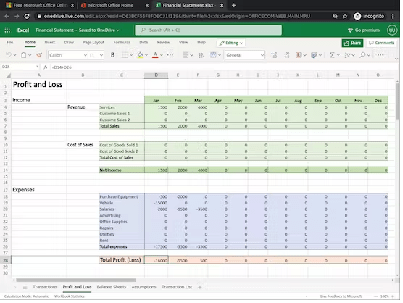
Financial data analysis using MS excel
Financial data analysis using MS Excel can be a powerful tool for businesses and individuals to understand and manage their finances. Here are some tips for conducting financial data analysis in Excel:
- Importing data: Import financial data from a variety of sources, such as accounting software or bank statements, into Excel using data import tools such as Power Query or Get & Transform.
- Formatting data: Once the data is imported, format it in a way that is easy to understand and analyze. Use Excel’s formatting tools to make numbers and financial data easier to read and analyze.
- Creating tables: Convert the data into a table to make sorting and filtering easier. Tables in Excel allow you to quickly sort and filter data based on different criteria.
- PivotTables: Use PivotTables to analyze large amounts of financial data quickly. PivotTables allow you to group, summarize, and filter data in a flexible way.
- Charts: Create charts to visualize financial data and identify trends or patterns. Excel offers a range of chart types, including line charts, bar charts, and pie charts.
- Formulas and functions: Use Excel’s formulas and functions to perform financial calculations such as calculating interest, loan payments, or investment returns. Examples of financial functions include PMT, PV, FV, and RATE.
- Data analysis tools: Excel also offers data analysis tools such as regression analysis, scenario analysis, and goal seek that can help you make better financial decisions.
By using these tools and techniques, you can leverage Excel to analyze financial data, make informed financial decisions, and achieve your financial goals.