
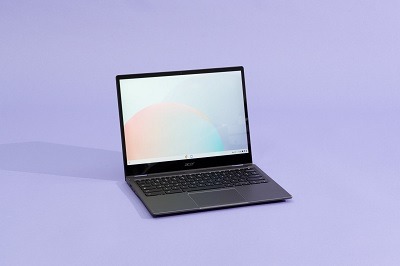
Fundamental Laptop and Portable Devices
Fundamental laptop and portable device components are the essential hardware and features that make these devices functional and versatile. Laptops and portable devices, such as tablets and smartphones, are designed to provide computing capabilities while being compact and mobile. Here are the fundamental components of laptops and portable devices:
- Central Processing Unit (CPU):
- The CPU is the brain of the device, responsible for executing instructions and performing calculations. It determines the device’s processing power and performance.
- Memory (RAM):
- Random Access Memory (RAM) provides temporary storage for data and instructions that the CPU needs to access quickly. More RAM generally leads to better multitasking and faster performance.
- Storage Drive:
- Laptops and portable devices use various types of storage drives, including Hard Disk Drives (HDDs) and Solid-State Drives (SSDs), to store data, applications, and the operating system. SSDs are faster and more durable than HDDs.
- Operating System (OS):
- The OS is the software that manages the device’s hardware and allows users to interact with it. Common OS options include Windows, macOS, iOS, Android, and Linux.
- Display Screen:
- The display screen is the primary interface for users. It provides visual output and touch input for tablets and some laptops. Key considerations include screen size, resolution, and display technology (e.g., LED, OLED).
- Graphics Processing Unit (GPU):
- GPUs handle graphics rendering and accelerate tasks related to graphics and video. Some laptops and portable devices have integrated GPUs, while others have dedicated graphics cards for enhanced performance, particularly in gaming and video editing.
- Battery:
- Portable devices rely on batteries for power. Battery capacity (measured in watt-hours or milliampere-hours) affects the device’s runtime. Efficient power management is crucial for extending battery life.
- Input Devices:
- Laptops feature built-in keyboards and touchpads or trackpads for text input and navigation. Portable devices often rely on touchscreens for input. External peripherals like mice and keyboards can be connected when needed.
- Connectivity Options:
- Wireless connectivity is vital for portable devices. Wi-Fi, Bluetooth, and cellular (3G/4G/5G) connections enable internet access, data transfer, and device-to-device communication.
- Ports and Interfaces:
- Laptops and portable devices have various ports for connecting peripherals and accessories, such as USB, HDMI, audio jacks, and card readers.
- Audio:
- Built-in speakers and microphone(s) provide audio output and input capabilities. Audio quality varies between devices, with some featuring advanced audio technologies.
- Camera:
- Laptops and portable devices typically have integrated webcams for video conferencing, photography, and recording videos.
- Sensors:
- Portable devices often include a range of sensors, such as accelerometers, gyroscopes, GPS, and ambient light sensors, to enable features like screen rotation, motion tracking, and location-based services.
- Charging and Power Management:
- Power management systems ensure efficient battery charging and help prevent overcharging or overheating. USB-C and Thunderbolt ports may support fast charging and power delivery.
- Security Features:
- Security components like fingerprint readers, facial recognition, TPM (Trusted Platform Module), and encryption help protect data and enhance device security.
- Form Factor and Build Quality:
- The design, build materials, and form factor (e.g., clamshell laptop, 2-in-1 convertible, tablet) play a significant role in the device’s usability and durability.
- Accessories and Peripherals:
- Additional accessories, such as external keyboards, mice, styluses, docking stations, and protective cases, enhance the functionality and versatility of laptops and portable devices.
These fundamental components collectively determine the performance, functionality, and user experience of laptops and portable devices. The specific configuration and features can vary widely across different models and brands, catering to a wide range of user needs and preferences.
What is required Fundamental Laptop and Portable Devices
The required fundamental components for laptops and portable devices are essential hardware and features that enable these devices to function effectively for various computing tasks while maintaining portability. These components are necessary for the devices to meet the basic needs of users. Here are the required fundamental components for laptops and portable devices:
- Central Processing Unit (CPU):
- A capable CPU is essential for processing instructions and calculations. It determines the device’s speed and overall performance.
- Memory (RAM):
- Sufficient RAM ensures smooth multitasking and quick access to data. Adequate memory is crucial for responsive performance.
- Storage Drive:
- Laptops and portable devices should have a storage drive (HDD or SSD) to store data, applications, and the operating system. SSDs are preferable due to their speed and durability.
- Operating System (OS):
- An operating system is necessary for managing hardware and software. Common OS options include Windows, macOS, iOS, Android, and Linux.
- Display Screen:
- A display screen serves as the primary interface for users. It should offer a suitable size, resolution, and quality for tasks and viewing preferences.
- Battery:
- A reliable battery is crucial for portable devices. It should provide adequate capacity to support reasonable usage durations.
- Input Devices:
- Laptops should include built-in keyboards and pointing devices (e.g., touchpad). Portable devices often rely on touchscreen input. External input devices can be added when needed.
- Wireless Connectivity:
- Wireless connectivity options like Wi-Fi, Bluetooth, and cellular data (3G/4G/5G) are essential for internet access, device-to-device communication, and data transfer.
- Ports and Interfaces:
- Devices need various ports and interfaces (e.g., USB, HDMI, audio jacks, card readers) for connecting peripherals and accessories.
- Audio:
- Built-in speakers and a microphone are necessary for audio output and input. Audio quality should be suitable for communication and multimedia.
- Camera:
- An integrated webcam is common for video conferencing, photography, and video recording.
- Security Features:
- Devices should include security features like password protection, PIN, fingerprint readers, or facial recognition to protect user data and enhance device security.
- Form Factor and Build Quality:
- The design, build materials, and form factor (e.g., laptop, 2-in-1, tablet) should meet user preferences while ensuring durability and portability.
- Charging and Power Management:
- Charging systems and power management should be efficient, supporting fast charging and safe battery use.
- Sensors:
- Portable devices often include sensors like accelerometers, gyroscopes, GPS, and ambient light sensors for various functionalities.
- Accessories and Peripherals:
- Additional accessories and peripherals (e.g., external keyboard, mouse, stylus, docking station) can enhance the device’s functionality and adaptability to user needs.
These fundamental components provide the foundation for laptops and portable devices to perform everyday computing tasks effectively. The specific configuration and features can vary among different device models and brands, allowing users to choose the one that best suits their requirements and preferences.
Who is required Fundamental Laptop and Portable Devices
The term “required Fundamental Laptop and Portable Devices” is not clear, and it doesn’t refer to a specific person or entity in the context of laptops and portable devices. Instead, I’ll provide some information on the stakeholders or individuals who are typically involved in the process of designing, manufacturing, selling, or using laptops and portable devices:
- Manufacturers and Engineers:
- Manufacturers are responsible for designing, producing, and assembling laptops and portable devices. Engineers play a crucial role in designing the hardware components and ensuring they function correctly.
- Product Managers:
- Product managers oversee the development of laptops and portable devices. They define product specifications, features, and pricing based on market research and customer needs.
- Designers:
- Designers create the visual and ergonomic aspects of laptops and portable devices, including the device’s appearance, user interface, and physical layout.
- Software Developers:
- Software developers design and develop the operating systems, drivers, and applications that run on laptops and portable devices.
- Marketing and Sales Teams:
- Marketing teams promote laptops and portable devices, while sales teams are responsible for selling them to customers or retailers.
- Quality Control and Testing Teams:
- Quality control and testing teams ensure that devices meet quality and performance standards before they are released to the market.
- End-Users:
- End-users are the people who use laptops and portable devices for various purposes, including work, communication, entertainment, and productivity.
- IT Administrators:
- In the context of organizations, IT administrators manage and maintain laptops and portable devices used by employees, ensuring security and proper functionality.
- Retailers and Distributors:
- Retailers and distributors are responsible for selling laptops and portable devices to consumers or businesses through physical stores or online platforms.
- Regulatory Authorities:
- Regulatory authorities may set standards and regulations related to the safety, performance, and environmental impact of laptops and portable devices.
- Customer Support and Service Providers:
- Customer support teams provide assistance and troubleshoot issues for customers who encounter problems with their devices. Service providers may offer repair and maintenance services.
- Third-Party Developers:
- Developers and companies outside of the device manufacturer may create software applications, accessories, and peripherals that enhance the functionality of laptops and portable devices.
- Environmental Organizations:
- Environmental organizations focus on promoting eco-friendly design and responsible disposal practices for electronic devices, including laptops and portable devices.
These stakeholders and individuals collectively contribute to the design, production, distribution, use, and support of laptops and portable devices, ensuring that they meet the needs and expectations of users in various contexts.
When is required Fundamental Laptop and Portable Devices
The need for fundamental laptops and portable devices can arise in various situations and contexts. The timing of when these devices are required depends on the specific needs and circumstances of individuals or organizations. Here are some common scenarios when the requirement for laptops and portable devices may arise:
- Personal Computing Needs:
- Individuals may require laptops and portable devices for personal computing tasks such as web browsing, email, social media, entertainment, and online shopping. The timing can be anytime when an individual decides to acquire a device for these purposes.
- Remote Work or Telecommuting:
- With the increasing trend of remote work, individuals and employees may need laptops and portable devices to work from home or other remote locations. This need arises when an organization adopts a remote work policy or when an individual secures a remote job.
- Business and Professional Use:
- Businesses and professionals often require laptops and portable devices for tasks like productivity, communication, data analysis, and presentations. The timing depends on the specific needs of the business or individual professional.
- Education and E-Learning:
- Students and educators may need laptops and portable devices for online learning, research, and assignments. The timing aligns with the start of the academic year or when distance learning becomes necessary.
- Travel and Mobility:
- Travelers and individuals on the go may require portable devices for tasks such as booking flights, checking maps, and staying connected while traveling. The timing coincides with travel plans.
- Gaming and Entertainment:
- Gamers and entertainment enthusiasts may need laptops or portable gaming devices for gaming, streaming, and content consumption. The timing depends on personal preferences and the release of new gaming titles or entertainment content.
- Emergency Situations:
- In emergency situations, individuals and organizations may need portable communication devices, such as satellite phones or rugged laptops, to ensure connectivity and access to critical information.
- Digital Transformation Initiatives:
- Organizations may require laptops and portable devices as part of their digital transformation initiatives, which can be initiated when a company decides to modernize its operations and adopt digital technologies.
- Replacement or Upgrade:
- Individuals and organizations may require new laptops and portable devices when their existing devices become outdated, slow, or incompatible with modern software and applications.
- Special Projects and Initiatives:
- Specific projects or initiatives within organizations may necessitate the use of laptops and portable devices, such as fieldwork, research, or temporary remote work setups.
- Seasonal or Event-Based Needs:
- Some industries or businesses may require additional portable devices during peak seasons or events, such as retail stores needing extra devices during holiday shopping periods.
The timing for the requirement of fundamental laptops and portable devices is influenced by both individual and organizational needs, technological advancements, and external factors. It is essential to assess these needs carefully and choose devices that align with specific requirements and objectives.
Where is required Fundamental Laptop and Portable Devices
The need for fundamental laptops and portable devices exists in various locations or settings where individuals or organizations require computing power and mobility. These devices are versatile and can be used in a wide range of environments. Here are some common locations where the requirement for fundamental laptops and portable devices arises:
- Home:
- Laptops and portable devices are commonly used in households for personal computing needs, such as web browsing, entertainment, online shopping, and remote work or learning.
- Office and Workplace:
- Businesses and workplaces rely on laptops for office tasks, data processing, communication, and project management. Portable devices are also used for on-site work and presentations.
- Schools and Educational Institutions:
- Laptops and portable devices are essential for students and educators in classrooms, libraries, and study areas. They facilitate online learning, research, and assignments.
- Coffee Shops and Cafes:
- Many individuals bring their laptops to coffee shops and cafes to work, study, or access the internet while enjoying a beverage or meal.
- Airports and Travel:
- Travelers use laptops and portable devices at airports for checking flight information, entertainment, and staying connected during layovers or while waiting for flights.
- Hotels and Accommodations:
- Travelers and business professionals use laptops in hotel rooms for work, entertainment, and accessing information about their accommodations and local attractions.
- Remote and Off-Site Locations:
- Portable devices are crucial for fieldwork, research, and tasks that require mobility and access to digital resources in remote or off-site locations.
- Public Transportation:
- Commuters often use portable devices while traveling on buses, trains, and subways for productivity, entertainment, and staying connected.
- Retail Stores and Businesses:
- Retail businesses use portable devices like tablets for inventory management, point-of-sale transactions, and customer interactions.
- Healthcare Facilities:
- Hospitals and clinics use portable devices for patient records, medical imaging, and mobile healthcare applications.
- Outdoor Environments:
- Laptops and rugged portable devices are used in outdoor settings such as construction sites, field research, and environmental monitoring.
- Entertainment Venues:
- Portable gaming devices and tablets are popular in entertainment venues like arcades, amusement parks, and theaters.
- Emergency Response and Disaster Relief:
- Portable communication devices, including laptops and satellite phones, are essential in emergency response situations and disaster relief efforts.
- Business Meetings and Conferences:
- Laptops and tablets are used for presentations, note-taking, and collaborative work during business meetings and conferences.
- Public Libraries:
- Public libraries offer access to laptops and portable devices for research, studying, and internet access.
- Aircraft and Air Travel:
- Passengers use portable devices on airplanes for in-flight entertainment, work, and communication via Wi-Fi.
The versatility of laptops and portable devices allows them to be used in virtually any location where computing tasks are required. The specific location and setting determine the types of tasks and applications these devices are used for, making them indispensable tools in various aspects of modern life.
How is required Fundamental Printer and Portable Devices
The process of acquiring and utilizing required fundamental printers and portable devices, such as mobile printers or scanners, involves several steps. These devices play a crucial role in various settings, including businesses, healthcare, retail, and more. Here’s a general outline of how to approach the acquisition and use of these devices:
1. Identify Specific Needs:
- Determine the specific requirements and use cases for printers and portable devices. Consider factors such as the type of printing or scanning needed, mobility requirements, connectivity, and budget constraints.
2. Research and Selection:
- Conduct research to identify suitable printer and portable device options that meet your requirements. Consider factors like printing technology (e.g., inkjet, laser), printing speed, resolution, and portability for devices like mobile printers or scanners.
3. Budget Planning:
- Establish a budget for the acquisition of these devices. Account for not only the upfront purchase cost but also ongoing operational costs like ink or toner cartridges, paper, and maintenance.
4. Vendor Selection:
- Choose reputable vendors or manufacturers known for producing reliable and high-quality printers and portable devices. Consider factors such as warranty and support services.
5. Purchase and Setup:
- Acquire the selected printers and portable devices through authorized channels or vendors. Set up the devices according to the manufacturer’s guidelines, ensuring they are ready for use.
6. Compatibility and Connectivity:
- Ensure that the printers and portable devices are compatible with your existing infrastructure and software systems. Establish proper connectivity, which may include Wi-Fi, Bluetooth, or USB connections.
7. Integration with Workflow:
- Integrate the devices seamlessly into your workflow or business processes. Implement necessary software and drivers to enable efficient printing or scanning operations.
8. Security Measures:
- Implement security measures to protect sensitive data when using portable devices for scanning or printing. This may involve encryption, access controls, and secure network configurations.
9. Training and Familiarization:
- Provide training to staff or users who will operate these devices. Ensure they are familiar with device functionalities, maintenance procedures, and troubleshooting.
10. Maintenance and Support: – Establish a maintenance schedule for regular upkeep of printers and portable devices. This includes cleaning, replacing consumables (e.g., ink, toner, paper), and addressing technical issues promptly. Consider maintenance contracts or support agreements if available.
11. Compliance and Regulations: – Ensure that the use of printers and portable devices complies with relevant regulations and industry standards, especially in sectors with strict data privacy requirements (e.g., healthcare, finance).
12. Monitoring and Optimization: – Continuously monitor the performance of these devices and identify opportunities for optimization, such as reducing printing costs or improving scanning accuracy.
13. Scaling and Upgrades: – Plan for future scalability and upgrades as your printing and scanning needs evolve. Consider factors like increased print volume, additional functionality, or the need for more portable devices.
14. Disposal and Recycling: – Properly dispose of or recycle old printers and devices in an environmentally responsible manner when they reach the end of their life cycle. Follow applicable e-waste disposal guidelines.
15. User Guidelines (for Organizations): – Establish user guidelines and policies for the appropriate use of printers and portable devices. This may include print quota management and guidelines for scanning sensitive documents.
The process of acquiring and using fundamental printers and portable devices should be tailored to meet your specific needs and objectives. It’s essential to balance functionality, cost-effectiveness, and security considerations to make the most of these devices in your organization or personal use.
Case Study on Fundamental Laptop and Portable Devices
Certainly, let’s explore a case study on the deployment of fundamental laptops and portable devices in an educational institution.
Case Study: Enhancing Education with Laptops and Portable Devices
Background: ABC University is a large educational institution with a diverse student body. To enhance the learning experience and adapt to changing educational trends, the university decided to implement a one-to-one laptop program, providing fundamental laptops to all undergraduate students. The goal was to create a technologically enriched environment that would empower students and faculty.
Challenges:
- Ensuring equitable access to technology for all students.
- Adapting the curriculum and teaching methods to leverage technology effectively.
- Implementing robust security measures to protect data and devices.
- Managing technical support for a large number of laptops.
Solution:
1. Device Selection:
- ABC University conducted thorough research and selected a suitable laptop model that met performance requirements, durability standards, and budget constraints.
2. Distribution and Training:
- The university organized a laptop distribution event at the beginning of the academic year. Students received their laptops and attended training sessions to familiarize themselves with the devices and university-specific software.
3. Curriculum Integration:
- Faculty members worked with instructional designers to adapt their courses to integrate technology effectively. They developed online resources, digital textbooks, and interactive assignments to engage students.
4. Security Measures:
- Robust security measures were implemented, including device encryption, antivirus software, and user authentication protocols. The university also educated students about cybersecurity best practices.
5. Technical Support:
- The university established a dedicated IT support team to assist students with technical issues. A helpdesk system was put in place to streamline support requests.
6. Wi-Fi Infrastructure:
- To ensure seamless connectivity, the university upgraded its Wi-Fi infrastructure across campus, including classrooms, libraries, and outdoor areas.
Results:
1. Improved Learning Experience:
- The one-to-one laptop program transformed the learning experience. Students had instant access to digital resources, online collaboration tools, and multimedia content.
2. Increased Engagement:
- The integration of laptops into the curriculum led to increased student engagement. Interactive lessons, virtual labs, and collaborative projects became common.
3. Equity in Access:
- The program ensured equitable access to technology, leveling the playing field for students from diverse backgrounds.
4. Enhanced Communication:
- Laptops facilitated communication between students and faculty through email, video conferencing, and virtual office hours.
5. Flexibility and Adaptability:
- The university demonstrated flexibility and adaptability in responding to the changing needs of education, particularly during the COVID-19 pandemic when remote learning became essential.
6. Security and Support:
- Robust security measures and dedicated technical support ensured that students’ data and devices remained protected and operational.
Conclusion:
ABC University’s deployment of fundamental laptops and portable devices successfully transformed its educational environment. The one-to-one laptop program improved access, engagement, and adaptability, enhancing the overall learning experience for students. The university’s commitment to technical support and cybersecurity measures ensured a smooth and secure transition to a technology-driven education system.
This case study demonstrates how the strategic implementation of laptops and portable devices can have a positive impact on education, fostering a dynamic and inclusive learning environment.
White Paper on Fundamental Laptop and Portable Devices
Creating a comprehensive white paper on fundamental laptops and portable devices would involve in-depth research and analysis of the evolving landscape of these devices, their impact on various sectors, and their future prospects. Below is an outline for a white paper titled “Empowering the Future: Fundamental Laptops and Portable Devices.”
White Paper: Empowering the Future
Fundamental Laptops and Portable Devices
Table of Contents:
- Executive Summary
- A concise overview of the white paper’s key findings and insights.
- Introduction
- Setting the stage for the significance of laptops and portable devices in today’s digital age.
- Objectives of the white paper.
- Evolution of Laptops and Portable Devices
- Tracing the historical development of laptops and portable devices.
- Milestones in technology and design.
- Current Landscape
- An overview of the current market and industry trends related to laptops and portable devices.
- Market share and key players.
- Types of Fundamental Laptops and Devices
- A breakdown of different categories of laptops and portable devices, including:
- Traditional laptops.
- 2-in-1 convertibles.
- Tablets.
- Ultrabooks.
- Chromebooks.
- Rugged devices.
- Smartphones as portable computing devices.
- A breakdown of different categories of laptops and portable devices, including:
- Use Cases and Applications
- Examining the diverse applications of these devices across various sectors, including:
- Education.
- Business and productivity.
- Healthcare.
- Entertainment and gaming.
- Remote work and telecommuting.
- Scientific research.
- Environmental monitoring.
- Examining the diverse applications of these devices across various sectors, including:
- Challenges and Opportunities
- Identifying the challenges faced by users and organizations in integrating laptops and portable devices.
- Exploring the opportunities for innovation and growth in the sector.
- Security and Privacy
- Discussing the critical issues of security and privacy in the context of these devices.
- Strategies for mitigating risks and safeguarding data.
- Impact of COVID-19
- Analyzing the accelerated adoption of laptops and portable devices in response to the COVID-19 pandemic.
- The role of remote work and distance learning.
- Future Trends and Technologies
- Predicting the future of laptops and portable devices, including emerging technologies like:
- Foldable and flexible displays.
- 5G connectivity.
- Artificial intelligence and machine learning integration.
- Augmented and virtual reality applications.
- Sustainability and eco-friendly design.
- Predicting the future of laptops and portable devices, including emerging technologies like:
- Education and Digital Inclusion
- Highlighting the importance of laptops and portable devices in bridging the digital divide and promoting education for all.
- Initiatives and case studies showcasing successful digital inclusion efforts.
- Sustainable Design and Environmental Impact
- Exploring the environmental impact of device manufacturing and disposal.
- Strategies for sustainable design and responsible end-of-life management.
- Conclusion
- Summarizing key takeaways from the white paper.
- Emphasizing the continued evolution and importance of laptops and portable devices.
- References
- Citing sources, studies, and industry reports used throughout the white paper.