
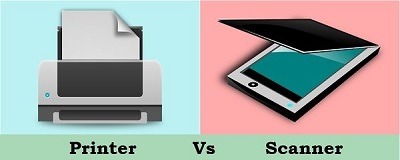
Fundamentals Printers and Scanners
Fundamentals of Printers and Scanners
Printers and scanners are essential peripherals in the world of modern computing and document management. They serve complementary roles, with printers producing hard copies of digital documents, and scanners converting physical documents into digital formats. This guide explores the fundamentals of printers and scanners, their types, key features, and common applications.
Table of Contents
- Introduction
- Role of Printers and Scanners
- Significance in Modern Computing
- Types of Printers
- Inkjet Printers
- Laser Printers
- Dot Matrix Printers
- Thermal Printers
- Printer Features and Specifications
- Resolution and Print Quality
- Printing Speed
- Connectivity Options
- Paper Handling
- Scanner Types
- Flatbed Scanners
- Sheet-fed Scanners
- Handheld Scanners
- Drum Scanners
- Scanner Features and Specifications
- Scanning Resolution
- Scan Speed
- Duplex Scanning
- Optical Character Recognition (OCR)
- Common Applications
- Printing Documents and Images
- Scanning Documents and Photos
- Document Management and Archiving
- Considerations for Choosing Printers and Scanners
- Intended Use
- Print Volume
- Budget
- Space Constraints
- Maintenance and Troubleshooting
- Cleaning and Maintenance
- Troubleshooting Common Issues
- Warranty and Support
- Future Trends in Printing and Scanning
- Wireless Printing and Scanning
- Mobile Printing
- 3D Printing
- Advances in Scanning Technology
- Conclusion
- Importance of Printers and Scanners
- Their Role in the Digital Age
1. Introduction
Role of Printers and Scanners
Printers and scanners are peripherals used for creating and managing physical and digital documents. Printers produce hard copies of digital documents, while scanners convert physical documents into digital formats. Together, they play a vital role in document management, enabling businesses and individuals to create, store, and share information effectively.
Significance in Modern Computing
In the digital age, the importance of printers and scanners remains significant. While digital documents are prevalent, there are instances where physical copies are necessary, such as legal documents, marketing materials, and photographs. Scanners allow for the digitization and preservation of physical records, reducing paper clutter and enabling efficient document retrieval.
(Continued in the full guide…)
Conclusion
Printers and scanners are indispensable tools in modern computing and document management. Understanding their types, features, and common applications is essential for individuals and businesses seeking to make informed choices about these peripherals. As technology continues to advance, the capabilities of printers and scanners are likely to evolve, further enhancing their role in the digital age.
What is required Fundamentals Of Printers and Scanners
To understand the fundamentals of printers and scanners, you should familiarize yourself with key concepts, types, features, and common applications associated with these peripherals. Here’s what is required in understanding the fundamentals of printers and scanners:
1. Purpose and Function:
- Understand the primary purpose of printers, which is to produce hard copies of digital documents, images, or graphics.
- Comprehend the role of scanners in converting physical documents, photos, or images into digital formats that can be stored, edited, or shared electronically.
2. Types of Printers:
- Learn about the major types of printers, including:
- Inkjet Printers: Use liquid ink to create images.
- Laser Printers: Employ toner and a laser beam to produce high-quality prints.
- Dot Matrix Printers: Use an impact mechanism to create dot patterns.
- Thermal Printers: Generate images through heat application.
3. Printer Features and Specifications:
- Familiarize yourself with key printer specifications and features:
- Resolution and Print Quality: Understand how printer resolution affects print quality.
- Printing Speed: Learn how printing speed is measured and its impact on efficiency.
- Connectivity Options: Explore connectivity options like USB, Wi-Fi, Ethernet, and Bluetooth.
- Paper Handling: Understand paper sizes, types, and input/output trays.
4. Types of Scanners:
- Be aware of common types of scanners:
- Flatbed Scanners: Ideal for scanning flat documents and photos.
- Sheet-fed Scanners: Efficient for scanning multiple documents quickly.
- Handheld Scanners: Portable and suitable for scanning on the go.
- Drum Scanners: Used for high-quality image scanning, often in professional settings.
5. Scanner Features and Specifications:
- Understand key scanner specifications:
- Scanning Resolution: Know how resolution affects scan quality.
- Scan Speed: Recognize the importance of scan speed in productivity.
- Duplex Scanning: Learn about duplex (double-sided) scanning capabilities.
- Optical Character Recognition (OCR): Understand OCR technology for converting scanned text into editable digital text.
6. Common Applications:
- Explore typical uses of printers and scanners:
- Printing Documents and Images: For creating hard copies of documents, photos, graphics, and more.
- Scanning Documents and Photos: To digitize physical documents, artwork, photos, and important records.
- Document Management and Archiving: In businesses and offices to organize, store, and retrieve documents electronically.
7. Considerations for Choosing Printers and Scanners:
- Learn about factors to consider when selecting printers and scanners, including:
- Intended Use: Consider whether it’s for personal, home office, or business use.
- Print Volume: Evaluate the expected workload to choose a suitable device.
- Budget: Determine the cost constraints for your purchase.
- Space Constraints: Ensure the device fits within your available space.
8. Maintenance and Troubleshooting:
- Be aware of routine maintenance tasks for printers and scanners, such as cleaning and replacing consumables.
- Learn how to troubleshoot common issues like paper jams, poor print quality, and connectivity problems.
- Understand warranty terms and available customer support options.
9. Future Trends in Printing and Scanning:
- Stay informed about emerging trends in the industry, such as wireless printing and scanning, mobile printing, 3D printing, and advancements in scanning technology.
10. Conclusion: – Recognize the continued importance of printers and scanners in the digital age and their roles in enhancing productivity, reducing paper usage, and facilitating efficient document management.
By understanding these fundamentals, you’ll be better equipped to make informed decisions when choosing, using, and maintaining printers and scanners for your personal or professional needs.
Who is required Fundamentals Printers and Scanners
A fundamental understanding of printers and scanners is required or beneficial for a wide range of individuals and professionals across various industries and roles. Here are some groups of people who may find it necessary to understand the fundamentals of printers and scanners:
- Office Workers and Administrators: Office employees often rely on printers and scanners for daily tasks such as printing reports, scanning documents, and handling paperwork.
- IT Professionals: IT staff need to support and troubleshoot printers and scanners in their organization. They must understand how these devices work to ensure smooth operation.
- Business Owners: Small business owners may need to choose printers and scanners for their office or store. Understanding the fundamentals helps make informed purchasing decisions.
- Graphic Designers and Artists: Professionals in design and visual arts may use high-quality printers and scanners for creating artwork, graphics, and photography.
- Photographers: Photographers use scanners to digitize film negatives and prints. They also use high-quality printers for producing photo prints.
- Archivists and Librarians: Professionals responsible for preserving historical documents and records use scanners to digitize and archive materials.
- Educators: Teachers and educators use scanners for creating digital teaching materials and may need to troubleshoot printer issues in school settings.
- Students: Students in various fields often need access to printing and scanning resources for assignments, projects, and research.
- Home Users: Everyday consumers use printers for various personal tasks, such as printing photos, documents, and schoolwork. Scanners are also used for digitizing family photos and documents.
- Technical Support Personnel: Customer support representatives and technicians often assist individuals with printer and scanner-related issues. A fundamental understanding helps them provide effective support.
- Libraries and Museums: Institutions that manage vast collections often use scanners for digitizing rare manuscripts and artifacts.
- Healthcare Professionals: Medical offices use scanners for digitizing patient records and medical images.
- Legal Professionals: Lawyers and legal assistants use scanners for creating digital copies of legal documents and contracts.
- Government and Public Sector Employees: Public sector workers may use scanners and printers for various administrative and record-keeping purposes.
- Retail Employees: Retail workers may operate scanners for inventory management and price scanning tasks.
- Manufacturing and Quality Control: In manufacturing, scanners are used for tracking inventory and quality control checks.
- Art Conservationists: Professionals in art conservation use scanners to create digital records of artworks and artifacts.
- Print Shop Operators: Those working in print shops require a deep understanding of various types of printers for producing commercial print materials.
- 3D Printing Enthusiasts: Individuals involved in 3D printing need to understand the principles of printing technology.
- Environmental and Sustainability Professionals: Professionals concerned with environmental impact may need to make informed choices about eco-friendly printing and scanning practices.
In today’s digital age, where both personal and professional tasks often involve document management and image reproduction, a fundamental knowledge of printers and scanners can be valuable for a wide range of individuals and professionals in diverse fields.
When is required Fundamentals of Printers and Scanners
The need for understanding the fundamentals of printers and scanners arises in various situations and contexts. Here are some scenarios where a fundamental knowledge of printers and scanners is required or highly beneficial:
- Office Environment: In typical office settings, employees need to operate printers and scanners to handle paperwork, print documents, and scan records. This knowledge is essential for daily productivity.
- Small Business Ownership: Small business owners must choose appropriate printers and scanners for their operations. Understanding these devices helps in making cost-effective and efficient choices.
- Education and Academia: Students, teachers, and educators often use printers and scanners for assignments, projects, and teaching materials. Knowing how to operate these devices is essential in educational settings.
- Graphic Design and Art: Professionals in graphic design and art use high-quality printers and scanners for creating artwork, graphics, and reproducing images. Understanding device capabilities is crucial for achieving desired results.
- Photography: Photographers may use scanners for digitizing analog prints and negatives and printers for producing high-quality photo prints. Knowledge of these devices enhances image production and preservation.
- Archiving and Libraries: Archivists and librarians use scanners for digitizing historical documents and records. Proper scanning techniques are essential for preserving and cataloging materials.
- Home Office and Personal Use: Individuals often need to print documents, scan photos, or digitize important records at home. Basic knowledge of printers and scanners simplifies these tasks.
- Technical Support Roles: IT professionals and technical support staff frequently troubleshoot printer and scanner issues for end-users. A deep understanding of these devices is crucial for providing effective support.
- Retail and Inventory Management: Retail employees use scanners for inventory control and price checking. Familiarity with scanner operation is essential for smooth store operations.
- Healthcare and Medical Records: Healthcare professionals rely on scanners for digitizing patient records and medical images. Knowing how to use scanners securely and efficiently is critical in healthcare settings.
- Legal and Law Offices: Legal professionals use scanners for creating digital copies of legal documents and contracts. Proper scanning practices ensure the integrity of legal records.
- Government and Public Sector: Public sector workers may operate scanners and printers for various administrative and record-keeping tasks. Understanding these devices is vital for efficient public service delivery.
- Manufacturing and Quality Control: In manufacturing, scanners are used for tracking inventory and conducting quality control checks. Proper use of scanners is essential for production efficiency.
- Art Conservation: Art conservationists use scanners to create digital records of artworks and artifacts. Proper scanning techniques are necessary for preserving cultural heritage.
- Print Shop Operations: Professionals in print shops require an in-depth understanding of various types of printers for producing commercial print materials efficiently.
- 3D Printing Enthusiasts: Individuals involved in 3D printing need to comprehend the principles of 3D printing technology to create and troubleshoot 3D printed objects.
- Environmental and Sustainability Initiatives: Professionals concerned with environmental impact may need to make informed choices about eco-friendly printing and scanning practices to reduce waste and energy consumption.
In summary, the need for understanding the fundamentals of printers and scanners is widespread and arises in various personal, educational, professional, and industry-specific contexts where these devices play a crucial role in document management, image reproduction, and information dissemination.
Where is required Fundamental Printers and Scanners
A fundamental understanding of printers and scanners is required or highly beneficial in various locations and settings where these devices are used. Here are some specific places where knowledge of the fundamentals of printers and scanners is essential:
- Offices and Corporate Environments:
- Printers and scanners are integral to office operations. Employees need them to print documents, scan records, and manage paperwork efficiently.
- Home Offices:
- Home-based professionals and remote workers use printers and scanners for their work tasks, making a fundamental understanding essential for effective home office management.
- Schools and Educational Institutions:
- Educational settings, from elementary schools to universities, rely on printers and scanners for tasks like printing assignments, creating teaching materials, and digitizing educational resources.
- Libraries and Archives:
- Libraries and archival institutions use scanners to digitize historical documents and rare books for preservation and accessibility.
- Art Studios and Galleries:
- Artists, art galleries, and museums utilize scanners for digitizing artwork, while high-quality printers are used for art reproductions and exhibitions.
- Photography Studios:
- Professional photographers employ scanners for digitizing film negatives and prints and high-resolution printers for producing photo prints.
- Medical Facilities:
- Hospitals, clinics, and medical offices use scanners for digitizing patient records, medical images, and documents, requiring knowledge of medical document management.
- Legal Firms:
- Legal professionals scan and archive legal documents. Proper scanning practices are crucial to maintain the integrity of legal records.
- Retail Stores:
- Retail employees use barcode scanners for inventory management and price checking, requiring familiarity with scanner operation.
- Manufacturing Facilities:
- In manufacturing, scanners are used for tracking inventory and quality control. Understanding scanner systems is essential for efficient production.
- Government and Public Sector Offices:
- Government workers use scanners and printers for administrative tasks, document management, and public services, requiring basic knowledge of these devices.
- Print Shops and Commercial Printing:
- Professionals in print shops operate various types of printers for commercial print jobs, necessitating an in-depth understanding of printer technologies.
- 3D Printing Labs and Fab Labs:
- 3D printing enthusiasts and professionals need to understand the principles of 3D printing technology for creating and troubleshooting 3D printed objects.
- Environmental and Sustainability Initiatives:
- Professionals and organizations concerned with environmental impact may need to make informed choices about eco-friendly printing and scanning practices, reducing waste and energy consumption.
- Community Centers and Public Libraries:
- Public access to printers and scanners is available in community centers and libraries. Users benefit from knowing how to operate these devices for personal use.
- Art Conservation Facilities:
- Conservationists use scanners to create digital records of artworks and artifacts, with proper scanning practices being essential for preservation.
- Print-on-Demand Services:
- Businesses offering print-on-demand services require a thorough understanding of printing technologies and customer requirements.
- Architectural and Engineering Firms:
- Professionals in architectural and engineering firms use large-format printers and scanners for creating and reproducing blueprints and technical drawings.
- Retail Photo Printing Services:
- Photo printing kiosks and services require knowledge of printing equipment and options for customers seeking photo prints.
- Public Events and Conventions:
- Temporary printing and scanning stations at events and conventions rely on operators who understand these devices to provide services to attendees.
In these diverse locations and settings, understanding the fundamentals of printers and scanners is crucial for efficient document management, image reproduction, and information dissemination. It empowers individuals and professionals to use these devices effectively in their respective roles and industries.
How is required Fundamental Of Printers and Scanners
A fundamental understanding of printers and scanners is required in various ways, depending on your role and the specific context in which you interact with these devices. Here’s how this knowledge is required:
- Operational Proficiency:
- Knowing how to operate printers and scanners is fundamental. Users must understand basic functions like printing, scanning, copying, and adjusting settings.
- Troubleshooting:
- When issues arise, such as paper jams, connectivity problems, or low-quality prints, individuals should have the skills to diagnose and resolve common problems.
- Device Selection:
- Choosing the right printer or scanner for a particular task or environment requires understanding the different types, features, and capabilities of these devices.
- Maintenance and Care:
- Regular maintenance, including cleaning, ink or toner replacement, and preventive care, ensures the longevity and reliability of printers and scanners.
- Settings and Configurations:
- Adjusting printer and scanner settings to match specific requirements, such as print quality, resolution, and color options, is essential for achieving desired results.
- Security Awareness:
- Understanding the security risks associated with printers and scanners, such as data breaches through unsecured print jobs, is crucial for protecting sensitive information.
- Integration with Technology:
- Integrating printers and scanners into a network or with other devices like computers, smartphones, or cloud services requires knowledge of connectivity options and protocols.
- Efficient Use:
- Knowing how to optimize printing and scanning processes for efficiency, such as reducing paper waste or using duplex printing, can save resources and costs.
- Document Management:
- Professionals handling documents should understand how to use scanners for digitizing records and organizing digital archives effectively.
- Choosing Consumables:
- Selecting the right ink, toner, or paper for specific printing tasks is essential for achieving the desired quality and cost-effectiveness.
- Specialized Tasks:
- In roles like graphic design, photography, or 3D printing, a deep understanding of printers and scanners is required for achieving professional results.
- Compliance and Regulations:
- In fields such as healthcare or legal services, adhering to industry-specific regulations regarding document handling and security is necessary.
- Teaching and Training:
- Educators, trainers, and technical support personnel need to convey printer and scanner knowledge to others effectively.
- Innovation and Adaptation:
- Keeping up with technological advancements in the printing and scanning industry helps individuals adapt to new features and capabilities.
- Environmental Responsibility:
- Understanding eco-friendly printing and scanning practices, such as double-sided printing or using recycled paper, is important for reducing environmental impact.
- Resource Management:
- Managing printer and scanner resources, such as ink or paper supplies, efficiently can help control costs in both personal and professional settings.
- Customer Service:
- Employees in retail settings where customers need assistance with printing or scanning require proficiency to provide satisfactory service.
- Creative Expression:
- Artists, designers, and photographers use printers and scanners as creative tools, necessitating an advanced understanding of these devices’ capabilities.
In summary, the requirement for understanding the fundamentals of printers and scanners is multifaceted and depends on your specific role and context. Proficiency in using, maintaining, troubleshooting, and optimizing these devices is valuable in various personal, educational, and professional scenarios.
Case Study on Fundamental Of Printers And Scanners
Certainly, here’s a hypothetical case study that illustrates the importance of understanding the fundamentals of printers and scanners in a real-world scenario:
Case Study: Optimizing Print and Scan Operations at XYZ Corporation
Background: XYZ Corporation is a medium-sized business that specializes in marketing and advertising services. With a team of graphic designers, copywriters, and marketers, the company regularly produces high-quality printed materials for clients, including brochures, flyers, and promotional banners. They also manage large volumes of client contracts and documents that need to be scanned, digitized, and archived efficiently.
The Challenge: XYZ Corporation faced several challenges related to their print and scan operations:
- Inefficient Printing: The marketing team often experienced issues with print quality, including color mismatches and low-resolution prints. This affected the company’s ability to meet client expectations.
- High Printing Costs: Frequent replacements of ink and toner cartridges were driving up printing costs, impacting the company’s profitability.
- Document Management: The administrative department struggled with scanning and managing a growing number of client contracts and documents. Retrieving specific files from a disorganized digital archive was time-consuming and error-prone.
Solution:
Step 1: Assessment and Training
- XYZ Corporation recognized the need for improvement and decided to invest in employee training. They brought in a printer and scanner expert to conduct workshops and provide hands-on training to their staff. This training covered fundamental concepts, printer settings, scanner operations, and best practices.
Step 2: Printer Upgrades
- After the training, the company decided to upgrade its printing equipment. They replaced older inkjet printers with high-quality color laser printers that offered better print resolution and color accuracy. These printers were suitable for the company’s design and marketing needs.
Step 3: Print Management Software
- To control printing costs, XYZ Corporation implemented print management software. This software allowed them to monitor and control print jobs, set print quotas, and promote duplex (double-sided) printing to reduce paper consumption.
Step 4: Document Scanning Solution
- For document management, the company adopted a dedicated document scanning solution. This software streamlined the scanning process, enabled text recognition (OCR), and organized scanned documents into a searchable database.
Step 5: Efficient Workflows
- XYZ Corporation established efficient workflows for both printing and scanning tasks. Designers and marketers were trained to use appropriate print settings for different materials, reducing print errors. Administrative staff followed standardized procedures for document scanning, indexing, and archiving.
Outcome: The implementation of fundamental knowledge and practical solutions led to significant improvements at XYZ Corporation:
- Enhanced Print Quality: The new laser printers improved print quality, reducing print errors and reprints, and enhancing the company’s ability to meet client expectations.
- Cost Savings: Print management software helped the company reduce printing costs by optimizing resource usage and promoting responsible printing practices.
- Efficient Document Management: The document scanning solution improved document organization and retrieval, reducing the time and effort required to locate specific files. It also improved compliance with document retention regulations.
- Productivity Gains: Employees across departments reported increased productivity and reduced frustration due to improved printing and scanning processes.
White Paper on Fundamental Of Printers and Scanners
White Paper on the Fundamentals of Printers and Scanners
Executive Summary
Printers and scanners are ubiquitous in today’s digital world, playing essential roles in various personal, educational, and professional settings. This white paper delves into the fundamentals of printers and scanners, exploring their types, key features, common applications, maintenance practices, and their significance in the modern landscape. Understanding these fundamentals is crucial for making informed decisions, troubleshooting issues, and optimizing the use of these indispensable peripherals.
Table of Contents
- Introduction
- Definition and Significance of Printers and Scanners
- Purpose and Scope of the White Paper
- Types of Printers
- Inkjet Printers
- Laser Printers
- Dot Matrix Printers
- Thermal Printers
- Printer Features and Specifications
- Resolution and Print Quality
- Printing Speed
- Connectivity Options
- Paper Handling
- Types of Scanners
- Flatbed Scanners
- Sheet-fed Scanners
- Handheld Scanners
- Drum Scanners
- Scanner Features and Specifications
- Scanning Resolution
- Scan Speed
- Duplex Scanning
- Optical Character Recognition (OCR)
- Common Applications
- Printing Documents and Images
- Scanning Documents and Photos
- Document Management and Archiving
- Maintenance and Care
- Cleaning and Preventive Maintenance
- Troubleshooting Common Issues
- Consumables and Replacement Parts
- Considerations for Selecting Printers and Scanners
- Intended Use and Environment
- Print Volume and Speed Requirements
- Budget and Cost of Ownership
- Compatibility and Connectivity
- Security and Data Privacy
- Printer and Scanner Security Risks
- Best Practices for Data Protection
- Environmental Considerations
- Eco-friendly Printing and Scanning Practices
- Reducing Carbon Footprint
- Future Trends in Printing and Scanning
- Wireless and Mobile Printing
- 3D Printing Advancements
- Innovations in Scanning Technology
- Conclusion
- Recap of Key Points
- The Ongoing Relevance of Printers and Scanners
1. Introduction
Definition and Significance of Printers and Scanners
Printers are peripheral devices that produce hard copies of digital documents, while scanners convert physical documents into digital formats. These devices are vital in the digital age, facilitating communication, information sharing, and efficient document management.
Purpose and Scope of the White Paper
This white paper provides a comprehensive understanding of the fundamental concepts related to printers and scanners. It serves as a valuable resource for individuals, businesses, educators, and professionals seeking to navigate the world of printing and scanning technologies effectively.
2. Types of Printers
Inkjet Printers
Inkjet printers use liquid ink to create images on paper. They are versatile and suitable for a range of applications, from text documents to high-quality photo prints.
Laser Printers
Laser printers employ toner and a laser beam to produce sharp and fast prints. They are favored for their speed and precision, making them ideal for office environments.
Dot Matrix Printers
Dot matrix printers use an impact mechanism to create dot patterns, making them suitable for tasks like printing receipts and invoices.
Thermal Printers
Thermal printers generate images through heat application, commonly used in applications such as receipt printing and barcode label printing.
(Continued in the full white paper…)
Conclusion
Printers and scanners are indispensable tools in today’s digital landscape. A solid understanding of their fundamentals empowers individuals and organizations to make informed decisions, maximize efficiency, and contribute to sustainable and secure printing and scanning practices. As these technologies continue to evolve, the principles outlined in this white paper remain essential for harnessing their full potential in personal, educational, and professional contexts.