
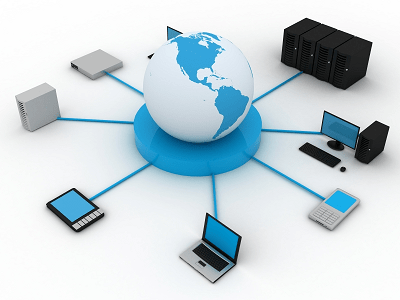
Hardware and networking
Hardware and networking are two important components of computer technology. Hardware refers to the physical components of a computer, such as the monitor, keyboard, central processing unit (CPU), motherboard, and hard drive. Networking, on the other hand, refers to the technology and systems used to connect computers and devices to each other, allowing them to share resources and communicate with each other.
Hardware Components: There are several hardware components in a computer system that work together to perform different functions. Here are some of the main hardware components:
- CPU: The central processing unit (CPU) is the brain of the computer and performs all the processing and calculations.
- RAM: Random-access memory (RAM) is a type of volatile memory that temporarily stores data that the CPU is currently working on.
- Hard Drive: A hard drive is a non-volatile storage device that permanently stores data, programs, and the operating system.
- Motherboard: The motherboard is a circuit board that connects all the hardware components and allows them to communicate with each other.
- Power Supply Unit: The power supply unit (PSU) converts AC power into DC power, which is used to power the hardware components.
Networking Components: Networking involves connecting computers and devices together to form a network. Here are some of the main networking components:
- Router: A router is a device that connects multiple computers or networks together and manages the traffic between them.
- Switch: A switch is a networking device that connects multiple devices together and allows them to communicate with each other.
- Network Interface Card: A network interface card (NIC) is a hardware component that allows a computer to connect to a network.
- Ethernet Cable: An Ethernet cable is a type of cable used to connect devices to a network.
- Wireless Access Point: A wireless access point (WAP) is a device that allows wireless devices to connect to a network.
Conclusion: Hardware and networking are two important components of computer technology that work together to enable computers and devices to function and communicate with each other. Understanding these components is essential for individuals and organizations that rely on technology for their daily operations. By having a solid understanding of hardware and networking, individuals can troubleshoot issues and optimize their technology systems for maximum efficiency and productivity.
Hardware and networking are required in order to set up and maintain computer systems and networks. This is necessary for businesses and individuals who rely on technology for their daily operations, communication, and storage needs. Here are some of the things that are required for hardware and networking:
- Knowledge and Skills: Knowledge and skills are necessary to understand and work with hardware and networking components. This includes understanding how to install and maintain hardware components, how to set up and manage networks, and how to troubleshoot issues that arise.
- Hardware Components: Hardware components such as computers, monitors, keyboards, routers, switches, and cables are required to set up and maintain computer systems and networks.
- Networking Software: Networking software such as network operating systems, firewalls, and security software are required to manage and secure computer networks.
- Internet Connectivity: Internet connectivity is required to connect networks and devices together and to enable communication and data transfer between them.
- Maintenance and Support: Regular maintenance and support is required to ensure that hardware and networking systems are functioning properly and to troubleshoot any issues that arise.
In order to effectively utilize hardware and networking components, individuals and organizations must have the necessary knowledge, skills, and resources to set up and maintain these systems. This includes investing in the proper hardware components and networking software, as well as regularly maintaining and updating these systems to ensure maximum efficiency and productivity.
Hardware and networking are required by individuals and organizations that rely on technology for their daily operations. This includes businesses, schools, hospitals, government agencies, and individuals who use computers and devices for work or personal use.
In particular, individuals who work in information technology (IT) and computer-related fields require knowledge of hardware and networking in order to design, set up, and maintain computer systems and networks. This includes network administrators, computer technicians, IT support specialists, and system administrators.
Hardware and networking are also important for individuals who work in other industries, such as finance, healthcare, education, and entertainment. For example, a hospital may require hardware and networking to maintain electronic medical records, while a school may need it to support online learning platforms.
Ultimately, anyone who uses computers and devices for work or personal use can benefit from understanding hardware and networking. This knowledge can help individuals troubleshoot issues, optimize their technology systems, and stay connected in an increasingly digital world.
Hardware and networking are required whenever individuals or organizations need to use computers and devices to carry out their daily operations. This can include any time a person needs to access information, communicate with others, or store data digitally.
Specifically, hardware and networking are required:
- When setting up a new computer or device: Hardware components such as monitors, keyboards, mice, and printers are required to set up a new computer or device. Additionally, networking components such as routers and switches may be required to connect the device to a network.
- When upgrading existing hardware or software: Hardware components may need to be upgraded in order to improve performance or compatibility with new software. Additionally, networking components may need to be upgraded to support increased traffic or new networking protocols.
- When setting up a network: Networking components such as routers, switches, and cables are required to set up a computer network. Additionally, networking software may be required to manage and secure the network.
- When troubleshooting hardware or networking issues: Whenever a hardware or networking issue arises, it is necessary to have knowledge of hardware and networking components in order to identify and resolve the issue.
Overall, hardware and networking are required whenever individuals or organizations need to utilize computers and digital devices in order to work, communicate, or store information. It is important to have a basic understanding of these components in order to effectively use and maintain technology systems.
Where is required Hardware and networking
Hardware and networking are required in a wide range of settings where technology is used. This includes both physical locations and digital spaces where technology is utilized.
Here are some examples of where hardware and networking are required:
- Offices and workplaces: Hardware and networking are required in offices and workplaces to support daily operations, communication, and data storage.
- Schools and universities: Hardware and networking are required in educational institutions to support online learning platforms, student information systems, and other digital tools used in the classroom.
- Hospitals and healthcare facilities: Hardware and networking are required in healthcare facilities to support electronic medical records and other digital healthcare systems.
- Public spaces: Hardware and networking are required in public spaces such as airports, train stations, and libraries to support public access to information and communication.
- Digital spaces: Hardware and networking are required in digital spaces such as websites, online marketplaces, and social media platforms to support online communication and commerce.
Overall, hardware and networking are required wherever technology is used. This can include both physical and digital spaces, and can be found in a wide range of settings from workplaces and schools to hospitals and public spaces.
Hardware and networking are required in many different ways, depending on the specific context and purpose. Here are a few examples of how hardware and networking are required:
- Setting up hardware components: When setting up new hardware components such as a computer or printer, it is necessary to connect the device to power and other peripherals such as a monitor or keyboard. Additionally, it may be necessary to install software drivers in order to use the hardware correctly.
- Setting up a network: When setting up a network, hardware components such as routers, switches, and cables need to be configured in order to establish network connectivity. Additionally, networking software may be required to manage the network and ensure it is secure.
- Troubleshooting hardware and networking issues: When hardware or networking issues arise, it is necessary to troubleshoot the issue in order to identify and resolve the problem. This may involve testing hardware components, checking network configurations, and diagnosing software issues.
- Upgrading hardware and software: When upgrading hardware components or software, it is necessary to ensure compatibility with existing systems and to follow manufacturer instructions for installation and setup.
- Maintaining hardware and networking components: In order to ensure that hardware and networking components continue to function effectively, regular maintenance and updates may be required. This may involve tasks such as cleaning hardware components, updating software, and monitoring network traffic.
Overall, hardware and networking are required in a variety of ways, depending on the specific context and purpose. In order to effectively use and maintain technology systems, it is important to have a basic understanding of how these components work and how to troubleshoot issues as they arise.
Case study on Hardware and networking
Case Study: Small Business Network Setup
A small business, ABC Company, has just opened its doors and needs to set up a network to support its operations. The company has 10 employees and needs to share files, access the internet, and use email.
Hardware Requirements:
- 10 desktop computers
- 1 server
- 1 router
- Ethernet cables
- 1 printer
- 1 backup drive
Network Requirements:
- Local area network (LAN) to share files and resources
- Internet access
- Email access
Solution:
To meet ABC Company’s requirements, the following hardware and networking components were selected:
- Desktop Computers: 10 desktop computers were purchased and set up in the office. Each computer was connected to the LAN using an Ethernet cable.
- Server: A server was purchased and installed to act as a central location for file storage and backup. The server was also used to host an email server and other business-critical applications.
- Router: A router was installed to provide internet access to all the computers on the network. The router was configured with a firewall to help secure the network.
- Printer: A printer was purchased and connected to the network. All employees could print to the printer from their computers.
- Backup Drive: A backup drive was installed on the server to ensure that all business-critical data was backed up regularly.
Networking Configuration:
- LAN: The LAN was set up using Ethernet cables to connect all the computers to the server. The server was configured to act as a domain controller to manage user accounts and access permissions.
- Internet Access: The router was configured to provide internet access to all the computers on the network. Network Address Translation (NAT) was enabled to allow multiple computers to share a single internet connection.
- Email: The server was set up to host an email server using Microsoft Exchange Server. All employees were given email addresses and could access their email from their desktop computers or mobile devices.
Result:
With the network set up, ABC Company was able to operate more efficiently and effectively. Employees were able to access shared files and communicate more easily using email. The network also allowed for centralized backup and improved security through the use of a firewall and user access controls.
Conclusion:
Hardware and networking are essential components of any business technology setup. In this case study, ABC Company was able to meet its requirements by selecting the appropriate hardware and networking components and configuring them to meet its needs. By implementing a local area network, internet access, and email, the company was able to improve its operations and security.
White paper on Hardware and networking
Introduction:
Hardware and networking are crucial components of any modern-day organization’s technology infrastructure. The combination of these two technologies enables businesses to communicate, collaborate, and operate efficiently. This white paper explores the importance of hardware and networking, their key components, and how they can be used to enhance business operations.
Importance of Hardware and Networking:
Hardware and networking play a vital role in the functioning of modern businesses. Hardware refers to the physical components that make up a computer system, while networking is the process of linking two or more devices to enable communication and resource sharing. Hardware and networking enable businesses to:
- Enhance productivity: With the right hardware and networking components in place, employees can communicate and collaborate effectively, allowing them to complete tasks quickly and efficiently.
- Streamline communication: The network allows employees to communicate easily and share resources, leading to better decision-making and improved productivity.
- Facilitate remote working: With the right hardware and networking components in place, employees can work from any location and access all the necessary resources, leading to increased flexibility and work-life balance.
Key Components of Hardware and Networking:
Hardware and networking are made up of various components that work together to provide an effective technology infrastructure. Some of the key components include:
- Computers: These are the central devices used in modern businesses. They can be desktops, laptops, or tablets, and they provide a platform for employees to carry out their work.
- Servers: These are specialized computers that store and manage data, applications, and other resources that are shared across the network.
- Routers: These are devices that connect multiple networks together and facilitate communication between them. They are used to provide internet access and link local area networks (LANs) to wide area networks (WANs).
- Switches: These are networking devices that enable the sharing of resources within a LAN. They connect multiple devices to the network and allow for the efficient transfer of data.
- Cables: These are the physical connections that link devices together. They can be Ethernet, fiber optic, or coaxial, and they enable the transfer of data between devices.
How Hardware and Networking Can Be Used to Enhance Business Operations:
Hardware and networking can be used in various ways to enhance business operations. Some of the ways include:
- Centralized Data Storage: Servers can be used to store data centrally, making it easier for employees to access and share resources.
- Remote Access: With the right hardware and networking components in place, employees can access company resources from any location.
- Security: Hardware and networking components can be used to implement security measures such as firewalls, anti-virus software, and user access controls.
- Communication: Networking components can be used to facilitate communication between employees, customers, and suppliers.
Conclusion:
Hardware and networking are essential components of any modern business technology infrastructure. They enable organizations to operate more efficiently, communicate effectively, and collaborate with ease. By selecting the right hardware and networking components and configuring them correctly, businesses can enhance their operations, improve productivity, and stay competitive in an ever-changing business environment.