
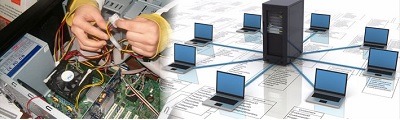
Hardware and networking
Hardware and networking refer to the physical components and infrastructure necessary for the operation and connectivity of computer systems and devices. It involves the design, installation, configuration, maintenance, and troubleshooting of hardware components and networking systems to ensure reliable and efficient communication and data transfer.
Hardware: Hardware refers to the physical components of a computer system that enable it to perform various tasks. This includes:
- Central Processing Unit (CPU): The CPU is the “brain” of the computer that carries out instructions and performs calculations.
- Memory (RAM): Random Access Memory (RAM) provides temporary storage for data and instructions that the CPU needs to access quickly.
- Storage Devices: Hard Disk Drives (HDD s), Solid-State Drives (SSD s), and other storage devices store data and programs for long-term use.
- Input and Output Devices: These include keyboards, mice, monitors, printers, scanners, and other devices that allow users to interact with the computer system and receive information.
- Motherboard: The motherboard is the main circuit board that connects all the components of the computer system.
Networking: Networking involves the establishment of connections and communication between multiple devices to share data, resources, and services. Networking includes:
- Local Area Network (LAN): A LAN connects devices within a limited geographical area, such as a home, office, or campus. It enables devices to share files, printers, and internet access.
- Wide Area Network (WAN): A WAN connects multiple LANs over a larger geographical area, often using public or private communication networks. It allows for remote access and connectivity between different locations.
- Routers and Switches: Routers and switches are networking devices that enable the routing and switching of data packets between different networks, ensuring efficient data transfer.
- Network Protocols: Protocols such as TC P/IP (Transmission Control Protocol/Internet Protocol) govern how data is transmitted and received over a network.
- Network Security: Network security involves implementing measures to protect the network and its resources from unauthorized access, data breaches, and other security threats.
- Network Administration: Network administrators are responsible for managing and maintaining network infrastructure, including configuring devices, monitoring performance, troubleshooting issues, and ensuring network security.
- Wireless Networking: Wireless networks, such as Wi-Fi, enable devices to connect and communicate without the need for physical cables. Wireless networking involves configuring wireless routers, access points, and security protocols.
Hardware and networking professionals possess knowledge and skills in installing, configuring, maintaining, and troubleshooting computer hardware components and networking systems. They play a crucial role in ensuring the smooth operation and connectivity of computer systems, supporting organizational IT infrastructure, and addressing technical issues that may arise.
What is required Hardware and networking
To work in the field of hardware and networking, there are certain requirements and skills that are typically expected. These requirements may vary depending on the specific job role and level of expertise required. Here are some common requirements:
- Technical Knowledge: A strong understanding of computer hardware components, networking protocols, and operating systems is essential. This includes knowledge of CPU s, memory, storage devices, network devices (routers, switches), network protocols (TC P/IP), and operating systems (Windows, Linux).
- Networking Certifications: Industry-recognized certifications can demonstrate your proficiency and knowledge in hardware and networking. Some popular certifications include Comp TIA Network+, Cisco Certified Network Associate (CCN A), and Microsoft Certified: Azure Administrator Associate.
- Problem-Solving Skills: Hardware and networking professionals need to be adept at troubleshooting and resolving technical issues. Strong problem-solving and analytical skills are crucial in identifying and resolving hardware or network-related problems efficiently.
- Communication Skills: Effective communication skills are important to understand and address users’ or clients’ needs, explain technical concepts clearly, and collaborate with team members or clients effectively.
- Attention to Detail: Attention to detail is crucial when working with hardware components and configuring network devices. Small errors or mis configurations can have a significant impact on system performance and security.
- Knowledge of Network Security: Understanding network security concepts and best practices is vital to protect systems and data from potential threats. This includes knowledge of firewalls, intrusion detection systems, encryption, and other security measures.
- Continuous Learning: The field of hardware and networking is constantly evolving, with new technologies and standards emerging. It is important to stay updated with the latest trends, advancements, and best practices through self-learning, industry events, or training programs.
- Physical Stamina: Some hardware and networking roles may involve physical tasks, such as lifting and installing equipment, crawling under desks to connect cables, or working in data centers. Physical stamina and the ability to work in different environments are beneficial in such situations.
- Documentation Skills: Maintaining accurate and up-to-date documentation of network configurations, hardware inventory, and troubleshooting procedures is essential for efficient management and future reference.
- Professionalism and Customer Service: Interacting with end-users or clients may be part of the job, requiring professionalism, patience, and strong customer service skills to address their needs and provide technical support.
These requirements serve as a general guideline, and specific job roles or organizations may have additional or specific requirements. It is advisable to review job postings and industry standards to understand the specific requirements for the hardware and networking positions you are interested in pursuing.
Who is required Hardware and networking
Hardware and networking professionals are required in various industries and organizations that rely on computer systems, networks, and IT infrastructure. Here are some examples of who may require hardware and networking expertise:
- IT Departments: IT departments within organizations, whether small businesses or large corporations, typically employ hardware and networking professionals to manage and maintain their computer systems, networks, and IT infrastructure.
- Technology Companies: Technology companies, including hardware manufacturers, software developers, and network equipment providers, require hardware and networking professionals to support their product development, testing, and customer support activities.
- Telecommunication Companies: Telecommunication companies that provide internet and network services employ hardware and networking professionals to install, configure, and maintain their network infrastructure, ensuring reliable connectivity for their customers.
- Data Centers: Data centers, which house large-scale computer systems and servers, require hardware and networking professionals to manage the physical infrastructure, perform server installations, configure networking equipment, and ensure smooth operations.
- Internet Service Providers (ISP s): ISP s require hardware and networking professionals to set up and maintain their network infrastructure, troubleshoot connectivity issues, and ensure high-speed and reliable internet services for their customers.
- Government Agencies: Government agencies at various levels (local, state, federal) often have extensive computer networks and IT systems that require hardware and networking professionals to manage and secure their infrastructure.
- Educational Institutions: Schools, colleges, and universities require hardware and networking professionals to manage their computer labs, campus networks, and IT resources, ensuring smooth operations and connectivity for students, faculty, and staff.
- Healthcare Organizations: Healthcare facilities, such as hospitals and clinics, rely on computer systems and networks for electronic health records, medical imaging, and communication. Hardware and networking professionals are needed to maintain and secure these systems.
- Financial Institutions: Banks, insurance companies, and other financial institutions require hardware and networking professionals to manage their IT infrastructure, secure customer data, and ensure uninterrupted access to banking systems.
- Small Businesses: Small businesses often rely on hardware and networking professionals to set up their computer systems, establish network connectivity, and provide ongoing IT support.
These are just a few examples, and hardware and networking professionals can be found in various industries and organizations that utilize computer systems, networks, and IT infrastructure. The demand for these professionals continues to grow as technology becomes increasingly integrated into business operations.
When is required Hardware and networking
Hardware and networking professionals are required in various situations and scenarios. Here are some common situations when the expertise of hardware and networking professionals is needed:
- Setting up New IT Infrastructure: When a new organization is established or an existing organization expands, hardware and networking professionals are required to set up the necessary IT infrastructure. This includes installing and configuring servers, network devices, and other hardware components to create a reliable and efficient network environment.
- Upgrading or Expanding Existing Systems: As technology evolves, organizations often need to upgrade their hardware and networking systems to keep up with the changing requirements. Hardware and networking professionals are needed to assess the current infrastructure, recommend suitable upgrades, and implement the necessary changes to improve performance and capacity.
- Network Troubleshooting and Maintenance: When network issues arise, hardware and networking professionals are called upon to troubleshoot and resolve the problems. This could involve diagnosing network connectivity issues, identifying faulty hardware components, configuring network settings, or resolving software conflicts.
- System Security and Data Protection: Hardware and networking professionals play a crucial role in ensuring the security of computer systems and networks. They implement security measures such as firewalls, encryption, and intrusion detection systems to protect against unauthorized access, data breaches, and other security threats.
- Disaster Recovery and Business Continuity: In the event of a system failure or a catastrophic event, hardware and networking professionals are responsible for implementing disaster recovery plans and ensuring business continuity. This includes creating backup systems, implementing redundant hardware configurations, and establishing fail over mechanisms to minimize downtime and data loss.
- Network Upgrades and Performance Optimization: To keep up with increasing demands, organizations often need to upgrade their network infrastructure or optimize its performance. Hardware and networking professionals assess the current network environment, identify bottlenecks or inefficiencies, and implement necessary changes to enhance network speed, reliability, and efficiency.
- Network Expansion and Remote Connectivity: When organizations expand their operations to new locations or require remote connectivity for employees, hardware and networking professionals are responsible for setting up the necessary network infrastructure. This includes configuring routers, switches, VP N (Virtual Private Network) connections, and ensuring seamless connectivity between different locations.
- Technology Integration and Migration: When organizations adopt new technologies or migrate from legacy systems to modern platforms, hardware and networking professionals are involved in integrating the new technology into the existing infrastructure. This may include hardware configuration, software installation, data migration, and ensuring compatibility between different systems.
These are just a few examples of situations where hardware and networking professionals are required. The need for their expertise arises whenever there is a need for computer systems, network connectivity, and IT infrastructure management, be it in new setups, upgrades, troubleshooting, security, or optimization of existing systems.
Where is required Hardware and networking
Hardware and networking professionals are required in various locations where computer systems, networks, and IT infrastructure are utilized. Here are some common places where hardware and networking expertise is needed:
- Offices and Corporate Environments: Hardware and networking professionals are required in offices and corporate environments to set up and maintain computer systems, local area networks (LAN s), and other IT infrastructure. They ensure that employees have reliable network connectivity, troubleshoot hardware or network issues, and manage IT resources.
- Data Centers: Data centers house large-scale computer systems, servers, and networking equipment. Hardware and networking professionals are needed in data centers to install and configure hardware components, manage network infrastructure, perform routine maintenance, and ensure the smooth operation of critical systems.
- Educational Institutions: Schools, colleges, and universities require hardware and networking professionals to set up computer labs, establish network connectivity across campuses, and maintain IT infrastructure. They ensure that students, teachers, and administrative staff have access to reliable networks and resources.
- Healthcare Facilities: Hospitals, clinics, and healthcare organizations rely heavily on computer systems and networks for managing patient records, medical imaging, and other critical applications. Hardware and networking professionals are required to ensure the availability, security, and smooth operation of IT infrastructure in healthcare environments.
- IT Service Providers and System Integrator s: Companies that provide IT services, support, and system integration require hardware and networking professionals to design, install, configure, and maintain IT infrastructure for their clients. They may work on-site at client locations or provide remote support for network and hardware-related issues.
- Telecommunication Companies: Telecommunication companies that provide internet and network services require hardware and networking professionals to set up and maintain their network infrastructure. They ensure that customers have reliable connectivity, troubleshoot network issues, and manage network equipment.
- Manufacturing and Industrial Settings: Manufacturing plants and industrial facilities often have complex networks and specialized hardware requirements. Hardware and networking professionals are needed to set up and maintain industrial networks, connect machinery and devices, and ensure seamless communication between different systems.
- Remote Locations and Field Operations: In remote locations or field operations, such as oil rigs, construction sites, or exploration sites, hardware and networking professionals may be required to set up temporary networks, establish connectivity, and provide technical support to ensure communication and data transfer.
- Government Organizations: Government agencies and departments at various levels, such as local, state, and federal, require hardware and networking professionals to manage and maintain their computer systems, networks, and IT infrastructure. They play a critical role in ensuring secure communication, data management, and efficient operations.
- Small Businesses: Small businesses may rely on hardware and networking professionals to set up and maintain their computer systems, networks, and IT infrastructure. These professionals help small businesses establish reliable connectivity, troubleshoot technical issues, and manage hardware resources within their budgetary constraints.
These are just a few examples of places where hardware and networking professionals are required. The need for their expertise extends to various industries, organizations, and settings where computer systems, networks, and IT infrastructure are utilized.
How is required Hardware and networking
Hardware and networking skills are required in various ways to ensure the smooth functioning and optimal performance of computer systems and networks. Here are some key areas where hardware and networking expertise is needed:
- Installation and Configuration: Hardware and networking professionals are required to install and configure hardware components, such as CPU s, memory modules, hard drives, network cards, and peripherals. They ensure proper connections, compatibility, and integration of hardware components into the system.
- Network Setup and Administration: Setting up computer networks involves configuring routers, switches, firewalls, and other network devices. Hardware and networking professionals are responsible for designing and implementing network topo logies, assigning IP addresses, configuring network protocols, and establishing secure network connections.
- Hardware Troubleshooting: When hardware issues arise, such as malfunctioning components, connectivity problems, or performance issues, hardware and networking professionals are required to diagnose and resolve these problems. They use diagnostic tools, testing equipment, and their knowledge of hardware architecture to identify and fix hardware-related issues.
- Network Troubleshooting: Network connectivity issues, slow network performance, or network security breaches require the expertise of hardware and networking professionals. They use network monitoring tools, diagnostic utilities, and their understanding of network protocols to identify and troubleshoot network problems, ensuring smooth data transmission and connectivity.
- Hardware Upgrades and Maintenance: As technology advances, hardware upgrades become necessary to improve system performance, capacity, and compatibility. Hardware and networking professionals are responsible for evaluating hardware requirements, recommending suitable upgrades, and performing the necessary installations and configurations.
- Network Security: Hardware and networking professionals play a crucial role in ensuring network security. They implement security measures such as firewalls, intrusion detection systems, and encryption protocols to protect networks from unauthorized access, data breaches, and other security threats.
- Data Backup and Recovery: Hardware and networking professionals are required to implement data backup strategies, ensuring that critical data is regularly backed up and stored securely. In the event of data loss or system failure, they assist in data recovery efforts and restore systems to operational status.
- Performance Optimization: Hardware and networking professionals work on optimizing system and network performance. They analyze network traffic patterns, identify bottlenecks, and make necessary adjustments to improve network efficiency and response times. They may also fine-tune hardware configurations and network settings for optimal performance.
- Hardware Procurement and Asset Management: Hardware and networking professionals are often involved in the procurement of hardware components and equipment. They assess hardware requirements, research and evaluate products, and make informed decisions on hardware purchases. They also manage hardware inventory, track assets, and ensure proper maintenance and disposal of hardware resources.
- Documentation and Documentation: Hardware and networking professionals are responsible for maintaining accurate documentation of hardware configurations, network diagrams, troubleshooting procedures, and other relevant information. Proper documentation ensures efficient management, troubleshooting, and future reference.
These are some of the ways in which hardware and networking skills are required in various IT environments. Professionals with expertise in hardware and networking play a crucial role in ensuring the proper functioning, performance, and security of computer systems and networks.
Case study on Hardware and networking
Case Study: Hardware and Networking Implementation for a Medium-Sized Company
Company Background: XY Z Corporation is a medium-sized company specializing in IT services. They recently expanded their operations and relocated to a larger office space. As part of their growth strategy, XY Z Corporation needs to establish a robust hardware and networking infrastructure to support their day-to-day operations and ensure seamless connectivity among employees.
Objective: The objective of this case study is to outline the implementation of hardware and networking solutions for XY Z Corporation, enabling efficient communication, data sharing, and network reliability within their new office space.
Requirements: XY Z Corporation requires the following hardware and networking components:
- Servers: To host critical applications, databases, and shared files.
- Networking Equipment: Including routers, switches, and firewalls.
- Workstations: Desktop computers for employees.
- Printers and Scanners: Required for document printing and scanning.
- Wireless Access Points: For wireless connectivity throughout the office.
- Network Cables and Infrastructure: To establish wired connections.
Step-by-Step Process:
- Assessing Requirements and Planning:
- Understand the company’s operations, current and future requirements, and budget constraints.
- Conduct a site survey to identify network layout, cable requirements, and potential areas of improvement.
- Designing the Network:
- Develop a network diagram, including the placement of networking equipment, wireless access points, and network cable routes.
- Determine the required number of servers, workstations, and printers based on employee needs.
- Procuring Hardware:
- Research and select suitable hardware vendors or suppliers.
- Procure servers, networking equipment, workstations, printers, scanners, and necessary peripherals based on specifications and budget.
- Installing and Configuring Servers:
- Set up servers with the appropriate operating systems, server software, and security configurations.
- Configure user accounts, permissions, and access rights.
- Implement data backup and disaster recovery solutions.
- Setting Up Networking Infrastructure:
- Install and configure networking equipment such as routers, switches, and firewalls.
- Establish a secure network architecture and configure network security measures.
- Deploy wireless access points in strategic locations to ensure reliable wireless connectivity.
- Deploying Workstations and Peripherals:
- Install and configure desktop computers, ensuring compatibility with the network and software requirements.
- Connect printers, scanners, and other peripherals to the network.
- Configure network printing and scanning capabilities.
- Testing and Optimization:
- Conduct network connectivity tests to ensure proper communication between devices.
- Perform speed and performance tests to optimize network performance.
- Troubleshoot and resolve any connectivity or performance issues.
- Implementing Security Measures:
- Configure firewalls, antivirus software, and intrusion detection systems.
- Implement strong password policies and user authentication mechanisms.
- Educate employees on best practices for network security.
- Documentation and Training:
- Document the network architecture, hardware configurations, and network policies.
- Provide training to employees on network usage, file sharing, and security protocols.
Conclusion: By following the step-by-step process, XY Z Corporation successfully implemented a robust hardware and networking infrastructure that supports their operations and ensures seamless connectivity among employees. The new setup facilitates efficient communication, secure data sharing, and reliable network performance, enabling XY Z Corporation to operate effectively in their expanded office space.
White paper on Hardware and networking
However, I can provide you with an outline of the sections that could be included in a white paper on hardware and networking:
- Introduction:
- Overview of the importance of hardware and networking in modern business environments.
- Purpose and objectives of the white paper.
- Hardware Infrastructure:
- Explanation of the key hardware components required for a robust network infrastructure, including servers, workstations, routers, switches, firewalls, and peripherals.
- Discussion of the considerations for selecting hardware based on performance, scalability, and compatibility.
- Networking Fundamentals:
- Overview of networking concepts, such as LAN (Local Area Network), WAN (Wide Area Network), IP addressing, sub netting, and protocols.
- Explanation of networking devices and their roles, including routers, switches, firewalls, wireless access points, and network cables.
- Network Architecture and Design:
- Importance of network architecture in meeting organizational requirements.
- Discussion of network design principles, such as segmentation, redundancy, and scalability.
- Explanation of different network topo logies, such as star, mesh, and hybrid.
- Network Security:
- Overview of network security challenges and the importance of implementing robust security measures.
- Discussion of security technologies, including firewalls, intrusion detection systems (IDS), virtual private networks (VPN s), and encryption.
- Explanation of best practices for securing networks, including access control, authentication, and regular security audits.
- Network Management and Monitoring:
- Importance of network management for maintaining network performance and availability.
- Discussion of network management tools, such as network monitoring systems, configuration management tools, and performance optimization solutions.
- Explanation of proactive network monitoring and troubleshooting techniques.
- Scalability and Future-proofing:
- Discussion of considerations for designing a scal able network infrastructure that can accommodate future growth and technological advancements.
- Explanation of technologies such as virtualization, cloud computing, and software-defined networking (SDN) that contribute to network scalability.
- Case Studies and Real-world Examples:
- Presentation of case studies or real-world examples that demonstrate successful hardware and networking implementations.
- Analysis of the challenges faced, solutions implemented, and the resulting benefits.
- Conclusion:
- Summary of the key points discussed in the white paper.
- Emphasis on the importance of hardware and networking in supporting business operations, enhancing productivity, and ensuring security.
Please note that a white paper is a comprehensive document that requires detailed research, data analysis, and industry expertise. It is always recommended to consult industry professionals or refer to reliable sources for authoritative information on hardware and networking.