
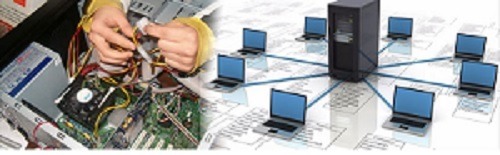
Hardware and Networking
It seems like you’re interested in the topics of hardware and networking. Hardware and networking are essential components of modern technology and play a critical role in the functioning of computer systems and communication infrastructure. Let’s delve into each of these areas:
Hardware:
Hardware refers to the physical components of a computer system that you can touch and interact with. These components work together to process, store, and display information. Here are some key aspects of hardware:
- Central Processing Unit (CPU):
- The CPU is the brain of the computer, responsible for executing instructions and performing calculations.
- Memory (RAM and Storage):
- RAM (Random Access Memory) provides temporary storage for data and programs that are actively in use. Storage devices (hard drives, solid-state drives) store data and programs for the long term.
- Motherboard:
- The motherboard is the main circuit board that connects all the components of a computer, including the CPU, memory, and expansion cards.
- Graphics Processing Unit (GPU):
- The GPU is responsible for rendering graphics and images, essential for tasks like gaming and graphical design.
- Peripherals:
- Peripherals include input and output devices such as keyboards, mice, monitors, printers, and scanners.
- Networking Hardware:
- Networking hardware includes routers, switches, modems, and network interface cards that enable communication between devices over a network.
- Expansion Cards:
- Expansion cards, like graphics cards and network interface cards, can be added to a computer to enhance its capabilities.
- Power Supply Unit (PSU):
- The PSU provides power to all components within a computer system.
Networking:
Networking refers to the practice of connecting computers and other devices to share resources and communicate. Networks can range from local area networks (LANs) within a single building to wide area networks (WANs) that span larger geographical areas. Here are some key aspects of networking:
- Local Area Network (LAN):
- A LAN connects devices within a limited area, such as a home, office, or campus. It enables sharing of resources like files and printers.
- Wide Area Network (WAN):
- A WAN connects multiple LANs across larger distances, often using technologies like the internet or leased lines.
- Router:
- Routers direct data traffic between devices on a network and manage communication between different networks.
- Switch:
- Switches connect devices within a LAN and help manage data traffic by forwarding data only to the intended recipient.
- Firewall:
- Firewalls provide security by monitoring and controlling incoming and outgoing network traffic, preventing unauthorized access.
- Modem:
- A modem converts digital data from a computer into analog signals for transmission over telephone lines or digital signals for cable/fiber connections.
- Network Protocols:
- Network protocols are rules that govern communication between devices. TCP/IP is the fundamental protocol suite of the internet.
- IP Addressing:
- IP addresses uniquely identify devices on a network and enable data to be routed to the correct destination.
- Wireless Networking:
- Wireless networking technologies, such as Wi-Fi, allow devices to connect to networks without physical cables.
Hardware and networking are interconnected fields that enable the functioning of computers, communication, and information exchange across various settings, from personal computing to large-scale enterprise networks. Understanding these concepts is essential for anyone working with technology or seeking to troubleshoot, optimize, or set up computer systems and networks.
What is required Hardware and Networking
To effectively understand, work with, and manage hardware and networking, there are several key concepts, skills, and knowledge areas that are required. Here’s what is typically required to have a solid understanding of hardware and networking:
Hardware:
- Computer Components:
- Understand the major components of a computer system, including the CPU, memory (RAM), storage devices (HDDs, SSDs), motherboard, graphics card (GPU), and peripherals.
- Computer Architecture:
- Learn about the architecture and organization of computer systems, including the roles of the CPU, memory hierarchy, and input/output subsystems.
- Peripherals and Input/ Output Devices:
- Familiarize yourself with input devices like keyboards and mice, as well as output devices like monitors and printers.
- Expansion Cards:
- Understand the concept of expansion slots and cards, such as graphics cards, sound cards, and network interface cards.
- Storage Technologies:
- Learn about different storage technologies, such as hard drives (HDDs) and solid-state drives (SSDs), as well as RAID configurations.
- Power Supply Units (PSUs) and Cooling Systems:
- Gain knowledge about power supply units that provide power to components and cooling solutions to prevent overheating.
Networking:
- Networking Basics:
- Understand the fundamentals of networking, including concepts like LANs, WANs, IP addressing, and network protocols.
- Network Devices:
- Learn about networking hardware such as routers, switches, modems, access points, and firewalls.
- Network Topologies:
- Understand different network topologies like star, bus, ring, and mesh, and how devices are interconnected.
- Subnetting and IP Addressing:
- Learn about IP addressing, subnet masks, and how to subnet a network for efficient addressing.
- Network Protocols:
- Familiarize yourself with common network protocols like TCP/IP, HTTP, FTP, and DNS.
- Wireless Networking:
- Learn about Wi-Fi standards, security measures, and wireless access point configurations.
- Network Security:
- Understand concepts of network security, including firewalls, encryption, intrusion detection, and best practices for securing networks.
- Troubleshooting:
- Develop skills to diagnose and resolve common networking issues, such as connectivity problems, IP conflicts, and configuration errors.
- Network Services:
- Learn about network services like DHCP, DNS, NAT, and VPNs and how they facilitate network communication.
- Cloud Computing and Virtualization:
- Gain an understanding of cloud computing models, virtualization, and how virtual machines interact with networks.
Practical Skills:
- Hands-On Experience:
- Practical hands-on experience with setting up and configuring hardware components, building computers, and configuring networks is crucial.
- Troubleshooting Skills:
- Develop problem-solving skills to diagnose and resolve hardware and networking issues effectively.
- Network Configuration:
- Gain experience in configuring routers, switches, and wireless access points for proper network functionality.
- Security Implementation:
- Practice implementing security measures such as firewalls, encryption, and access controls to protect networks and devices.
- Software Tools:
- Familiarize yourself with diagnostic and monitoring tools used for hardware testing and network analysis.
Who is required Hardware and Networking
Hardware and networking knowledge and skills are valuable across a wide range of industries and professions. Here are some categories of individuals and professionals who can benefit from understanding hardware and networking:
- IT Professionals:
- IT professionals, including system administrators, network administrators, and IT support technicians, need a strong understanding of hardware and networking to manage and maintain computer systems and networks.
- Computer Engineers and Technicians:
- Computer hardware engineers and technicians require in-depth knowledge of hardware components, troubleshooting, and repair techniques.
- Network Engineers:
- Network engineers design, implement, and manage complex network infrastructures. A solid grasp of networking concepts and technologies is essential.
- Software Developers:
- Software developers benefit from understanding networking protocols and how applications interact with networks, especially in web and cloud-based systems.
- Cybersecurity Professionals:
- Cybersecurity experts need to understand networking to identify vulnerabilities, secure network communication, and protect against cyber threats.
- Database Administrators:
- Database administrators ensure databases are accessible and secure across networks, requiring knowledge of network configurations.
- System Architects:
- System architects design and plan complex IT infrastructures, considering hardware and networking requirements for optimal performance and scalability.
- IT Managers and Directors:
- IT managers and directors need a broad understanding of hardware and networking to make informed decisions about technology investments and resource allocations.
- Telecommunication Professionals:
- Professionals in the telecommunications industry, including those working for internet service providers (ISPs), require networking knowledge to manage data transmission and connectivity.
- IoT and Embedded Systems Developers:
- Developers working on Internet of Things (IoT) and embedded systems need networking expertise to create interconnected devices.
- Cloud Architects and DevOps Engineers:
- Professionals working with cloud infrastructure require networking knowledge to design and manage cloud-based applications and services.
- Technical Support Specialists:
- Technical support specialists assist users with hardware and
When is required Hardware and Networking
Hardware and networking knowledge is required in various situations and scenarios where computer systems and networks are utilized. Here are some specific instances when hardware and networking expertise is essential:
- Computer Setup and Maintenance:
- When setting up new computers, upgrading hardware components (such as RAM or hard drives), and performing routine maintenance tasks to ensure optimal system performance.
- Network Deployment and Configuration:
- When designing, deploying, and configuring local area networks (LANs) or wide area networks (WANs) to establish reliable communication between devices and ensure efficient data transfer.
- System Troubleshooting and Repair:
- When diagnosing and resolving hardware issues, such as malfunctioning components or faulty connections, as well as network-related problems like connectivity issues and slow data transfer.
- Software Installation and Integration:
- When installing and integrating software applications, particularly those that require network connectivity or interact with hardware components.
- Cybersecurity Implementation:
- When implementing cybersecurity measures such as firewalls, intrusion detection systems, and encryption protocols to safeguard network communications and data.
- Cloud Infrastructure Management:
- When working with cloud-based services and platforms, understanding networking principles is crucial for managing virtualized resources and optimizing cloud infrastructure.
- Network Administration:
- When configuring network devices, managing user accounts and permissions, monitoring network traffic, and ensuring security measures are in place.
- Network Design and Optimization:
- When designing networks to accommodate growing traffic and ensure scalability, as well as optimizing network performance for efficient data transmission.
- IoT Device Deployment:
- When deploying and managing Internet of Things (IoT) devices that rely on network connectivity to exchange data and perform tasks.
- Remote Work and Telecommuting:
- As remote work becomes more common, understanding networking is crucial for setting up secure and reliable remote
How is required Hardware and Networking
The hardware and networking requirements for any specific organization or project can vary widely based on factors such as the size of the organization, the nature of its operations, the types of applications and services it uses, and its growth projections. However, I can provide a general overview of the hardware and networking components commonly required for modern businesses and organizations:
Hardware Requirements:
- Servers:
- Organizations often require one or more servers to host applications, databases, email services, websites, and other critical functions. The choice between physical servers, virtual servers, or cloud-based servers depends on scalability and redundancy needs.
- Computers and Workstations:
- Employee workstations or laptops are essential for day-to-day operations. The specifications of these devices depend on the tasks they will be used for. Some employees may require high-performance workstations, while others can work with standard office computers.
- Storage Devices:
- Data storage is crucial for any organization. This includes network-attached storage (NAS) devices, storage area networks (SANs), and cloud-based storage solutions. The choice depends on data volume, access requirements, and budget constraints.
- Networking Equipment:
- Networking hardware includes routers, switches, and access points. The size and complexity of the network dictate the type and number of these devices required.
- Firewalls and Security Appliances:
- To protect the network from cyber threats, organizations need firewalls, intrusion detection/prevention systems, and security appliances. The level of security required varies depending on the sensitivity of the data being handled.
- Backup and Disaster Recovery Systems:
- Regular data backup and disaster recovery systems are essential to ensure data integrity and business continuity. These may involve backup servers, cloud backup services, and backup software.
- Printers and Scanners:
- Peripheral devices like printers and scanners are necessary for various administrative tasks. The number and type of these devices depend on the organization’s requirements.
- Power Infrastructure:
- Uninterruptible power supplies (UPS) and backup generators are crucial to prevent data loss and system downtime during power outages.
- Client Devices:
- These include smartphones, tablets, and other mobile devices that employees use to access company resources. Mobile device management (MDM) solutions may also be required.
Networking Requirements:
- Local Area Network (LAN):
- LAN infrastructure connects devices within a specific physical location, like an office. This includes Ethernet cabling, switches, and routers.
- Wide Area Network (WAN):
- WAN infrastructure connects multiple LANs across different locations. Organizations may use technologies like leased lines, MPLS, or VPNs to establish secure WAN connections.
- Internet Connectivity:
- A reliable internet connection is essential for accessing cloud services, websites, and remote communication. Organizations often choose between broadband, fiber, or dedicated leased lines based on their bandwidth requirements.
- Wireless Networking (Wi-Fi):
- Wi-Fi access points are required for wireless connectivity within the office premises. Proper security measures, such as WPA3 encryption, are necessary to protect the network.
- Virtual Private Network (VPN):
- VPNs enable secure remote access to the organization’s network. This is crucial for employees who work from home or while traveling.
- Cloud Connectivity:
- If an organization uses cloud services, it needs a robust and secure network connection to the cloud provider’s data centers.
- Network Security:
- Network security measures include firewalls, intrusion detection/prevention systems, and regular security audits to protect against cyber threats.
- Scalability and Redundancy:
- The network should be designed for scalability to accommodate growth. Redundancy and failover mechanisms ensure network reliability.
- Quality of Service (QoS):
- QoS settings may be required to prioritize network traffic and ensure that critical applications receive the necessary bandwidth and performance.
The specific hardware and networking requirements will be unique to each organization and should be carefully assessed based on its needs, budget, and growth projections. Regular updates and maintenance are also essential to keep the infrastructure efficient and secure.
Case study on Hardware and Networking
Certainly! Let’s take a look at a case study involving hardware and networking in a business environment:
Case Study: Small Business Network Upgrade
Background: ABC Electronics is a small electronics retail store that sells a variety of electronic products, including laptops, smartphones, televisions, and audio equipment. The store is growing steadily and has recently experienced some challenges related to its existing hardware and networking infrastructure.
Challenges:
- Network Slowdowns: The existing network infrastructure is outdated and struggles to handle the increased number of devices connected to the network, leading to frequent slowdowns and disruptions in operations.
- Data Security: The current network lacks proper security measures, putting customer information and business data at risk.
- Limited Connectivity: Employees and customers often complain about weak Wi-Fi signals in certain areas of the store, making it difficult to use devices efficiently.
- Inventory Management: The store’s inventory management system is not integrated with the network, causing delays in updating product availability and stock levels.
- Customer Engagement: ABC Electronics wants to enhance the customer experience by providing free Wi-Fi access and implementing digital displays for product information.
Solution: ABC Electronics decides to upgrade its hardware and networking infrastructure to address these challenges.
- Networking Upgrade:
- Invests in new networking equipment, including high-speed routers and switches to handle increased traffic.
- Implements wireless access points strategically to ensure consistent and strong Wi-Fi coverage throughout the store.
- Sets up a dedicated guest network for customers to access the internet while keeping the main network secure.
- Security Enhancement:
- Implements network security measures, including firewalls, intrusion detection systems, and regular security updates to protect customer and business data.
- Implements encryption protocols to secure data transmissions over the network.
- Inventory Management Improvement:
- Integrates the inventory management system with the network to ensure real-time updates of product availability and stock levels.
- Uses handheld devices connected to the network for employees to quickly update inventory data.
- Customer Engagement Enhancement:
- Sets up digital displays throughout the store to provide product information, prices, and promotions.
- Provides free Wi-Fi access for customers, enhancing their shopping experience.
- Data Backup and Recovery:
- Implements regular data backups and disaster recovery plans to ensure business continuity in
White paper on Hardware and Networking
Title: Modernizing Hardware and Networking Infrastructure for Enhanced Performance and Scalability
Abstract: This white paper explores the crucial role of modern hardware and networking infrastructure in today’s dynamic technological landscape. With the rapid evolution of digital ecosystems, businesses must adapt their hardware and networking strategies to meet the demands of scalability, performance, security, and efficiency. This paper delves into the fundamental principles, emerging trends, and best practices for designing and implementing robust hardware and networking solutions that drive innovation and competitiveness.
Table of Contents:
- Introduction
- Significance of Hardware and Networking Infrastructure
- Evolution of Hardware and Networking Technologies
- Foundations of Hardware Infrastructure
- Hardware Components: CPUs, Memory, Storage, and Network Interfaces
- Server Architectures: Physical, Virtual, and Cloud-Based
- Role of Hardware in Performance Optimization
- Networking Fundamentals
- Network Topologies: LAN, WAN, MAN, and PAN
- Network Protocols and Communication Layers
- Network Devices: Routers, Switches, Firewalls, and Load Balancers
- Challenges in Legacy Infrastructure
- Scalability Constraints
- Performance Bottlenecks
- Security Vulnerabilities
- Redundancy and High Availability Issues
- Emerging Trends in Hardware and Networking
- Software-Defined Networking (SDN)
- Network Function Virtualization (NFV)
- Edge Computing and IoT Integration
- 5G and Next-Generation Wireless Technologies
- Designing for Scalability and Performance
- Load Balancing Strategies
- Scalable Storage Architectures: RAID, SAN, NAS, and Object Storage
- Virtualization and Containerization
- Enhancing Security and Reliability
- Network Security Measures: Firewalls, Intrusion Detection Systems (IDS), and VPNs
- Redundancy and Failover Solutions
- Encryption: Data in Transit and at Rest
- Cloud Integration and Hybrid Infrastructure
- Hybrid Cloud Architectures
- Infrastructure as Code (IaC) and Orchestration
- Cloud Networking and Interconnectivity
- Case Studies
- Healthcare: Secure Medical Data Exchange
- Finance: High-Frequency Trading Network
- E-Commerce: Scalable Online Shopping Platform
- Best Practices for Implementation
- Comprehensive Network Monitoring and Analysis
- Regular Performance Tuning and Optimization
- Disaster Recovery and Business Continuity Planning
- Future Directions
- Quantum Computing’s Impact on Networking
- AI and Machine Learning in Network Management
- Hyper-Converged Infrastructure (HCI)
- Conclusion
- The Crucial Role of Hardware and Networking in Digital Transformation
- Continuous Adaptation to Technological Advancements
Conclusion: As technology continues to evolve, hardware and networking infrastructure remain the backbone of modern enterprises. Businesses must be proactive in updating their infrastructure to ensure scalability, performance, security, and reliability. By embracing emerging trends, following best practices, and continually adapting to the changing landscape, organizations can build infrastructure that not only meets current demands but also prepares them for the innovations of tomorrow. This white paper has provided insights into the foundational concepts, challenges, emerging trends, and best practices in hardware and networking, empowering businesses to make informed decisions that drive their success in the digital age.