
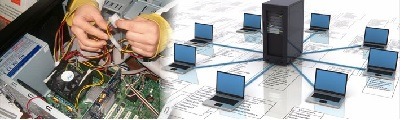
Hardware and Networking
Hardware and networking are integral components of information technology (IT) infrastructure. They encompass the physical components (hardware) and the communication systems (networking) that enable the transfer of data and information within and between computers and other devices. Here’s an overview of hardware and networking:
Hardware:
Hardware refers to the physical components of a computer system and related devices. It includes:
- Central Processing Unit (CPU): The CPU is the “brain” of the computer, responsible for executing instructions and performing calculations.
- Memory (RAM): Random Access Memory (RAM) provides temporary storage for data and programs that are actively being used by the computer.
- Storage Devices: These include hard disk drives (HDDs), solid-state drives (SSDs), and optical drives for long-term data storage.
- Motherboard: The motherboard is the main circuit board that connects and holds the CPU, memory, and other essential components.
- Graphics Processing Unit (GPU): The GPU handles graphics rendering, essential for video playback, gaming, and graphic design.
- Input and Output Devices: These include keyboards, mice, monitors, printers, and other devices used to interact with the computer.
- Peripherals: Additional devices like external hard drives, webcams, and external audio equipment are considered peripherals.
- Networking Hardware: Networking hardware includes devices like routers, switches, and network cards that facilitate network connectivity.
Networking:
Networking involves the interconnected systems that allow data and information to be shared and communicated between computers and devices. Key elements of networking include:
- Local Area Network (LAN): A LAN connects devices within a limited geographical area, such as a home or office. Ethernet cables and Wi-Fi are common technologies used for LANs.
- Wide Area Network (WAN): A WAN connects devices across a larger geographical area, often using the internet as a means of connection.
- Router: A router is a networking device that connects different networks together and manages the flow of data between them.
- Switch: A switch is used to create LANs by connecting devices together within a network.
- Firewall: A firewall is a network security device that monitors and filters incoming and outgoing network traffic to protect the network from unauthorized access or cyber threats.
- Network Protocols: These are sets of rules that govern the data exchange between devices. Common network protocols include TCP/IP, HTTP, and FTP.
- Wireless Networking: Wi-Fi technology enables wireless connections, allowing devices to connect to a network without the need for physical cables.
- Internet Service Provider (ISP): ISPs provide access to the internet, offering various types of internet connections, including broadband, DSL, and fiber-optic.
- Network Security: Implementing security measures such as encryption, authentication, and intrusion detection systems to protect network data from threats.
- Network Administration: The management and maintenance of network infrastructure, including user accounts, access control, and troubleshooting network issues.
Hardware and networking work together to create the foundation for modern IT systems. Hardware provides the physical components that process and store data, while networking facilitates the communication between devices and the transfer of data over local and global networks. Proficiency in hardware and networking is essential for IT professionals, as it underpins all aspects of computer systems and the internet.
What is required Hardware and Networking
The specific hardware and networking components and technologies required will vary depending on the context and the purpose. However, in a general sense, here are the fundamental hardware and networking elements required for most computer systems and network setups:
Required Hardware:
- Computer: The central component of any IT system. This can range from personal computers (desktops or laptops) to servers, depending on the context.
- Central Processing Unit (CPU): Responsible for executing instructions and performing calculations. The power and specifications of the CPU depend on the intended use.
- Memory (RAM): Random Access Memory provides temporary storage for data and programs that are actively being used. Sufficient RAM is essential for smooth performance.
- Storage Devices: Hard Disk Drives (HDDs) or Solid-State Drives (SSDs) for data storage. The capacity should be chosen based on storage needs.
- Motherboard: The main circuit board that connects and holds the CPU, memory, and other essential components. It should be compatible with other hardware components.
- Graphics Processing Unit (GPU): Needed for graphic-intensive tasks like gaming, video editing, and 3D rendering. Integrated graphics may be sufficient for standard computer use.
- Input and Output Devices: Keyboards, mice, monitors, and printers are essential for user interaction.
- Networking Hardware: Routers, switches, and network cards (wired or wireless) for connecting devices in a network.
- Peripherals: Additional devices like external hard drives, webcams, and external audio equipment, depending on user needs.
- Power Supply: A reliable power supply unit (PSU) is crucial to provide power to all components.
- Cooling Systems: Effective cooling solutions, such as fans or liquid cooling, to prevent overheating.
- Casing/Chassis: The computer case or chassis to house all the components securely.
Required Networking Components:
- Router: Connects different networks together and manages data traffic.
- Switch: Creates LANs by connecting devices within a network.
- Modem: Converts digital data from the network into a format that can be used by the computer.
- Network Cables: Ethernet cables for wired connections and Wi-Fi for wireless connections.
- Firewall: A device or software that monitors and filters network traffic for security.
- Network Protocols: Sets of rules governing data exchange between devices, e.g., TCP/IP.
- Wireless Access Points: Necessary for Wi-Fi networks to enable wireless connectivity.
- Internet Service Provider (ISP): Provides internet access via broadband, DSL, fiber-optic, or other technologies.
- Network Security: Measures like encryption, authentication, and intrusion detection systems to protect network data.
- Network Administration Tools: Software and systems for managing and maintaining network infrastructure, including user accounts and access control.
- Network Monitoring Tools: Software and hardware for monitoring network performance and identifying issues.
The specific requirements for hardware and networking will vary based on the intended use, whether it’s for a personal computer, a business network, a data center, or other specialized applications. The selection of hardware and networking components should be based on the needs of the system and the goals of the network setup. Additionally, consideration should be given to scalability, redundancy, and future expansion requirements.
Who is required Hardware and Networking
I’m not sure I understand your question. It seems like you’re asking who needs hardware and networking components and services. If that’s the case, the need for hardware and networking is quite widespread and can be broken down into various categories of individuals and organizations:
1. Individuals:
- Home Users: Most people today need hardware (such as computers and smartphones) and home networking to access the internet, communicate, work, study, and for entertainment purposes.
- Gamers: Gaming enthusiasts require high-performance hardware and network connections to play online games without lag.
- Students: Students often need computers and internet access for online learning, research, and assignments.
2. Small and Medium-Sized Businesses (SMBs):
- SMBs: Small and medium-sized businesses require hardware for their daily operations, such as computers for employees, servers, and networking equipment to support their local area networks (LANs) and internet access.
3. Large Enterprises:
- Enterprises: Large organizations need extensive hardware and networking infrastructure to support their employees, data storage, and operations. This includes data centers, multiple servers, networking gear, and security measures.
4. Data Centers:
- Data Centers: These facilities are designed to house extensive hardware infrastructure for a wide range of purposes, including cloud computing, web hosting, and data storage.
5. IT Professionals:
- IT Professionals: IT experts, including network administrators, system engineers, and security specialists, require hardware and networking knowledge to design, implement, and manage IT systems.
6. Internet Service Providers (ISPs):
- ISPs: ISPs provide internet access to residential and business customers and require a vast networking infrastructure to deliver services.
7. Telecommunication Companies:
- Telecom Companies: These organizations need extensive hardware and networking equipment to support telecommunications services, including landline, mobile, and internet connections.
8. Government Agencies:
- Government Agencies: Various government departments and agencies require hardware and networking for their daily operations, communication, and data management.
9. Healthcare and Medical Institutions:
- Healthcare: Hospitals and clinics need hardware and networking for patient records, diagnostic equipment, and communication between medical professionals.
10. Educational Institutions:
- Educational Institutions: Schools, colleges, and universities need hardware and networking infrastructure for educational purposes, including online learning platforms and administrative tasks.
11. Content Providers:
- Content Providers: Companies that produce and distribute digital content, such as streaming services, require powerful servers and network infrastructure to deliver content to users.
12. E-commerce and Retail Businesses:
- E-commerce: Online retailers need robust hardware and networking to support their websites, online stores, and payment processing.
In summary, hardware and networking are essential for a wide range of individuals and organizations, from individual users to large enterprises and various sectors, including education, healthcare, government, and more. The specific requirements and complexity of hardware and networking vary depending on the scale and purpose of the user or organization.
Where is required Hardware and Networking
Hardware and networking are required in a wide range of settings and industries where information technology plays a critical role. Here are some common places where hardware and networking are required:
- Businesses and Corporations: Nearly all businesses, regardless of their size, require hardware (computers, servers, printers) and networking equipment (routers, switches) to support daily operations, facilitate communication, and manage data.
- Home Computing: In households, hardware such as personal computers, smartphones, and networking equipment (Wi-Fi routers) are essential for internet access, communication, and various personal and work-related tasks.
- Educational Institutions: Schools, colleges, and universities rely on hardware and networking infrastructure to support classroom activities, online learning, student information systems, and administrative tasks.
- Healthcare Facilities: Hospitals, clinics, and medical offices need hardware and networking to maintain electronic health records (EHRs), operate diagnostic equipment, and support telemedicine services.
- Government and Public Sector: Government agencies at all levels require hardware and networking to manage records, provide e-government services, and facilitate communication among departments.
- Data Centers: Data centers and cloud service providers house extensive hardware and networking infrastructure to host and manage data, applications, and web services for clients.
- Retail and E-commerce: Retail businesses, both brick-and-mortar stores and online shops, rely on point-of-sale systems, e-commerce platforms, and networking for inventory management and customer transactions.
- Entertainment and Media: Content providers, including streaming services and video game companies, use powerful servers and networking infrastructure to deliver content and services to users.
- Telecommunications and Internet Service Providers (ISPs): Telecom companies and ISPs need extensive hardware and networking equipment to provide internet, phone, and television services to consumers and businesses.
- Manufacturing and Industry: Manufacturing companies use hardware and networking solutions for factory automation, quality control, and inventory management systems.
- Financial Institutions: Banks, credit unions, and financial organizations rely on hardware and networking for secure online banking, trading platforms, and data management.
- Transportation and Logistics: Airlines, railways, shipping companies, and logistics providers use hardware and networking for reservations, cargo tracking, and flight information systems.
- Research and Scientific Institutions: Research facilities, universities, and laboratories require advanced hardware and networking infrastructure for data analysis, scientific simulations, and collaborative research projects.
- Energy and Utilities: Companies in the energy and utility sectors use hardware and networking to manage infrastructure, monitor systems, and ensure the reliability of power and water supply.
- Aerospace and Defense: Aerospace and defense organizations rely on hardware and networking for research, development, communication, and national security initiatives.
- Startups and Tech Companies: Technology startups depend on hardware and networking infrastructure to develop and deploy software applications, online services, and innovative technologies.
These are just a few examples, and the need for hardware and networking extends to many more sectors and settings. Hardware and networking solutions are essential for enabling communication, data processing, and information exchange in our increasingly digital world.
How is required Hardware and Networking
The requirement for hardware and networking is driven by the need to build and maintain information technology (IT) infrastructure that supports various operations and services. The process of determining how hardware and networking are required involves careful planning, assessment of needs, and implementation. Here’s how the requirement for hardware and networking is determined:
- Identify Business or Operational Needs:
- The process begins by identifying the specific needs of a business, organization, or individual. These needs can be diverse and may include general computing, data storage, communication, security, or specialized requirements unique to the industry or context.
- Assess Current Infrastructure:
- If there is an existing IT infrastructure, it’s important to assess its current state. Determine what hardware and networking components are already in place, evaluate their performance, and identify any deficiencies or areas for improvement.
- Define Goals and Objectives:
- Clearly define the goals and objectives that the new or updated hardware and networking infrastructure should achieve. This could include increasing productivity, improving security, enhancing scalability, or meeting specific regulatory requirements.
- Consider Scalability:
- Anticipate future needs and consider scalability when choosing hardware and networking solutions. The infrastructure should be able to accommodate growth and evolving requirements without significant disruption or costly upgrades.
- Budget Planning:
- Determine the available budget for hardware and networking investments. This will help in selecting cost-effective solutions that align with the organization’s financial resources.
- Technology Selection:
- Select appropriate hardware components such as servers, workstations, storage devices, and networking equipment, based on the assessed needs and objectives. Consider factors like performance, reliability, and compatibility.
- Networking Architecture:
- Design the networking architecture, considering the network’s layout (LAN, WAN, or cloud-based), data transfer requirements, and security measures. Determine the type of network infrastructure needed (wired, wireless, or hybrid).
- Security Considerations:
- Implement robust security measures for hardware and networking, including firewalls, encryption, access controls, and intrusion detection systems to safeguard data and network resources.
- Vendor Selection:
- Choose reputable vendors and suppliers for hardware and networking equipment. Evaluate their track record, customer support, and warranties.
- Implementation and Integration:
- Implement the chosen hardware and networking solutions, ensuring proper integration with existing systems and minimal disruption to ongoing operations.
- Testing and Quality Assurance:
- Thoroughly test the hardware and networking infrastructure to ensure it meets the defined objectives and performs as expected. Address any issues or discrepancies.
- Documentation and Training:
- Maintain comprehensive documentation of the infrastructure setup and provide training to personnel who will use, manage, or support the system.
- Ongoing Monitoring and Maintenance:
- Regularly monitor the hardware and networking infrastructure for performance, security, and potential issues. Schedule routine maintenance to prevent failures and ensure optimal operation.
- Scalability and Future Planning:
- Continuously evaluate the scalability of the infrastructure and adapt to evolving requirements. Develop a roadmap for future hardware and networking enhancements.
The requirement for hardware and networking should align with the specific needs and objectives of the organization or individual. The process involves careful planning, effective selection of components, and ongoing maintenance to ensure that the infrastructure remains reliable, secure, and capable of meeting its intended purpose.
Case Study on Hardware and Networking
Certainly! Let’s explore a case study on how a fictional company, “Tech Solutions Inc.,” addressed its hardware and networking requirements to improve its business operations.
Case Study: Tech Solutions Inc. – Transforming IT Infrastructure for Growth
Background: Tech Solutions Inc. is a rapidly growing technology services company with a diverse range of clients. With an expanding workforce and increasingly complex IT needs, the company faced challenges related to network congestion, security, and scalability. They recognized the need to upgrade their hardware and networking infrastructure to address these issues.
Challenges:
- Network Congestion: Tech Solutions’ existing network infrastructure was struggling to handle the increasing volume of data traffic generated by their expanding team and growing client base.
- Security Concerns: As the company handled sensitive client data, security was paramount. The existing network lacked robust security features.
- Scalability: Tech Solutions wanted to future-proof their IT infrastructure to accommodate further growth and additional clients without major disruptions or costly upgrades.
Solution: Tech Solutions took the following steps to address their hardware and networking challenges:
- Assessment and Planning:
- Conducted a thorough assessment of their existing infrastructure, identifying bottlenecks and security vulnerabilities.
- Defined clear objectives, including improving network performance, enhancing security, and planning for future scalability.
- Hardware Upgrade:
- Invested in high-performance servers and workstations to handle the increasing demands of data processing and application hosting.
- Deployed solid-state drives (SSDs) for faster data access and reduced latency.
- Networking Infrastructure Enhancement:
- Upgraded to enterprise-grade networking equipment, including routers, switches, and firewalls.
- Implemented a dedicated virtual local area network (VLAN) for enhanced network segmentation and security.
- Scalable Cloud Solutions:
- Migrated a significant portion of their data and applications to cloud-based services, ensuring scalability and redundancy.
- Leveraged cloud-based solutions for remote team collaboration and data storage.
- Security Measures:
- Enhanced security measures, including intrusion detection and prevention systems (IDPS), regular security audits, and end-to-end encryption for sensitive data.
- Redundancy and Disaster Recovery:
- Implemented data backup and disaster recovery solutions to ensure business continuity in case of hardware or network failures.
Results: Tech Solutions’ hardware and networking improvements had several positive outcomes:
- Improved Performance: Network congestion was significantly reduced, leading to faster data transfer and more responsive applications.
- Enhanced Security: The new security measures greatly reduced the risk of data breaches and provided clients with greater confidence in the security of their information.
- Scalability: The new infrastructure was designed with scalability in mind, allowing Tech Solutions to add new clients and staff without disruptions.
- Reliability: The cloud-based solutions ensured redundancy and business continuity, reducing downtime and data loss.
Future Directions: Tech Solutions continues to monitor their hardware and networking infrastructure, regularly updating security measures and planning for additional hardware and networking enhancements to meet their growth goals.
White Paper on Hardware and Networking
Creating a white paper on Hardware and Networking involves providing an in-depth analysis of these critical components in the world of information technology. Here’s an outline for a white paper on Hardware and Networking:
Title: Harnessing the Power of Hardware and Networking: A Comprehensive Guide
Abstract: Offer a concise summary of the white paper’s content, highlighting the significance of hardware and networking in the digital age.
Table of Contents:
- Introduction
- Introduce the role of hardware and networking in the modern IT landscape.
- Define the objectives of the white paper.
- The Significance of Hardware
- Explain the fundamental importance of hardware components in IT systems.
- Discuss the role of CPUs, memory, storage devices, and peripherals.
- Network Infrastructure: The Backbone of Connectivity
- Describe the essential role of network infrastructure in enabling communication and data transfer.
- Explain the different types of networks, including LAN, WAN, and the cloud.
- Challenges in Hardware and Networking
- Identify the common challenges and issues organizations face regarding hardware and networking.
- Address issues like security, scalability, and performance.
- Hardware and Networking in Business Operations
- Explore how businesses leverage hardware and networking to streamline operations, enhance productivity, and improve customer service.
- Provide real-world examples of organizations benefiting from hardware and networking solutions.
- Security in Hardware and Networking
- Discuss the critical importance of security in hardware and networking.
- Explain common security threats and measures, including firewalls, encryption, and access controls.
- Scalability and Performance Optimization
- Explain the need for scalable hardware and networking solutions, particularly in the context of growing data volumes.
- Discuss strategies for optimizing performance, including load balancing and cloud scalability.
- Future Trends and Innovations
- Offer insights into emerging trends in hardware and networking, such as 5G technology, edge computing, and quantum networking.
- Discuss the implications of these trends for businesses and organizations.
- Selecting the Right Hardware and Networking Solutions
- Provide guidance on how to choose the appropriate hardware components and networking infrastructure for specific needs.
- Discuss factors like budget considerations and vendor selection.
- Case Studies
- Include real-world case studies that illustrate the successful implementation of hardware and networking solutions in different industries and contexts.
- Conclusion
- Summarize the key findings and takeaways from the white paper.
- Emphasize the ongoing importance of hardware and networking in the digital era.
- References
- Cite all sources and references used in the white paper.
Appendix: Include any additional charts, graphs, or technical details that support the content of the white paper.
Author Bio: Provide a brief bio of the author or authors of the white paper.
Disclaimer: Include a disclaimer regarding the accuracy and relevance of the information presented in the white paper.
Contact Information: Provide contact details for inquiries or further discussions on the topic.
This white paper on Hardware and Networking should serve as a comprehensive resource for readers interested in understanding the significance, challenges, and future trends in these essential components of information technology.