
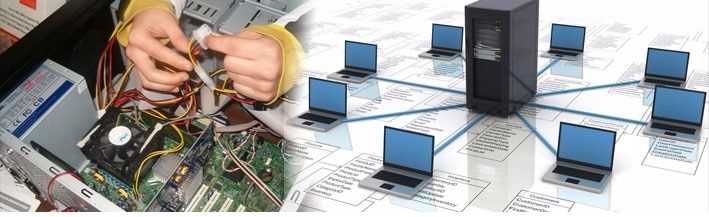
Hardware and networking are integral components of information technology (IT) that play crucial roles in the functioning and connectivity of computer systems. Let’s explore each of these areas in more detail:
Hardware:
Definition: Computer hardware refers to the physical components that make up a computer system. These components can be categorized into input devices, output devices, storage devices, processing units, and more.
Key Components:
- Central Processing Unit (CPU): The “brain” of the computer, responsible for executing instructions.
- Random Access Memory (RAM): Temporary storage used by the CPU to store and access data quickly.
- Storage Devices: Hard Disk Drives (HDDs) and Solid-State Drives (SSDs) for long-term data storage.
- Motherboard: Main circuit board connecting all internal components.
- Graphics Processing Unit (GPU): Dedicated to rendering images and videos.
- Power Supply Unit (PSU): Provides electrical power to the computer.
- Input Devices: Keyboards, mice, and other devices for user interaction.
- Output Devices: Monitors, printers, and speakers for displaying or producing information.
Functions:
- Processing Data: The CPU processes instructions and data.
- Storage: Devices like HDDs and SSDs store data permanently or temporarily.
- Communication: Input and output devices facilitate communication between the user and the computer.
Networking:
Definition: Networking involves the practice of connecting computers and other devices to share resources, exchange information, and enable communication.
Key Components:
- Routers: Devices that connect different networks and direct data traffic.
- Switches: Devices that connect devices within a local area network (LAN).
- Firewalls: Security devices that monitor and control network traffic.
- Network Cables: Physical cables like Ethernet cables for wired connections.
- Wireless Access Points: Devices enabling wireless connectivity.
- Network Interface Cards (NICs): Hardware components enabling devices to connect to a network.
Functions:
- Data Transmission: Networks facilitate the transfer of data between devices.
- Resource Sharing: Computers on a network can share files, printers, and other resources.
- Communication: Networks enable communication through email, messaging, and video conferencing.
- Internet Connectivity: Networks provide access to the internet.
Key Concepts:
- LAN (Local Area Network): A network that spans a small geographic area, like an office or home.
- WAN (Wide Area Network): A network that covers a broader area, often connecting multiple LANs.
- Protocols: Rules governing data transmission on a network (e.g., TCP/IP).
- IP Addressing: Unique numerical labels assigned to devices on a network.
Integration:
- Internet of Things (IoT): The integration of hardware and networking in IoT devices, enabling them to communicate and share data.
Challenges:
- Security: Protecting networks from unauthorized access and cyber threats.
- Scalability: Ensuring that networks can handle increased data and user loads.
Future Trends:
- 5G Technology: The next generation of wireless technology, offering faster and more reliable connectivity.
- Edge Computing: Processing data closer to the source, reducing latency.
- Network Automation: The use of automation to manage and optimize network processes.
In summary, hardware encompasses the physical components of a computer system, while networking involves the connectivity and communication between these systems. Together, they form the backbone of modern information technology, enabling the creation of complex computing infrastructures and facilitating global connectivity.
The requirements for hardware and networking depend on the specific context, such as the scale of the organization, the nature of the computing needs, and the level of technological sophistication required. Below are key aspects of what is generally required for hardware and networking:
Hardware Requirements:
- Computing Devices:
- Desktops, laptops, servers, and other computing devices suitable for the organization’s needs.
- Central Processing Unit (CPU):
- High-performance CPUs for demanding computational tasks, or energy-efficient CPUs for basic office tasks.
- Memory (RAM):
- Adequate RAM to support multitasking and efficient execution of applications.
- Storage:
- Sufficient storage capacity, considering the volume of data and the performance requirements (HDDs for mass storage, SSDs for faster access).
- Motherboard:
- Compatible motherboards that support the chosen CPU and provide necessary expansion options.
- Graphics Processing Unit (GPU):
- GPUs for graphical tasks, especially if the organization requires graphics-intensive applications or workloads.
- Network Interface Cards (NICs):
- NICs to enable network connectivity.
- Power Supply Unit (PSU):
- Adequate power supplies to ensure stable operation.
- Input and Output Devices:
- Keyboards, mice, monitors, and other peripherals suitable for the tasks at hand.
- Cooling Systems:
- Effective cooling systems to maintain optimal operating temperatures, especially for high-performance computing.
- Security Hardware:
- Firewalls, antivirus systems, and other security hardware to protect against cyber threats.
- Backup Systems:
- Backup devices and systems to ensure data resilience and recovery.
Networking Requirements:
- Router:
- Routers to manage traffic between the organization’s internal network and the external internet.
- Switches:
- Switches for connecting devices within local networks.
- Wireless Access Points:
- If needed, wireless access points for Wi-Fi connectivity.
- Network Cables:
- Ethernet cables for wired connections.
- Firewalls:
- Firewalls to protect the network from unauthorized access and cyber threats.
- Network Security Solutions:
- Intrusion Detection Systems (IDS), Virtual Private Networks (VPNs), and other security solutions.
- IP Addressing:
- Proper IP addressing and subnetting to manage devices on the network.
- Network Monitoring Tools:
- Tools for monitoring network performance, identifying issues, and ensuring optimal operation.
- Backup and Redundancy:
- Network redundancy measures to ensure continuous connectivity.
- Scalability:
- Scalable network architecture to accommodate growth in data and user demands.
- Quality of Service (QoS):
- Implementation of QoS policies to prioritize network traffic based on business needs.
- Remote Access Solutions:
- For organizations with remote or distributed teams, remote access solutions such as Virtual Private Networks (VPNs) may be required.
Integration Requirements:
- Compatibility:
- Ensuring compatibility between hardware components and adherence to industry standards.
- Software Integration:
- Integration of necessary operating systems, drivers, and applications.
- Interoperability:
- Ensuring that networking components can interoperate seamlessly.
- Security Integration:
- Integration of security measures across both hardware and networking components.
- Scalability Planning:
- Planning for future scalability to accommodate growth in both hardware and networking infrastructure.
- User Training:
- Training for users to understand and make optimal use of the hardware and networking resources.
- Disaster Recovery Planning:
- Developing a comprehensive disaster recovery plan that includes both hardware and networking components.
- Regulatory Compliance:
- Compliance with relevant regulations governing the use and security of hardware and networking systems.
- Environmental Considerations:
- Ensuring that hardware and networking systems are environmentally sustainable and energy-efficient.
In summary, the requirements for hardware and networking encompass a wide range of components and considerations, and they need to align with the organization’s specific needs, goals, and growth plans. Whether setting up a small office network or a large-scale enterprise infrastructure, careful planning and consideration of these requirements are essential.
Various professionals are required in the field of hardware and networking to design, implement, maintain, and secure the technology infrastructure of organizations. The roles may vary based on the scale of the organization and its specific needs. Here are key individuals who play essential roles in hardware and networking:
- Network Administrator:
- Responsibilities: Manages and maintains an organization’s computer networks. Configures, installs, and supports network infrastructure, including routers, switches, and firewalls.
- System Administrator:
- Responsibilities: Manages and maintains computer systems, servers, and related components. Handles system configurations, software installations, and ensures system reliability.
- Network Engineer:
- Responsibilities: Designs and implements computer networks. Plans and oversees the installation and configuration of networking hardware and software.
- Hardware Engineer:
- Responsibilities: Designs, tests, and oversees the manufacturing of computer hardware components. Works on the development of new hardware technologies.
- IT Manager/Director:
- Responsibilities: Provides strategic direction for the IT department. Manages hardware and networking teams, budgeting, and overall technology infrastructure.
- Security Analyst/Engineer:
- Responsibilities: Focuses on the security aspects of hardware and networking. Implements and monitors security measures to protect against cyber threats.
- Help Desk/Support Technician:
- Responsibilities: Provides technical support to end-users, addressing hardware and networking issues. Troubleshoots problems and assists with system-related inquiries.
- Database Administrator:
- Responsibilities: Manages databases that support applications and systems. Ensures data integrity, availability, and optimal performance.
- Cloud Architect/Administrator:
- Responsibilities: Designs, implements, and manages cloud computing solutions. Ensures the integration of cloud services with existing hardware and networking infrastructure.
- Wireless Communication Engineer:
- Responsibilities: Specializes in designing and implementing wireless networks. Ensures optimal performance and security of wireless communication systems.
- Telecommunications Specialist:
- Responsibilities: Manages communication systems, including voice and data networks. Focuses on the integration of telecommunication technologies.
- IT Project Manager:
- Responsibilities: Plans and oversees IT projects, including hardware and networking implementations. Manages timelines, budgets, and project teams.
- Quality Assurance Engineer:
- Responsibilities: Tests hardware and networking solutions to ensure they meet quality standards. Identifies and addresses issues in the design and implementation phases.
- Data Center Manager:
- Responsibilities: Manages data center operations, ensuring the availability and reliability of hardware infrastructure. Oversees maintenance and security protocols.
- Compliance Officer:
- Responsibilities: Ensures that hardware and networking practices comply with industry regulations and organizational policies.
- Desktop Support Specialist:
- Responsibilities: Provides support for end-user desktops, addressing hardware and networking issues on individual devices.
- Technology Trainer:
- Responsibilities: Conducts training sessions to educate users on hardware and networking best practices, security measures, and system usage.
The collaboration of these professionals ensures the effective functioning, security, and optimization of an organization’s hardware and networking infrastructure. Their expertise is vital for maintaining a robust and efficient IT environment.
Hardware and networking are required in various situations and scenarios across different industries and organizational contexts. Here are common situations when hardware and networking are required:
- Establishing a New Business:
- When: Starting a new business or opening a new branch.
- Why: Hardware and networking are essential for setting up the IT infrastructure, including computers, servers, and networking equipment, to support business operations.
- Office Expansions or Relocations:
- When: Expanding existing office space or relocating to a new location.
- Why: To ensure that the IT infrastructure scales with the growth of the organization and to establish a reliable and efficient network for seamless operations.
- Technology Upgrades:
- When: When existing hardware becomes outdated or when there’s a need for technological advancements.
- Why: Upgrading hardware components, such as computers, servers, and networking devices, ensures that the organization benefits from improved performance, security, and features.
- Implementation of New Applications or Systems:
- When: Introducing new software applications or systems.
- Why: Hardware and networking must be capable of supporting the requirements of new applications, whether they are locally hosted or accessed through the cloud.
- Security Enhancements:
- When: When there’s a need to strengthen cybersecurity measures.
- Why: Upgrading hardware and networking components can include the implementation of advanced security features and measures to protect against evolving cyber threats.
- Business Process Optimization:
- When: Seeking to optimize internal processes and workflows.
- Why: Hardware and networking improvements can enhance the efficiency of business processes by providing faster and more reliable access to data and resources.
- Adoption of Cloud Services:
- When: Moving to or expanding the use of cloud-based services.
- Why: Hardware and networking infrastructure must be compatible with and optimized for cloud services, ensuring seamless integration and data accessibility.
- Remote Work Enablement:
- When: Supporting a remote or hybrid work environment.
- Why: Hardware and networking play a crucial role in enabling remote connectivity, secure access to corporate networks, and the effective collaboration of remote teams.
- Data Center Expansion:
- When: Scaling up data center capacity.
- Why: As data storage and processing needs grow, additional hardware and networking infrastructure are required to support the increased load.
- Regular Technology Refresh Cycles:
- When: Periodic technology refresh cycles based on industry standards and organizational policies.
- Why: Regularly updating hardware components ensures that the organization benefits from advancements in technology, improved performance, and increased reliability.
- Disaster Recovery Preparedness:
- When: Establishing or updating disaster recovery plans.
- Why: Ensuring that hardware and networking components are resilient and capable of supporting data backup, recovery, and continuity in the event of a disaster.
- Compliance Requirements:
- When: Meeting industry-specific or regulatory compliance standards.
- Why: Upgrading or configuring hardware and networking infrastructure to comply with data security, privacy, and industry-specific regulations.
In summary, hardware and networking are required in various situations to support business growth, technological advancements, security enhancements, and changes in work environments. Regular assessments of IT infrastructure and strategic planning help ensure that hardware and networking components meet the evolving needs of the organization.
The implementation of required hardware and networking involves several steps, from planning and design to deployment and maintenance. Here’s an overview of how hardware and networking are typically implemented:
Hardware Implementation:
- Needs Assessment:
- Identify the organization’s requirements, considering factors such as the scale of operations, the number of users, and the nature of applications.
- Hardware Planning and Design:
- Develop a hardware architecture plan, specifying the type and configuration of devices needed, including servers, workstations, storage systems, and peripherals.
- Vendor Selection:
- Choose hardware vendors based on factors like reliability, performance, and compatibility with the organization’s needs.
- Procurement:
- Purchase the selected hardware components. This involves negotiating with vendors, placing orders, and managing logistics.
- Installation:
- Physically install hardware components in designated locations, such as data centers, server rooms, or individual workspaces.
- Configuration:
- Configure hardware settings, ensuring that devices are optimized for performance, security, and compatibility.
- Testing:
- Conduct thorough testing of hardware components to identify and address any issues. This includes stress testing, performance testing, and compatibility testing.
- Integration with Software:
- Integrate hardware with the necessary software, including operating systems, drivers, and applications.
- Documentation:
- Create comprehensive documentation detailing the hardware specifications, configurations, and any specific procedures related to maintenance or troubleshooting.
Networking Implementation:
- Network Planning and Design:
- Develop a network architecture plan, including the layout of physical and logical components, IP addressing schemes, and security measures.
- Topology Selection:
- Choose the network topology that best suits the organization’s needs, such as star, bus, ring, or mesh.
- Network Hardware Selection:
- Select networking hardware, including routers, switches, firewalls, wireless access points, and cabling infrastructure.
- Vendor Selection:
- Choose networking equipment vendors based on factors like reliability, scalability, and support services.
- Procurement:
- Purchase networking equipment and cabling infrastructure, considering scalability and future expansion needs.
- Installation:
- Physically install networking hardware and cabling according to the designed network topology.
- Configuration:
- Configure network devices, addressing, and security settings. Implement quality of service (QoS) policies if necessary.
- Testing:
- Conduct thorough testing of the network, checking for connectivity, speed, and security. Identify and resolve any issues that arise during testing.
- Integration with Systems:
- Integrate the network with other IT systems, ensuring seamless communication and data flow.
- Documentation:
- Create comprehensive documentation for the network, including network diagrams, IP address assignments, and configuration details.
- Security Implementation:
- Implement security measures such as firewalls, intrusion detection systems, and encryption protocols to safeguard the network.
- Monitoring and Management:
- Set up network monitoring tools and establish management processes to ensure ongoing performance and security.
Ongoing Maintenance and Optimization:
- Regular Maintenance:
- Schedule and perform routine maintenance tasks, including software updates, hardware inspections, and network audits.
- Troubleshooting:
- Address hardware and networking issues promptly through systematic troubleshooting processes.
- Scalability Planning:
- Continuously assess the organization’s needs and plan for the scalability of both hardware and networking infrastructure.
- Security Updates:
- Stay updated on security threats and apply patches and updates to hardware and networking equipment to mitigate vulnerabilities.
- Performance Optimization:
- Continuously monitor and optimize the performance of both hardware and networking components to meet changing demands.
- Training and Documentation Updates:
- Provide training to IT staff and update documentation to reflect any changes or improvements made to the hardware and networking infrastructure.
By following these steps and incorporating best practices, organizations can ensure the successful implementation, maintenance, and optimization of their hardware and networking environments.
Case Study: Modernization of IT Infrastructure for XYZ Corporation
Introduction: XYZ Corporation, a leading global company in the manufacturing sector, embarked on a journey to modernize its IT infrastructure to enhance efficiency, scalability, and security. The project aimed to upgrade both hardware and networking components to support the company’s growing operations and technological advancements.
Challenges:
- Outdated Hardware: XYZ Corporation was using legacy hardware, leading to performance bottlenecks and hindering the adoption of modern applications.
- Limited Scalability: The existing networking infrastructure had limitations in accommodating the increasing number of users and devices across multiple locations.
- Security Concerns: With the rise in cyber threats, the company needed to bolster its cybersecurity measures to protect sensitive data and intellectual property.
Objectives:
- Hardware Upgrade:
- Replace outdated servers, storage systems, and workstations with high-performance, scalable hardware.
- Networking Overhaul:
- Implement a modern networking architecture, including new routers, switches, firewalls, and wireless access points.
- Enhanced Security Measures:
- Strengthen cybersecurity through the implementation of advanced firewalls, intrusion detection systems, and regular security audits.
- Scalability and Flexibility:
- Ensure that the new infrastructure is scalable and flexible enough to accommodate future growth and technological advancements.
Implementation:
- Hardware Upgrade:
- XYZ Corporation partnered with a reputable hardware vendor to procure the latest server and storage solutions.
- Workstations were upgraded with high-performance CPUs, increased RAM, and SSDs for faster data access.
- Virtualization technology was implemented to optimize server resources and improve overall efficiency.
- Networking Overhaul:
- The networking infrastructure was redesigned with a focus on a robust and scalable architecture.
- New routers and switches were deployed to enhance data transfer speeds and network reliability.
- Wireless access points were strategically placed to provide seamless connectivity across all office locations.
- Enhanced Security Measures:
- Advanced firewalls with intrusion prevention capabilities were implemented to secure the network perimeter.
- Security protocols were updated, and multi-factor authentication was enforced to enhance access control.
- Regular security training sessions were conducted for employees to promote a culture of cybersecurity awareness.
- Scalability and Flexibility:
- The new infrastructure was designed to accommodate the anticipated growth in user numbers and data volume.
- Cloud-based solutions were integrated to provide additional scalability and flexibility in handling fluctuating workloads.
Results:
- Improved Performance:
- The upgraded hardware led to a significant improvement in overall system performance, reducing latency and enhancing user experience.
- Enhanced Network Reliability:
- The new networking infrastructure resulted in improved network reliability, with reduced downtime and faster data transfer speeds.
- Heightened Security Posture:
- The enhanced security measures successfully mitigated potential threats, and regular security audits provided insights for continuous improvement.
- Scalability and Future-Proofing:
- The modernized infrastructure provided scalability, allowing XYZ Corporation to easily adapt to changing business needs and technological advancements.
- Positive User Feedback:
- Employees expressed satisfaction with the improved system responsiveness, leading to increased productivity and a positive work environment.
Conclusion: The modernization of XYZ Corporation’s IT infrastructure, addressing both hardware and networking components, resulted in a more efficient, secure, and scalable environment. The project not only met the immediate needs of the organization but also positioned it for future growth and technological advancements in the ever-evolving landscape of the manufacturing industry.
Title: Evolution of IT Infrastructure: A White Paper on Modern Hardware and Networking Solutions
Executive Summary: This white paper delves into the transformative landscape of modern hardware and networking solutions, exploring how advancements in technology are shaping the way organizations build, manage, and secure their IT infrastructure. From the integration of cloud computing to the rise of software-defined networking, this document provides insights into key trends, challenges, and best practices that define the contemporary landscape of hardware and networking.
Table of Contents:
- Introduction
- Overview of the Importance of IT Infrastructure
- Evolution of Hardware and Networking Technologies
- Trends in Modern Hardware
- Role of Virtualization in Server and Storage Solutions
- Impact of Solid-State Drives (SSDs) on Performance
- Edge Computing and Its Influence on Hardware Architecture
- Advancements in Networking Technologies
- Software-Defined Networking (SDN) and Network Function Virtualization (NFV)
- The Rise of Intent-Based Networking
- Integration of Artificial Intelligence in Network Management
- Scalability and Flexibility
- Importance of Scalable Hardware and Networking Solutions
- Cloud Integration for Scalability and Resource Flexibility
- Security Considerations in Hardware and Networking
- Addressing Cybersecurity Challenges in Modern IT Infrastructure
- Importance of Encryption and Authentication Protocols
- Case Studies
- Real-world examples of organizations that have successfully implemented modern hardware and networking solutions.
- Challenges and Solutions
- Common Challenges in Upgrading Hardware and Networking Infrastructure
- Strategies and Solutions for Overcoming Implementation Challenges
- Best Practices for Implementation
- Guidelines for Successful Hardware and Networking Deployments
- Importance of Regular Maintenance and Updates
- Future Directions
- Anticipated Trends in Hardware and Networking
- The Role of Emerging Technologies in Shaping the Future
- Conclusion
- Recap of Key Findings
- Call to Action for Organizations to Embrace Modernization
Appendix: Glossary of Terms
- Definitions and explanations of key terms used in the white paper.
References
- Citations and sources for information and case studies referenced in the white paper.
Acknowledgments
- Recognition of contributors, collaborators, and industry partners who played a role in shaping the insights presented in this white paper.
This white paper aims to provide IT professionals, decision-makers, and technology enthusiasts with a comprehensive understanding of the evolving landscape of hardware and networking, offering actionable insights to guide organizations on their journey towards a modern and efficient IT infrastructure.