
How to use computer fundamental
Computer fundamentals are the basic concepts and principles that underlie computer systems and their operation. Here are some ways to use computer fundamentals:
- Operating System: Understand the basics of operating systems such as Windows or Mac OS, including how to navigate the desktop, manage files, and customize settings.
- Internet: Learn how to use the internet for browsing, researching, communication, and online shopping. Understanding how to use search engines and websites, as well as staying safe online, is critical.
- Productivity tools: Use productivity tools such as word processors, spreadsheets, and presentation software. These tools can help you manage data and information, create professional-looking documents, and deliver presentations.
- Security: Learn about computer security threats and how to protect your computer from viruses, malware, and other malicious software. Regularly update your antivirus software and avoid clicking on suspicious links or downloading unknown files.
- Troubleshooting: Understand the basics of computer troubleshooting, such as how to diagnose and fix common hardware and software problems. Knowing how to use basic troubleshooting tools and techniques can save time and money in the long run.
- Programming: If you are interested in programming, learn the fundamentals of programming languages such as Python, Java, or C++. Understanding programming concepts such as data types, loops, and functions can help you build your own software applications and automate repetitive tasks.
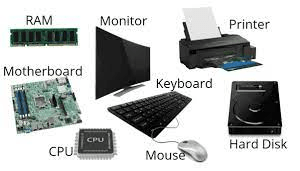
- Hardware: Learn about computer hardware components, including the CPU, memory, storage, and input/output devices. Knowing how these components work together can help you make informed decisions when buying or upgrading a computer.