
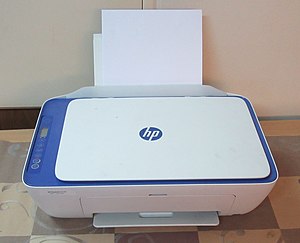
White paper on Fundamental Printers And Scanners
COURTESY :- vrindawan.in
Wikipedia
In computing, a printer is a peripheral machine which makes a persistent representation of graphics or text, usually on paper. While most output is human-readable, bar code printers are an example of an expanded use for printers. Different types of printers include 3D printers, inkjet printers, laser printers, and thermal printers.

The first computer printer designed was a mechanically driven apparatus by Charles Babbage for his difference engine in the 19th century; however, his mechanical printer design was not built until 2000.
The first patented printing mechanism for applying a marking medium to a recording medium or more particularly an electrostatic inking apparatus and a method for electro statically depositing ink on controlled areas of a receiving medium, was in 1962 by C. R. Winston, Teletype Corporation, using continuous inkjet printing. The ink was a red stamp-pad ink manufactured by Phillips Process Company of Rochester, NY under the name Clear Print. This patent (US3060429) led to the Teletype Inktronic Printer product delivered to customers in late 1966.
The first compact, lightweight digital printer was the EP-101, invented by Japanese company Epson and released in 1968, according to Epson.
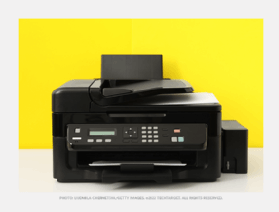
The first commercial printers generally used mechanisms from electric typewriters and Teletype machines. The demand for higher speed led to the development of new systems specifically for computer use. In the 1980s there were daisy wheel systems similar to typewriters, line printers that produced similar output but at much higher speed, and dot-matrix systems that could mix text and graphics but produced relatively low-quality output. The plotter was used for those requiring high-quality line art like blueprints.
The introduction of the low-cost laser printer in 1984, with the first HP Laser Jet, and the addition of Post Script in next year’s Apple Laser Writer set off a revolution in printing known as desktop publishing. Laser printers using PostScript mixed text and graphics, like dot-matrix printers, but at quality levels formerly available only from commercial type setting systems. By 1990, most simple printing tasks like fliers and brochures were now created on personal computers and then laser printed; expensive offset printing systems were being dumped as scrap. The HP Deskjet of 1988 offered the same advantages as a laser printer in terms of flexibility, but produced somewhat lower-quality output (depending on the paper) from much less-expensive mechanisms. Inkjet systems rapidly displaced dot-matrix and daisy-wheel printers from the market. By the 2000s, high-quality printers of this sort had fallen under the $100 price point and became commonplace.
The rapid improvement of internet email through the 1990s and into the 2000s has largely displaced the need for printing as a means of moving documents, and a wide variety of reliable storage systems means that a “physical backup” is of little benefit today.
Starting around 2010, 3D printing became an area of intense interest, allowing the creation of physical objects with the same sort of effort as an early laser printer required to produce a brochure. As of the 2020s, 3D printing has become a widespread hobby due to the abundance of cheap 3D printer kits, with the most common process being Fused deposition modeling.
Personal printers are primarily designed to support individual users, and may be connected to only a single computer. These printers are designed for low-volume, short-turnaround print jobs, requiring minimal setup time to produce a hard copy of a given document. However, they are generally slow devices ranging from 6 to around 25 pages per minute (ppm), and the cost per page is relatively high. However, this is offset by the on-demand convenience. Some printers can print documents stored on memory cards or from digital cameras and scanners.
Networked or shared printers are “designed for high-volume, high-speed printing”. They are usually shared by many users on a network and can print at speeds of 45 to around 100 ppm. The Xerox 9700 could achieve 120 ppm.
A virtual printer is a piece of computer software whose user interface and API resembles that of a printer driver, but which is not connected with a physical computer printer. A virtual printer can be used to create a file which is an image of the data which would be printed, for archival purposes or as input to another program, for example to create a PDF or to transmit to another system or user.
A bar code printer is a computer peripheral for printing bar code labels or tags that can be attached to, or printed directly on, physical objects. Bar code printers are commonly used to label cartons before shipment, or to label retail items with UPCs or EANs.
A 3D printer is a device for making a three-dimensional object from a 3D model or other electronic data source through additive processes in which successive layers of material (including plastics, metals, food, cement, wood, and other materials) are laid down under computer control. It is called a printer by analogy with an inkjet printer which produces a two-dimensional document by a similar process of depositing a layer of ink on paper.
An image scanner—often abbreviated to just scanner—is a device that optically scans images, printed text, handwriting or an object and converts it to a digital image. Commonly used in offices are variations of the desktop flatbed scanner where the document is placed on a glass window for scanning. Hand-held scanners, where the device is moved by hand, have evolved from text scanning “wands” to 3D scanners used for industrial design, reverse engineering, test and measurement, orthotics, gaming and other applications. Mechanically driven scanners that move the document are typically used for large-format documents, where a flatbed design would be impractical.

Modern scanners typically use a charge-coupled device (CCD) or a contact image sensor (CIS) as the image sensor, whereas drum scanners, developed earlier and still used for the highest possible image quality, use a photo multiplier tube (PMT) as the image sensor. A rotary scanner, used for high-speed document scanning, is a type of drum scanner that uses a CCD array instead of a photo multiplier. Non-contact planetary scanners essentially photograph delicate books and documents. All these scanners produce two-dimensional images of subjects that are usually flat, but sometimes solid; 3D scanners produce information on the three-dimensional structure of solid objects.
Digital cameras can be used for the same purposes as dedicated scanners. When compared to a true scanner, a camera image is subject to a degree of distortion, reflections, shadows, low contrast, and blur due to camera shake (reduced in cameras with image stabilization). Resolution is sufficient for less demanding applications. Digital cameras offer advantages of speed, portability and non-contact digitizing of thick documents without damaging the book spine. In 2010 scanning technologies were combining 3D scanners with digital cameras to create full-color, photo-realistic 3D models of objects.

Scans are usually downloaded by a computer the unit is attached to. Some scanners are able to store scans on standalone flash media (e.g. memory cards and USB sticks).
In the biomedical research area, detection devices for DNA micro arrays are called scanners as well. These scanners are high-resolution systems (up to 1 µm/ pixel), similar to microscopes. The detection is done via CCD or a photo multiplier tubes.
Modern scanners are considered the successors of early telephotography and fax input devices.
The pantele graph (Italian: pantele grafo; French: pantélé graphe) was an early form of facsimile machine transmitting over normal telegraph lines developed by Giovanni Caselli, used commercially in the 1860s, that was the first such device to enter practical service. It used electromagnets to drive and synchronize movement of pendulums at the source and the distant location, to scan and reproduce images. It could transmit handwriting, signatures, or drawings within an area of up to 150 × 100 mm.
Édouard Belin’s Belino graph of 1913, scanned using a photocell and transmitted over ordinary phone lines, formed the basis for the AT&T Wire photo service. In Europe, services similar to a wire photo were called a Belino. It was used by news agencies from the 1920s to the mid-1990s, and consisted of a rotating drum with a single photo detector at a standard speed of 60 or 120 rpm (later models up to 240 rpm). They send a linear analog AM signal through standard telephone voice lines to receptors, which synchronously print the proportional intensity on special paper. Color photos were sent as three separated RGB filtered images consecutively, but only for special events due to transmission costs.
Drum scanners capture image information with photo multiplier tubes (PMT), rather than the charge-coupled device (CCD) arrays found in flatbed scanners and inexpensive film scanners. “Reflective and trans missive originals are mounted on an acrylic cylinder, the scanner drum, which rotates at high speed while it passes the object being scanned in front of precision optics that deliver image information to the PMTs. Modern color drum scanners use three matched PMTs, which read red, blue, and green light, respectively. Light from the original artwork is split into separate red, blue, and green beams in the optical bench of the scanner with dichroic filters.” Photo multipliers offer superior dynamic range and for this reason drum scanners can extract more detail from very dark shadow areas of a transparency than flatbed scanners using CCD sensors. The smaller dynamic range of the CCD sensors, versus photomultiplier tubes, can lead to loss of shadow detail, especially when scanning very dense transparency film. While mechanics vary by manufacturer, most drum scanners pass light from halogen lamps though a focusing system to illuminate both reflective and transmissive originals.
The drum scanner gets its name from the clear acrylic cylinder, the drum, on which the original artwork is mounted for scanning. Depending on size, it is possible to mount originals up to 20 by 28 inches (510 mm × 710 mm), but maximum size varies by manufacturer. “One of the unique features of drum scanners is the ability to control sample area and aperture size independently. The sample size is the area that the scanner encoder reads to create an individual pixel. The aperture is the actual opening that allows light into the optical bench of the scanner. The ability to control aperture and sample size separately are particularly useful for smoothing film grain when scanning black-and-white and color negative originals.
While drum scanners are capable of scanning both reflective and trans missive artwork, a good-quality flatbed scanner can produce good scans from reflective artwork. As a result, drum scanners are rarely used to scan prints now that high-quality, inexpensive flatbed scanners are readily available. Film, however, is where drum scanners continue to be the tool of choice for high-end applications. Because film can be wet-mounted to the scanner drum, which enhances sharpness and masks dust and scratches, and because of the exceptional sensitivity of the PMTs, drum scanners are capable of capturing very subtle details in film originals.
The situation as of 2014 was that only a few companies continued to manufacture and service drum scanners. While prices of both new and used units dropped from the start of the 21st century, they were still much more costly than CCD flatbed and film scanners. Image quality produced by flatbed scanners had improved to the degree that the best ones were suitable for many graphic-arts operations, and they replaced drum scanners in many cases as they were less expensive and faster. However, drum scanners with their superior resolution (up to 24,000 PPI), color gradation, and value structure continued to be used for scanning images to be enlarged, and for museum-quality archiving of photographs and print production of high-quality books and magazine advertisements. As second-hand drum scanners became more plentiful and less costly, many fine-art photographers acquired them.
This type of scanner is sometimes called a reflective scanner because it works by shining white light onto the object to be scanned and reading the intensity and color of light that is reflected from it, usually a line at a time. They are designed for scanning prints or other flat, opaque materials but some have available transparency adapters, which for a number of reasons, in most cases, are not very well suited to scanning film.
“A flatbed scanner is usually composed of a glass pane (or platen), under which there is a bright light (often xenon, LED or cold cathode fluorescent) which illuminates the pane, and a moving optical array in CCD scanning. CCD-type scanners typically contain three rows (arrays) of sensors with red, green, and blue filters.”
Contact image sensor (CIS) scanning consists of a moving set of red, green and blue LEDs strobed for illumination and a connected monochromatic photo diode array under a rod lens array for light collection. “Images to be scanned are placed face down on the glass, an opaque cover is lowered over it to exclude ambient light, and the sensor array and light source move across the pane, reading the entire area. An image is therefore visible to the detector only because of the light it reflects. Transparent images do not work in this way, and require special accessories that illuminate them from the upper side. Many scanners offer this as an option.”
This type of scanner is sometimes called a slide or transparency scanner and it works by passing a narrowly focused beam of light through the film and reading the intensity and color of the light that emerges. “Usually, uncut film strips of up to six frames, or four mounted slides, are inserted in a carrier, which is moved by a stepper motor across a lens and CCD sensor inside the scanner. Some models are mainly used for same-size scans. Film scanners vary a great deal in price and quality.” The lowest-cost dedicated film scanners can be had for less than $50 and they might be sufficient for modest needs. From there they inch up in staggered levels of quality and advanced features upward of five figures. “The specifics vary by brand and model and the end results are greatly determined by the level of sophistication of the scanner’s optical system and, equally important, the sophistication of the scanning software.
Scanners are available that pull a flat sheet over the scanning element between rotating rollers. They can only handle single sheets up to a specified width (typically about 210 mm, the width of many printed letters and documents), but can be very compact, just requiring a pair of narrow rollers between which the document is passed. Some are portable, powered by batteries and with their own storage, eventually transferring stored scans to a computer over a USB or other interface.
Hand-held document scanners are manual devices that are dragged across the surface of the image to be scanned by hand. Scanning documents in this manner requires a steady hand, as an uneven scanning rate produces distorted images; an indicator light on the scanner indicates if motion is too fast. They typically have a “start” button, which is held by the user for the duration of the scan; some switches to set the optical resolution; and a roller, which generates a clock pulse for synchronization with the computer. Older hand scanners were monochrome, and produced light from an array of green LEDs to illuminate the image”; later ones scan in monochrome or color, as desired. A hand scanner may have a small window through which the document being scanned could be viewed. In the early 1990s many hand scanners had a proprietary interface module specific to a particular type of computer, such as an Atari ST or Commodore Amiga. Since the introduction of the USB standard, it is the interface most commonly used. As hand scanners are much narrower than most normal document or book sizes, software (or the end user) needed to combine several narrow “strips” of scanned document to produce the finished article.