
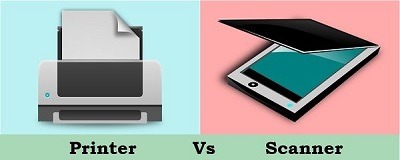
Fundamentals of Printers and Scanners
Printers and scanners are essential peripherals in both home and office settings, enabling the creation of physical documents and the conversion of physical documents into digital formats. Here are the fundamentals of printers and scanners:
Printers:
1. Types of Printers:
- Inkjet Printers: These printers spray tiny droplets of ink onto paper to create images and text. They are popular for color printing and home use.
- Laser Printers: Laser printers use toner and a laser beam to create high-quality text and graphics. They are often faster and more cost-effective for high-volume printing.
- Dot Matrix Printers: Less common today, dot matrix printers use a matrix of pins to create characters by striking an ink ribbon. They are used for forms and multipart documents.
- All-in-One Printers (Multifunction Printers): These devices combine printing, scanning, copying, and sometimes faxing capabilities into a single unit.
- 3D Printers: 3D printers create three-dimensional objects by layering material (often plastic) in a specific pattern. They are used in industries like manufacturing and healthcare.
2. Resolution:
- Printers have a resolution measured in dots per inch (DPI) or pixels per inch (PPI). Higher resolution results in sharper and more detailed prints.
3. Connectivity:
- Printers can connect to computers and networks through USB, Wi-Fi, Ethernet, Bluetooth, or cloud-based services.
4. Paper Handling:
- Printers can handle various paper sizes and types, including standard letter-size paper, envelopes, and specialty papers. Some printers have multiple paper trays for different sizes or types.
5. Color Printing:
- Color printers use a combination of cyan, magenta, yellow, and black (CMYK) inks or toners to produce a wide range of colors.
6. Print Speed:
- Print speed is measured in pages per minute (PPM) and varies among printer types. Laser printers are generally faster than inkjet printers.
7. Duplex Printing:
- Duplex printing allows automatic double-sided printing, saving on paper costs.
Scanners:
1. Types of Scanners:
- Flatbed Scanners: These are the most common type, with a flat, glass surface for placing documents or photos. They are versatile and can scan various media sizes.
- Sheet-fed Scanners: These scanners are designed to process multiple pages quickly and are often used for document scanning.
- Handheld Scanners: Portable and compact, handheld scanners are used for scanning documents or objects while on the go.
- Drum Scanners: Less common and mostly used for high-resolution scanning of images and artwork.
2. Resolution:
- Scanner resolution is measured in DPI or PPI, similar to printers. Higher resolution produces more detailed scans.
3. Color Depth:
- Color depth determines the range of colors a scanner can capture. Common color depths are 24-bit (millions of colors) and 48-bit (billions of colors).
4. Scan Speed:
- The speed at which a scanner can scan documents or images varies, with sheet-fed scanners generally being faster than flatbed scanners.
5. Document Feeding:
- Sheet-fed scanners can handle multiple pages at once using automatic document feeders (ADFs), while flatbed scanners require manual placement of each item.
6. Optical Character Recognition (OCR):
- OCR software converts scanned text into editable and searchable digital text, making scanned documents more useful.
7. Connectivity:
- Scanners connect to computers via USB, Wi-Fi, or network connections, and some can send scans directly to email or cloud storage.
8. Specialized Scanners:
- Some scanners are designed for specific tasks, such as film scanners for slides and negatives or 3D scanners for capturing three-dimensional objects.
Printers and scanners have evolved significantly over the years, offering a wide range of features and capabilities to meet diverse printing and scanning needs. Understanding these fundamentals helps users select the right devices for their specific requirements.
What is required Fundamentals of Printers and Scanners
To understand the fundamentals of printers and scanners, you should familiarize yourself with the following key concepts and information:
Printers:
- Types of Printers: Know the different types of printers available, including inkjet, laser, dot matrix, all-in-one (multifunction), and 3D printers. Understand their primary uses and advantages.
- Resolution: Learn about printer resolution, measured in dots per inch (DPI) or pixels per inch (PPI), and how it impacts print quality. Higher resolution results in sharper and more detailed prints.
- Connectivity: Understand the various ways printers can connect to computers and networks, including USB, Wi-Fi, Ethernet, Bluetooth, and cloud-based services.
- Paper Handling: Know the types and sizes of paper that printers can handle, as well as features like multiple paper trays and duplex (double-sided) printing.
- Color Printing: Learn how color printers use cyan, magenta, yellow, and black (CMYK) inks or toners to produce a wide range of colors.
- Print Speed: Understand how print speed is measured in pages per minute (PPM) and how it varies among printer types. Recognize that laser printers are generally faster than inkjet printers.
- Duplex Printing: Be aware of the option for automatic double-sided printing, which can save on paper costs.
Scanners:
- Types of Scanners: Familiarize yourself with the various types of scanners, such as flatbed scanners, sheet-fed scanners, handheld scanners, and drum scanners. Understand their specific use cases.
- Resolution: Learn about scanner resolution, typically measured in DPI or PPI, and how it affects the quality and detail of scanned images.
- Color Depth: Understand the concept of color depth and its impact on the range of colors a scanner can capture. Common color depths are 24-bit (millions of colors) and 48-bit (billions of colors).
- Scan Speed: Know that different scanners have varying scanning speeds, with sheet-fed scanners generally being faster than flatbed scanners.
- Document Feeding: Understand how document feeding works, especially with sheet-fed scanners, which can handle multiple pages at once using automatic document feeders (ADFs).
- Optical Character Recognition (OCR): Recognize the importance of OCR software, which can convert scanned text into editable and searchable digital text.
- Connectivity: Be aware of the connectivity options for scanners, including USB, Wi-Fi, network connections, and the ability to send scans to email or cloud storage.
- Specialized Scanners: Know that some scanners are designed for specific tasks, such as film scanners for slides and negatives or 3D scanners for capturing three-dimensional objects.
Understanding these fundamentals will help you make informed decisions when selecting, using, or troubleshooting printers and scanners for your personal or professional needs.
Who is Required Fundamentals of Printers and Scanners
Various individuals and professionals benefit from understanding the fundamentals of printers and scanners, as these devices are widely used in both personal and business settings. Here are some categories of individuals who may require knowledge of printers and scanners:
- Home Users: Everyday individuals who use printers and scanners for personal tasks like printing documents, family photos, or scanning important documents for digital storage.
- Students: Students often need printers for printing assignments and papers, and they may use scanners to digitize library resources or create digital study materials.
- Teachers and Educators: Educators use printers for creating lesson materials, handouts, and exams, while scanners can be used for grading and digitizing educational resources.
- Office Workers: Professionals in various industries rely on printers for generating reports, memos, and presentations. Scanners are used for digitizing documents, such as contracts, invoices, and receipts.
- Small Business Owners: Small business owners often require printers for creating marketing materials, invoices, and customer receipts. Scanners can help digitize important business documents for record-keeping.
- Graphic Designers and Artists: Creative professionals use high-quality printers for producing artwork, posters, and other graphic materials. Scanners are essential for digitizing hand-drawn or painted artwork.
- Photographers: Photographers use high-resolution scanners to digitize film negatives, slides, and prints. They may also require specialized photo printers for producing high-quality prints.
- Archivists and Librarians: Professionals in these fields use scanners to digitize historical documents, rare books, and archival materials for preservation and access.
- Lawyers and Legal Professionals: Legal professionals often use scanners to digitize legal documents and evidence for case management. Printers are used for generating legal contracts and correspondence.
- Medical Professionals: Healthcare providers may use scanners to digitize patient records and lab results. Medical imaging professionals rely on specialized printers for producing medical images, like X-rays and MRIs.
- IT and Tech Support: IT professionals are responsible for setting up and maintaining printers and scanners in office environments, ensuring they function correctly for all users.
- Photography and Imaging Technicians: Professionals in imaging labs or photography studios use scanners and high-quality photo printers to produce and digitize images.
- Print Shop Staff: Employees in print shops operate large-format printers, scanners, and copiers for commercial printing jobs.
- Manufacturing and Engineering: Engineers and manufacturing professionals use specialized 3D printers and 3D scanners for prototyping and product development.
- Library and Museum Curators: Curators may use high-resolution scanners for digitizing rare manuscripts, artworks, and artifacts for preservation and public access.
- Government and Public Sector Workers: Government agencies use printers and scanners for a wide range of tasks, from printing official documents to scanning public records.
When is required Fundamentals of Printers and Scanners
The knowledge of the fundamentals of printers and scanners is required in various situations and scenarios. Here are some common instances when this knowledge becomes necessary:
- Setting up a New Device: When you purchase a new printer or scanner for personal or business use, understanding the fundamentals is essential to set up and configure the device correctly.
- Routine Maintenance: Knowledge of basic printer and scanner maintenance, such as changing ink or toner cartridges, cleaning scanner glass, and clearing paper jams, is needed for keeping these devices in good working condition.
- Troubleshooting Issues: When printers or scanners encounter problems, having a grasp of their fundamentals can help diagnose and resolve issues efficiently. This includes identifying error messages, connectivity problems, and hardware malfunctions.
- Optimizing Performance: Understanding how to adjust printer settings for print quality, paper type, and print speed can lead to better performance and cost savings.
- Selecting the Right Device: When purchasing a new printer or scanner, knowing the fundamentals helps you make an informed choice based on your specific needs, such as printing volume, document types, and quality requirements.
- Using Special Features: Many printers and scanners come with advanced features, such as wireless printing, mobile printing apps, or duplex scanning. Knowing how to utilize these features can enhance productivity.
- Digital Archiving: Scanners are often used to digitize important documents and records for digital archiving. Understanding how to scan, save, and organize digital files is crucial in these situations.
- Business and Office Operations: In an office setting, employees need printer and scanner knowledge to handle document printing, copying, scanning, and faxing tasks efficiently.
- Graphic Design and Creative Work: Professionals in graphic design and creative fields require printer knowledge for producing high-quality prints of artwork, graphics, and photographs.
- Education and Training: Teachers, trainers, and educational institutions may require printer and scanner knowledge to create educational materials, scan assignments, and manage documents.
- Legal and Healthcare Compliance: Professionals in legal and healthcare fields must understand how to scan, store, and manage sensitive documents in compliance with industry regulations.
- Retail and Customer Service: Retail staff may need to operate receipt printers and scanners at point-of-sale (POS) terminals, ensuring smooth transactions.
- Document Management: Individuals and organizations often need to scan, store, and retrieve digital copies of documents, requiring knowledge of scanning and document management processes.
- Specialized Tasks: Some industries, like manufacturing, engineering, and medical imaging, rely on specialized 3D printers and scanners for specific tasks, and operators need in-depth knowledge of these technologies.
- Photography and Art: Photographers and artists may use high-quality scanners and printers for reproducing and digitizing their work.
- Archiving and Preservation: Professionals responsible for preserving historical documents, artworks, and artifacts may require advanced scanning knowledge for archival purposes.
In summary, the need for knowledge about printers and scanners arises in a wide range of situations, from basic everyday use to specialized applications in various professions and industries. Understanding the fundamentals ensures efficient operation, troubleshooting, and optimal utilization of these devices.
Where is required Fundamental Printer and Scanners
The knowledge of fundamental printers and scanners is required in various locations and settings where these devices are used. Here are some common places and environments where this knowledge is necessary:
- Homes: Individuals and families use printers and scanners for personal tasks, such as printing documents, photos, and school assignments, as well as scanning important documents and photographs.
- Offices: Printers and scanners are essential in office settings for tasks like printing reports, memos, and presentations, as well as scanning contracts, invoices, and other business documents.
- Schools and Educational Institutions: Educational institutions, including schools, colleges, and universities, rely on printers for printing educational materials, and scanners for digitizing resources and student work.
- Libraries and Archives: Libraries and archival institutions use scanners to digitize rare books, manuscripts, and historical documents for preservation and accessibility.
- Retail Stores: Retail establishments often have receipt printers and barcode scanners at point-of-sale (POS) terminals to facilitate transactions.
- Graphic Design Studios: Graphic designers and creative agencies use high-quality printers for producing artwork and marketing materials and scanners for digitizing hand-drawn or painted artwork.
- Photography Studios: Photographers and photography studios use scanners for digitizing film negatives, slides, and prints, as well as high-quality photo printers for producing photographic prints.
- Legal Firms: Law firms use scanners to digitize legal documents, contracts, and evidence for case management and legal proceedings.
- Medical Facilities: Healthcare providers use scanners for digitizing patient records, lab results, and medical images, and may have specialized medical printers for producing images like X-rays.
- Manufacturing and Engineering: Manufacturing companies and engineering firms employ specialized 3D printers and 3D scanners for prototyping, product development, and quality control.
- Government Offices: Government agencies use printers and scanners for a wide range of tasks, from printing official documents to scanning public records for archiving.
- Art Galleries and Museums: Cultural institutions use scanners for digitizing artwork, artifacts, and historical items for preservation, research, and public access.
- IT Departments: IT professionals in various organizations are responsible for setting up and maintaining printers and scanners, ensuring their proper functioning.
- Document Management Companies: Businesses specializing in document management services use scanners for bulk digitization of documents and archival purposes.
- Photocopy and Print Shops: Print shops offer services like photocopying, large-format printing, and document scanning for customers’ printing and scanning needs.
- Archaeological Sites: Archaeologists may use scanners to create digital records of artifacts and excavation sites.
- Entertainment and Events: Event management companies and entertainment venues use ticket printers and barcode scanners for ticketing and access control.
- Aerospace and Automotive Industry: These industries use 3D scanners for reverse engineering and quality control.
- Environmental and Scientific Research: Researchers in various fields use scanners for digitizing data from instruments and research materials.
- Shipping and Logistics: Shipping companies use barcode scanners for tracking and managing packages and inventory.
In essence, the knowledge of fundamental printers and scanners is required wherever there is a need for document creation, information sharing, record-keeping, or digitization of physical documents and objects across a wide range of sectors and locations.
How is required Fundamental of Printers and Scanners
The knowledge of fundamental printers and scanners is required to effectively use, maintain, troubleshoot, and make informed decisions about these devices. Here’s how this knowledge is necessary:
- Proper Device Usage:
- Printing: Understanding how to send print jobs, choose print settings (e.g., paper size, quality), and load paper or ink/toner cartridges ensures accurate and efficient printing.
- Scanning: Knowledge of scanning settings, document placement, and scanning software helps in obtaining clear and accurate scans.
- Device Setup:
- Installation: Installing printers and scanners correctly, including software drivers, network configuration, and connectivity options, is crucial to their functionality.
- Maintenance:
- Ink/Toner Replacement: Knowing when and how to replace ink or toner cartridges ensures continuous printing without disruptions.
- Cleaning: Regular cleaning of scanner glass, printer heads, and rollers prevents issues like streaks or poor scan quality.
- Troubleshooting: Understanding common issues (e.g., paper jams, connectivity problems) and how to troubleshoot them saves time and frustration.
- Optimizing Performance:
- Adjusting printer settings for optimal print quality, speed, and cost savings based on specific needs.
- Calibrating scanners to capture the best possible image quality for documents, photos, or artwork.
- Document Handling:
- Handling paper and documents correctly to prevent jams and ensure accurate scanning or printing.
- Knowing how to load different types and sizes of paper into the printer.
- Security:
- Understanding security features and settings to protect confidential documents, especially in office and business environments.
- Choosing the Right Device:
- When purchasing a printer or scanner, knowledge of the different types, features, and specifications helps in selecting the most suitable device for specific requirements and budgets.
- Resource Management:
- Managing consumables like ink, toner, and paper efficiently to reduce costs and environmental impact.
- Software Operation:
- Using scanning and printing software effectively to control scanning options, document format, image resolution, and print layout.
- Advanced Features:
- Utilizing advanced features such as wireless printing, mobile printing apps, duplex printing, color management, and cloud-based printing or scanning.
- Document Digitization:
- Understanding the process of scanning and digitizing physical documents for digital storage, retrieval, and archiving.
- Integration:
- Integrating printers and scanners with other hardware and software solutions, such as networked printers or document management systems, requires knowledge of device compatibility and configuration.
- Industry-Specific Knowledge:
- In some professions and industries (e.g., healthcare, legal, graphic design), specialized knowledge of printers and scanners is essential due to unique requirements and regulations.
- Troubleshooting and Support:
- Diagnosing and resolving issues with printers and scanners, or communicating effectively with technical support when problems arise.
- Compliance and Regulations:
- In certain industries, adhering to compliance regulations related to document handling and storage is critical, and understanding how printers and scanners fit into these requirements is necessary.
- Cost Management:
- Managing the total cost of ownership (TCO) of printers and scanners by considering factors like initial purchase, consumables, maintenance, and energy usage.
In summary, the knowledge of fundamental printers and scanners is required to operate these devices effectively, maintain their functionality, optimize performance, and make informed decisions related to their usage and management. Whether in a personal, educational, or professional context, this knowledge enhances productivity and minimizes issues associated with these essential peripherals.
Case study on Fundamentals of Printers and Scanners
Case Study: Optimizing Office Print and Scan Operations
Background: XYZ Corporation is a medium-sized company with multiple office locations. They have been experiencing challenges with their printing and scanning operations. Printers frequently jammed, leading to productivity losses, and scanning processes were often slow and error-prone. To address these issues, the company decided to improve their understanding of the fundamentals of printers and scanners and implement best practices.
Phase 1: Assessment (1 Month)
- XYZ Corporation conducted a comprehensive assessment of their existing printer and scanner fleet. They documented the types, models, and conditions of all devices.
Phase 2: Training and Knowledge Enhancement (2 Months)
- Employees in each office received training on the fundamentals of printers and scanners. This included understanding different printer types (laser, inkjet, multifunction) and scanner types (flatbed, sheet-fed), as well as common troubleshooting techniques.
- Employees were educated about proper document handling, loading paper, and changing ink or toner cartridges.
Phase 3: Standardization and Maintenance (3 Months)
- The company standardized printer and scanner models across all offices to simplify maintenance and reduce the variety of consumables needed.
- A regular maintenance schedule was implemented, including cleaning printer heads, replacing worn-out parts, and ensuring scanner glass was kept clean.
Phase 4: Process Optimization (4 Months)
- Printing policies were revised to encourage double-sided (duplex) printing for internal documents to save paper.
- Scanning processes were streamlined by creating standardized scan profiles with appropriate resolution settings for different document types.
Phase 5: Monitoring and Support (Ongoing)
- XYZ Corporation established a system to monitor printer and scanner performance, track usage, and detect issues proactively.
- A dedicated IT support team was trained to handle printer and scanner-related problems and provide quick solutions to employees.
Outcome:
The implementation of these fundamental changes led to significant improvements in XYZ Corporation’s print and scan operations:
- Reduced Downtime: Printer jams became less frequent due to proper document handling and regular maintenance, leading to increased employee productivity.
- Cost Savings: Standardization of printer models and duplex printing policies resulted in reduced consumable costs, such as ink and paper.
- Faster Scanning: Document scanning became more efficient and error-free, resulting in quicker access to digital documents.
- Employee Empowerment: Employees felt more confident in using printers and scanners, leading to reduced reliance on IT support for basic issues.
- Environmental Impact: Duplex printing and paper-saving measures contributed to a reduced environmental footprint.
- Streamlined Operations: Standardized processes and equipment simplified management and support across all office locations.
In conclusion, understanding the fundamentals of printers and scanners and implementing best practices can lead to significant improvements in office operations, cost savings, and employee satisfaction. XYZ Corporation’s case study highlights the benefits of investing in printer and scanner knowledge and optimizing their use in a corporate environment.
White paper on Fundamentals of Printers and Scanners
White Paper on the Fundamentals of Printers and Scanners
Executive Summary
Printers and scanners are ubiquitous office peripherals that play a vital role in today’s digital age. They are essential tools for creating, reproducing, and digitizing documents and images. Understanding the fundamentals of printers and scanners is crucial for individuals and organizations to optimize their use, improve efficiency, and reduce costs. This white paper delves into the core concepts, types, technologies, and best practices associated with printers and scanners.
Table of Contents
- Introduction
- The Importance of Printers and Scanners
- Objectives of the White Paper
- Printers: Fundamentals and Types
- Basics of Printing
- Types of Printers
- Inkjet Printers
- Laser Printers
- Dot Matrix Printers
- All-in-One (Multifunction) Printers
- 3D Printers
- Resolution and Print Quality
- Connectivity and Network Printing
- Scanners: Fundamentals and Types
- Scanning Process
- Types of Scanners
- Flatbed Scanners
- Sheet-fed Scanners
- Handheld Scanners
- Drum Scanners
- Resolution and Scan Quality
- Scanning Software and Techniques
- Key Considerations for Selecting Printers and Scanners
- Identifying User Needs
- Budget and Total Cost of Ownership
- Printing Volume and Speed
- Paper Handling and Size
- Color Printing and Imaging
- Duplex Printing and Scanning
- Connectivity Options
- Printer and Scanner Maintenance
- Regular Maintenance Practices
- Troubleshooting Common Issues
- Cleaning and Calibration
- Optimizing Printer and Scanner Usage
- Printing Best Practices
- Scanning Best Practices
- Reducing Environmental Impact
- Security and Privacy Concerns
- Data Security for Scanners and Printers
- Protecting Confidential Information
- Advanced Features and Emerging Technologies
- Mobile Printing and Scanning
- Cloud Printing and Scanning
- 3D Printing Innovations
- Artificial Intelligence in Printing and Scanning
- Industry-Specific Applications
- Healthcare and Medical Imaging
- Legal and Document Management
- Graphic Design and Creative Industries
- Education and Research
- The Future of Printers and Scanners
- Trends in Printing Technology
- Scanners in the Digital Transformation Era
- Environmental Sustainability
- Conclusion
- The Ongoing Relevance of Printers and Scanners
- Empowering Users with Fundamental Knowledge
1. Introduction
The Importance of Printers and Scanners
Printers and scanners have become indispensable tools in modern life. They facilitate the creation of physical and digital documents, support various industries, and enable efficient communication. Understanding their fundamentals empowers individuals and organizations to make informed decisions, troubleshoot issues, and harness the full potential of these devices.
Objectives of the White Paper
This white paper aims to provide a comprehensive overview of the fundamentals of printers and scanners. It covers essential topics such as printer types, scanning processes, maintenance, best practices, and emerging technologies. By the end, readers will have a deeper understanding of these peripherals and their applications, enabling them to optimize their use in various contexts.
2. Printers: Fundamentals and Types
Basics of Printing
Printing involves the reproduction of text or images on physical media, such as paper, using various technologies. Understanding the core principles of printing, including resolution and connectivity, is essential for achieving desired print quality and efficiency.
Types of Printers
This section explores different printer types, from inkjet and laser printers suitable for general use to specialized devices like 3D printers. It explains their working principles, advantages, and typical applications.
3. Scanners: Fundamentals and Types
Scanning Process
Scanners digitize physical documents and images, converting them into digital files. This section details the scanning process, including the role of sensors, light sources, and scanning software in capturing high-quality scans.
Types of Scanners
Explore various scanner types, including flatbed, sheet-fed, handheld, and drum scanners, each designed for specific purposes. Understand how to choose the right scanner for digitization needs.
4. Key Considerations for Selecting Printers and Scanners
To make informed choices when purchasing printers and scanners, individuals and organizations must consider factors such as user requirements, budget, printing volume, paper handling, and connectivity options. This section provides guidance on making the right decisions.
5. Printer and Scanner Maintenance
Regular maintenance is essential for ensuring the longevity and reliability of printers and scanners. Learn about common maintenance practices and troubleshooting techniques to address issues promptly.
6. Optimizing Printer and Scanner Usage
Efficient usage of printers and scanners involves adopting best practices that enhance productivity and reduce operational costs. Discover tips for optimizing printing and scanning processes while minimizing environmental impact.
7. Security and Privacy Concerns
Printers and scanners can be vulnerable to security breaches, potentially exposing sensitive information. This section discusses security measures and privacy considerations for these devices.
8. Advanced Features and Emerging Technologies
Explore advanced features like mobile printing and scanning, cloud integration, 3D printing innovations, and the role of artificial intelligence in enhancing the capabilities of printers and scanners.
9. Industry-Specific Applications
Discover how printers and scanners are applied in various industries, including healthcare, legal, graphic design, and education, with a focus on specialized requirements and use cases.
10. The Future of Printers and Scanners
Gain insights into the evolving landscape of printers and scanners, including emerging trends, environmental sustainability, and their roles in the digital transformation era.
11. Conclusion
Reflect on the enduring importance of printers and scanners in our digitally connected world. Emphasize the empowerment of users through fundamental knowledge, enabling them to leverage these devices effectively.
This white paper serves as a comprehensive resource for anyone seeking to deepen their understanding of the fundamentals of printers and scanners. Whether in a personal, educational, or professional context, this knowledge empowers individuals and organizations to harness the potential of these essential tools effectively and efficiently.