
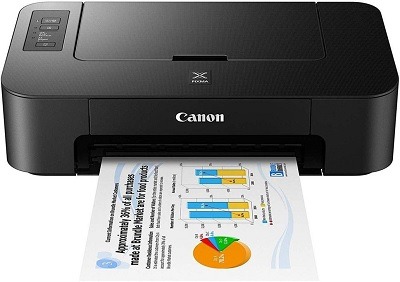
Fundamental printers and scanners
Printers and scanners are fundamental peripherals in the field of document management and are widely used in various settings, including homes, offices, and educational institutions. Here is an overview of printers and scanners:
Printers: Printers are devices that produce hard copies of digital documents or images on various types of media, such as paper, labels, or transparencies. They come in different types, including inkjet printers, laser printers, and all-in-one printers. Key features and components of printers include:
- Printing Technology:
- Inkjet Printers: Use small nozzles to spray ink onto the paper, producing high-resolution color or black-and-white prints.
- Laser Printers: Utilize a laser beam to create an electrostatic image on a drum, which attracts and fuses toner onto the paper to create prints.
- Print Quality:
- Resolution: Measured in dots per inch (DPI), higher resolutions result in sharper and more detailed prints.
- Color Capability: Some printers support color printing, allowing the reproduction of vibrant and accurate colors.
- Connectivity Options:
- Wired: Printers can connect directly to a computer or network via USB, Ethernet, or other wired connections.
- Wireless: Many printers offer wireless connectivity, allowing printing from mobile devices, laptops, or over a Wi-F i network.
- Paper Handling:
- Input Trays: Hold the paper or media to be printed.
- Output Trays: Collect the printed documents.
- Automatic Document Feeder (AD F): Enables automated scanning or copying of multiple-page documents.
Scanners: Scanners are devices that convert physical documents or images into digital formats. They capture and digitize the content, allowing it to be stored, edited, or shared electronically. Key features and components of scanners include:
- Scanning Technology:
- Flatbed Scanners: Have a glass bed where documents or images are placed for scanning. They provide high-quality scans and can handle various sizes and thicknesses of materials.
- Sheet fed Scanners: Automatically feed and scan multiple pages in rapid succession. They are commonly used for high-volume scanning.
- Scanning Resolution:
- Optical Resolution: Measured in dots per inch (DPI), it determines the level of detail captured during scanning. Higher resolutions offer more precise and detailed scans.
- Color Capability:
- Color Scanners: Capture documents or images in full color, reproducing accurate color information.
- Black-and-White Scanners: Scan in gray scale or black-and-white, suitable for text-based documents or simple line art.
- Connectivity Options:
- USB: Scanners typically connect to a computer or device via a USB cable.
- Network: Some scanners offer network connectivity, allowing multiple users to access the device over a network.
- Scanning Software:
- Scanners often come with software that enables users to control scanning settings, perform image enhancements, and save scanned files in various formats.
Both printers and scanners play crucial roles in document management, allowing users to create physical copies, digitize paper documents, and efficiently handle their printing and scanning needs. The choice of a printer or scanner depends on specific requirements, such as print quality, scanning capabilities, connectivity options, and budget constraints.
What is required Fundamental printers and scanners
To use fundamental printers and scanners effectively, the following components and requirements are typically needed:
- Printer Requirements:
- Printer: Select a printer that suits your needs, such as an inkjet printer or laser printer.
- Power Source: Ensure access to a power outlet or appropriate power supply for the printer.
- Ink or Toner Cartridges: Install compatible ink or toner cartridges according to the printer model.
- Paper or Media: Use appropriate paper or media that is compatible with the printer’s specifications.
- Printer Drivers: Install the necessary printer drivers on your computer or device for proper communication with the printer.
- Connectivity: Connect the printer to your computer or network using the appropriate cables or wireless connection.
- Scanner Requirements:
- Scanner: Choose a scanner type based on your needs, such as a flatbed scanner or sheet fed scanner.
- Power Source: Ensure access to a power outlet or appropriate power supply for the scanner.
- Scanner Drivers: Install the required scanner drivers on your computer or device to enable scanning functionality.
- Connectivity: Connect the scanner to your computer using the appropriate cables, typically USB.
- Scanning Software: Install scanning software provided by the scanner manufacturer or use compatible third-party scanning software.
- Document Handling: For sheet fed scanners, ensure a document feeder is available for efficient scanning of multiple pages.
- Computer or Device Requirements:
- Operating System: Ensure your computer or device is compatible with the printer or scanner drivers and software.
- Processing Power: Sufficient processing power and memory to handle printing and scanning tasks effectively.
- Storage Space: Have enough storage space to store digital files generated from scanning.
- USB Ports: Available USB ports for connecting printers or scanners via USB cables, if applicable.
- Network Connectivity: For network-enabled printers or scanners, ensure access to a suitable network connection.
- Consumables and Maintenance:
- Ink or Toner: Keep an adequate supply of ink or toner cartridges to maintain print quality.
- Paper or Media: Stock up on appropriate paper or media types for printing needs.
- Maintenance: Follow manufacturer guidelines for regular cleaning and maintenance of printers and scanners.
- Replacement Parts: Keep spare parts, such as printer or scanner belts, in case of wear or damage.
It’s important to review the specific requirements and recommendations provided by the printer and scanner manufacturers to ensure compatibility, optimal performance, and longevity of the devices.
Who is required Fundamentals printers and scanners
Fundamental printers and scanners are required by a wide range of individuals and organizations who need to handle document management, content creation, and information processing. Here are some examples of who requires fundamental printers and scanners:
- Individuals: Many individuals require printers and scanners for personal use. They use printers to print documents, photos, and other materials for various purposes. Scanners are used to digitize important documents, create digital copies of photos, or scan artwork.
- Small Businesses: Small businesses heavily rely on printers and scanners for their day-to-day operations. They use printers to generate invoices, receipts, business reports, marketing materials, and other essential documents. Scanners are used to digitize paper documents, such as contracts, customer information, or receipts, for easier storage and retrieval.
- Educational Institutions: Schools, colleges, and universities require printers and scanners for administrative purposes, such as printing academic materials, worksheets, assignments, and handouts. Scanners are used to digitize library resources, student documents, or to archive historical records.
- Offices and Corporations: Offices of various sizes and corporations utilize printers and scanners extensively. Printers are used to generate internal documents, reports, presentations, and marketing collateral. Scanners play a crucial role in scanning documents for archiving, sharing, or processing.
- Libraries and Archives: Libraries and archives require scanners to digitize books, manuscripts, historical documents, and other archival materials. This helps preserve fragile or rare items and provides easier access to digital copies for researchers and the public.
- Professional Services: Professionals in fields like law, healthcare, engineering, architecture, and design rely on printers and scanners. They print legal documents, medical reports, architectural plans, and scan client information or important records.
- Retail and Hospitality: Retail businesses and hospitality establishments often need printers for generating receipts, invoices, and product labels. Scanners can be used for inventory management, capturing customer information, or scanning bar codes.
These are just a few examples of the diverse range of users who require fundamental printers and scanners. The specific requirements may vary based on the industry, organization size, and individual needs.
When is required Fundamentals printers and scanners
Fundamental printers and scanners are required in various situations and scenarios where there is a need for document management, information processing, and content creation. Here are some instances when fundamental printers and scanners are required:
- Everyday Printing Needs: Fundamentals printers and scanners are needed for everyday printing tasks in homes, offices, and educational institutions. This includes printing documents, reports, assignments, emails, photos, and other materials that require a physical copy.
- Business Operations: Printers and scanners are essential for businesses to carry out their day-to-day operations. Printing invoices, receipts, purchase orders, shipping labels, and marketing materials are common requirements. Scanners are used to digitize important contracts, agreements, and other paper documents for efficient storage and retrieval.
- Educational Purposes: Schools, colleges, and universities require printers and scanners for various educational purposes. This includes printing study materials, worksheets, assignments, exam papers, and other educational resources. Scanners are used to scan textbooks, reference materials, and student submissions.
- Administrative Tasks: Organizations of all types require printers and scanners for administrative tasks. Printing employee documents, such as contracts, ID cards, and training materials, is necessary. Scanners are used for digitizing employee records, receipts, and other paperwork.
- Libraries and Archives: Libraries and archives utilize scanners to digitize books, manuscripts, historical documents, and other archival materials. This helps preserve fragile materials, create backups, and make the content easily accessible to a wider audience.
- Creative and Design Work: Printers and scanners are required in creative fields such as graphic design, advertising, and photography. Printing proofs, mock-ups, portfolios, and high-quality prints is crucial for these professionals. Scanners are used to digitize artwork, photographs, and other visual materials.
- Retail and Hospitality: Businesses in the retail and hospitality sectors often require printers and scanners for various purposes. Printing receipts, product labels, shelf tags, and menus are common printing needs. Scanners are used for inventory management, capturing customer information, and scanning bar codes.
These are just a few examples of situations where fundamental printers and scanners are required. The specific requirements and frequency may vary depending on the industry, organization size, and individual needs.
Where is required Fundamentals printers and scanners
Fundamental printers and scanners are required in various settings and locations where there is a need for document processing, information management, and content creation. Here are some common places where the use of fundamental printers and scanners is required:
- Homes: Many households require printers and scanners for personal use. They are used for printing documents, photos, school assignments, and other materials. Scanners are used to digitize important documents, family photos, and artwork.
- Offices: Printers and scanners are essential in office environments. They are used for printing important documents, reports, presentations, and marketing materials. Scanners are used to scan contracts, receipts, and other paper documents for digital storage or sharing.
- Educational Institutions: Schools, colleges, and universities require printers and scanners in various areas. They are used in administrative offices for printing documents and in classrooms for printing educational materials. Scanners are used in libraries to digitize books, articles, and other reference materials.
- Libraries and Archives: Libraries and archival institutions require scanners for digitizing books, manuscripts, photographs, and other materials. This allows for preservation, easy access, and sharing of valuable historical documents.
- Retail Stores: Retail establishments often require printers for printing receipts, invoices, labels, and other transaction-related documents. Scanners may be used for scanning bar codes or capturing customer information.
- Healthcare Facilities: Hospitals, clinics, and medical offices require printers and scanners for printing patient records, prescriptions, medical reports, and other healthcare-related documents. Scanners are used to digitize patient forms and other paper documents for electronic medical record systems.
- Business Centers and Print Shops: Shared office spaces, business centers, and print shops provide printing and scanning services to individuals and organizations. They require a range of printers and scanners to meet the diverse needs of their clients.
- Creative Studios and Design Agencies: Creative professionals, such as graphic designers, photographers, and artists, require printers and scanners for their work. They use printers for producing high-quality prints and scanners for digitizing artwork, photographs, and other visual materials.
- Government Offices: Government agencies and departments require printers and scanners for various administrative purposes. This includes printing official documents, reports, and forms, as well as scanning and digitizing paper records.
These are just a few examples of places where the use of fundamental printers and scanners is required. The specific requirements and types of printers and scanners may vary depending on the industry, organization, and individual needs.
How is required Fundamentals printers and scanners
Fundamental printers and scanners are required for their specific functionalities and features that cater to the needs of document management, information processing, and content creation. Here’s how the requirement for fundamental printers and scanners can be understood:
- Printing Capabilities: Printers are required to produce hard copies of digital documents, images, and other materials. The printing capabilities include high-quality resolution, color or monochrome printing, fast printing speeds, and different paper size options. The requirement for printers depends on the volume and type of printing needed, such as basic text documents, high-resolution images, or specialized printing requirements.
- Scanning Capabilities: Scanners are required to convert physical documents, photos, and other items into digital formats. The scanning capabilities include scanning resolution, color depth, document feeding options (flatbed or sheet fed), and compatibility with various document sizes. The requirement for scanners depends on the scanning needs, such as scanning documents, photos, artwork, or books.
- Connectivity Options: Printers and scanners may require various connectivity options to integrate with different devices and networks. This can include USB connections for direct connection to a computer, wireless connectivity for remote printing and scanning, and network connectivity for sharing the devices across multiple users or locations. The requirement for connectivity options depends on the specific setup and usage scenario.
- Software Compatibility: Printers and scanners often require compatible software to enable efficient operation and advanced features. This includes printer drivers, scanning software, and management tools. The requirement for software compatibility depends on the operating systems and applications used in the environment where the printers and scanners are deployed.
- Reliability and Durability: Fundamental printers and scanners should be reliable and durable to meet the demands of regular use. They should be able to handle the required printing and scanning volumes without frequent breakdowns or maintenance needs. The requirement for reliability and durability depends on the expected usage patterns and the environment in which the devices will be used.
- Cost Considerations: The requirement for printers and scanners also depends on the available budget and cost considerations. Different models and brands may offer varying features and price points, allowing individuals and organizations to choose the devices that meet their requirements within their budget constraints.
Overall, the requirement for fundamental printers and scanners is driven by the need to efficiently handle printing, scanning, and document management tasks while considering factors such as printing capabilities, scanning capabilities, connectivity options, software compatibility, reliability, durability, and cost considerations.
Case study on Fundamentals printers and scanners
Unfortunately, I don’t have access to real-time case studies. However, I can provide you with a hypothetical case study on the use of fundamental printers and scanners in an office environment:
Case Study: Streamlining Document Management in an Office Environment
Company XY Z is a mid-sized professional services firm with multiple departments and a large volume of documentation. They were facing challenges in managing their paper-based documents, which caused delays, inefficiencies, and increased storage requirements. To address these challenges, they decided to invest in fundamental printers and scanners to streamline their document management processes.
Objective: The objective of implementing printers and scanners was to digitize and centralize their document repository, improve document accessibility, and enhance overall productivity.
Implementation:
- Printer Setup: The company installed network-connected, multi function printers in each department. These printers supported high-quality printing, scanning, and copying capabilities. They were strategically placed for easy access by employees.
- Scanner Deployment: Dedicated scanners were placed in central locations, such as the mail room and file storage areas. These scanners supported high-speed scanning and could handle different document sizes and types.
- Document Workflow Design: The company redesigned its document workflow to incorporate the use of printers and scanners. They established guidelines for employees to scan incoming paper documents promptly and securely store them in the digital repository.
- Document Management System: The company implemented a robust document management system that integrated with the printers and scanners. This system allowed for efficient document organization, metadata tagging, and search capabilities.
Results:
- Enhanced Efficiency: With the implementation of printers and scanners, employees could quickly print, scan, and share documents. This reduced the time spent on manual document handling, improved communication, and accelerated decision-making processes.
- Reduced Storage Space: Digitizing paper documents significantly reduced the need for physical storage space. The company could re purpose storage areas, reducing costs associated with physical document storage.
- Improved Accessibility: Digital documents were stored centrally and accessible to authorized employees from any location. This facilitated collaboration, remote work, and eliminated the risk of misplaced or lost documents.
- Streamlined Workflows: The new document workflow reduced the time spent on manual document handling and streamlined processes across departments. The digital document management system enabled employees to locate and retrieve documents quickly, improving overall productivity.
- Cost Savings: By reducing paper usage, printing waste, and physical storage requirements, the company achieved cost savings in printing supplies, maintenance, and storage expenses.
Conclusion:
The implementation of fundamental printers and scanners enabled Company XYZ to transform its document management processes. The digitization of documents, streamlined workflows, improved accessibility, and cost savings resulted in enhanced efficiency and productivity. The company experienced smoother operations, reduced reliance on paper-based processes, and improved overall document security and accessibility.
White paper on Fundamentals printers and scanners
Title: Advancing Document Management Efficiency with Fundamental Printers and Scanners
Abstract: This white paper explores the role of fundamental printers and scanners in optimizing document management processes within various industries and organizational settings. It highlights the benefits, functionalities, and considerations associated with the implementation of these devices. By examining real-world scenarios and industry insights, this paper aims to provide a comprehensive overview of how fundamental printers and scanners can enhance productivity, streamline workflows, and facilitate a transition towards a digital document environment.
Table of Contents:
- Introduction 1.1 Background 1.2 Objectives
- Fundamentals of Printers and Scanners 2.1 Printing Capabilities 2.2 Scanning Capabilities 2.3 Connectivity Options 2.4 Software Compatibility 2.5 Reliability and Durability
- Key Considerations for Implementing Printers and Scanners 3.1 Document Management Challenges 3.2 Cost Considerations 3.3 Integration with Existing Systems 3.4 User Training and Support
- Benefits of Fundamental Printers and Scanners 4.1 Enhanced Productivity 4.2 Streamlined Workflows 4.3 Improved Document Accessibility 4.4 Cost Reductions 4.5 Environmental Impact
- Case Studies 5.1 Case Study 1: Streamlining Document Management in a Corporate Environment 5.2 Case Study 2: Digitizing Historical Archives in a Library Setting 5.3 Case Study 3: Optimizing Paper-Based Processes in a Healthcare Facility
- Best Practices for Implementing Printers and Scanners 6.1 Assessing Document Management Needs 6.2 Selecting the Right Devices 6.3 Establishing Workflows and Policies 6.4 Training and User Adoption Strategies 6.5 Regular Maintenance and Upgrades
- Conclusion
- References
This white paper provides a comprehensive exploration of the role of fundamental printers and scanners in optimizing document management processes. It combines industry insights, real-world case studies, and best practices to offer a valuable resource for organizations seeking to improve their document management efficiency. By understanding the functionalities and benefits of these devices, organizations can make informed decisions and leverage the power of fundamental printers and scanners to enhance productivity and streamline workflows.