
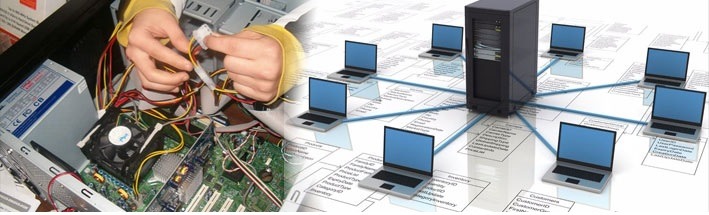
Hardware and Networking
Hardware and networking are two essential components of information technology (IT) that work together to enable the functioning of computer systems and facilitate communication between devices. Here’s an overview of hardware and networking:
Hardware:
Hardware refers to the physical components of a computer system or IT infrastructure. These components can be categorized into various subtypes:
- Central Processing Unit (CPU):
- The CPU is the “brain” of the computer, responsible for executing instructions and performing calculations.
- Memory (RAM and ROM):
- RAM (Random Access Memory) is used for temporary data storage while a computer is running.
- ROM (Read-Only Memory) contains firmware and is used for booting up the system.
- Storage Devices:
- Hard Disk Drives (HDDs) and Solid State Drives (SSDs) are used for long-term data storage.
- Optical drives (CD/DVD/Blu-ray) can read and write optical discs.
- USB drives and memory cards provide portable storage.
- Input Devices:
- Keyboards, mice, touchscreens, and other devices allow users to input data and commands.
- Output Devices:
- Monitors, printers, and speakers display or produce output from the computer.
- Motherboard:
- The motherboard houses the CPU, memory, and other essential components. It provides connectivity between hardware components.
- Graphics Processing Unit (GPU):
- GPUs are responsible for rendering graphics and are crucial for gaming and multimedia applications.
- Network Interface Cards (NICs):
- NICs enable computers to connect to networks and the internet.
- Power Supply Unit (PSU):
- PSUs provide electrical power to the computer components.
- Peripheral Devices:
- These include webcams, microphones, external hard drives, and other devices that expand a computer’s functionality.
Networking:
Networking involves the interconnection of computers and other devices to enable communication and data exchange. It encompasses various technologies and components:
- Routers:
- Routers are devices that connect multiple networks together and manage data traffic between them. They are essential for home and enterprise networks.
- Switches:
- Switches are used to create local area networks (LANs) and manage data traffic within a network.
- Firewalls:
- Firewalls protect networks from unauthorized access and cyber threats by filtering incoming and outgoing traffic.
- Cabling and Wiring:
- Ethernet cables, fiber optic cables, and wireless connections (Wi-Fi) facilitate data transmission within networks.
- Network Protocols:
- Protocols like TCP/IP govern data communication on the internet and local networks.
- Servers:
- Servers store and manage data, applications, and services. Types include web servers, file servers, and email servers.
- Cloud Computing:
- Cloud services provide access to computing resources and data storage over the internet.
- Network Security:
- Security measures, including encryption, access control, and intrusion detection, protect networks and data.
- Virtual Private Networks (VPNs):
- VPNs secure network connections over the internet, enhancing privacy and security.
- Network Administration and Management:
- IT professionals oversee network configuration, maintenance, and troubleshooting.
Effective hardware and networking integration is crucial for businesses, organizations, and individuals to achieve seamless communication, data sharing, and internet connectivity. It plays a vital role in today’s digital world, enabling the exchange of information and services across the globe.
What is required Hardware and Networking
“Required hardware and networking” typically refers to the essential components and infrastructure needed to establish and maintain a functional computer network. Depending on the context, required hardware and networking can vary, but here are the fundamental components and considerations:
1. Network Devices:
- Routers: A router is essential for connecting multiple devices within a network and enabling communication between the local network and the internet.
- Switches: Switches are used to create local area networks (LANs) and manage the flow of data within a network.
- Access Points: Access points provide wireless connectivity for devices to connect to a Wi-Fi network.
- Firewalls: Firewalls protect the network from unauthorized access and security threats.
2. Network Cabling and Connectivity:
- Ethernet Cables: Wired networks require Ethernet cables for data transmission. Various types (e.g., Cat 5e, Cat 6) support different network speeds.
- Fiber Optic Cables: Fiber optic cables are used for high-speed, long-distance data transmission.
- Wireless Connectivity: Wi-Fi routers and access points are necessary for wireless connections.
3. Networked Devices:
- Computers: Desktops, laptops, and servers are the primary devices connected to a network.
- Printers and Scanners: Networked printers and scanners allow multiple users to access these devices.
- Network-Attached Storage (NAS): NAS devices provide centralized storage accessible over the network.
4. Network Configuration and Management:
- Network Protocols: Protocols like TCP/IP define how data is transmitted and received on a network.
- IP Addresses: Assigning IP addresses to devices is crucial for network communication.
- Network Management Software: Tools for monitoring, configuring, and troubleshooting network devices.
- IT Professionals: Trained personnel to set up, manage, and maintain the network.
5. Security Measures:
- Firewalls: Network firewalls protect against cyber threats.
- Antivirus and Antimalware Software: Protect devices against malware and viruses.
- Encryption: Encryption protocols secure data transmitted over the network.
6. Power Backup and Redundancy:
- Uninterruptible Power Supply (UPS): Provides backup power to critical network devices during power outages.
- Redundancy: Duplicating critical components or network paths to ensure reliability.
7. Internet Connection:
- Internet Service Provider (ISP): A reliable internet connection is essential for network access.
- Modems and Broadband Routers: Devices to establish the internet connection.
8. Documentation and Planning:
- Network Diagrams: Visual representations of the network layout.
- Network Policies: Guidelines and policies for network usage, security, and access control.
9. Regular Maintenance:
- Ongoing maintenance to ensure network performance, security, and software updates.
10. Disaster Recovery and Backup: – Backup solutions for critical data and disaster recovery plans in case of network failures or data loss.
The specific requirements for hardware and networking will vary depending on the size and complexity of the network, its intended use, and the organization’s needs. Proper planning, maintenance, and security measures are essential to ensure a reliable and secure network environment.
Who is required Hardware and Networking
The question “Who is required Hardware and Networking?” is somewhat unclear as it doesn’t specify the context or the role being referred to. Hardware and networking are essential in various contexts, and different individuals and roles may require hardware and networking knowledge and expertise. Here are some roles and individuals who commonly require hardware and networking:
- IT Professionals: IT professionals, including network administrators, system administrators, and IT support staff, are primary individuals who require hardware and networking knowledge. They are responsible for setting up, configuring, maintaining, and troubleshooting computer networks and hardware infrastructure.
- Network Engineers: Network engineers specialize in designing, implementing, and managing computer networks. They work on tasks such as network architecture, security, and optimization.
- Computer Technicians: Computer technicians and repair technicians need hardware and networking knowledge to diagnose and fix hardware-related issues in computers and network equipment.
- System Architects: System architects design and plan the overall structure and layout of computer systems, which includes the hardware and networking components.
- Network Security Specialists: These professionals focus on securing computer networks from cyber threats and breaches. They need to understand networking hardware to protect against vulnerabilities.
- Telecommunication Specialists: Telecommunication specialists work with networking equipment related to telecommunications, such as routers, switches, and voice-over-IP (VoIP) systems.
- Software Developers: Although primarily focused on software development, software developers often need a basic understanding of networking to ensure their applications can communicate over networks effectively.
- Business Owners and Managers: Business owners and managers may require a broad understanding of hardware and networking to make informed decisions about their organization’s IT infrastructure.
- Students and Aspiring IT Professionals: Individuals studying computer science, information technology, or related fields need to learn about hardware and networking as part of their academic curriculum and career development.
- Home Users: Even home users benefit from some knowledge of hardware and networking to set up home networks, troubleshoot basic issues, and ensure their devices work correctly.
- Freelance IT Consultants: Independent IT consultants who offer their expertise to various clients often need hardware and networking knowledge to assess, recommend, and implement IT solutions.
- Certification Candidates: Individuals pursuing industry-standard certifications, such as CompTIA A+, Network+, or Cisco CCNA, require in-depth knowledge of hardware and networking to pass certification exams and advance their careers.
In summary, hardware and networking knowledge is valuable in various professional and educational contexts. The specific roles and individuals who require this knowledge depend on their job responsibilities, career goals, and the nature of their work or study.
When is required Hardware and Networking
Hardware and networking knowledge and expertise are required in various situations and scenarios, often associated with tasks and responsibilities related to computer systems, networks, and IT infrastructure. Here are some common situations when hardware and networking expertise is required:
- Setting Up a New Network: When establishing a new computer network, whether for a home, small business, or enterprise, hardware and networking knowledge is essential. This includes selecting and configuring routers, switches, access points, and cabling.
- Upgrading or Expanding a Network: When an existing network needs to be upgraded, expanded, or modified to accommodate increased traffic or new technology, individuals with hardware and networking skills are needed to plan and implement these changes.
- Troubleshooting Network Issues: When network connectivity problems arise, IT professionals with networking expertise are required to diagnose and resolve issues, whether they are related to hardware failures, misconfigurations, or software conflicts.
- Computer Repairs: Hardware and networking knowledge is essential for computer technicians and repair specialists who diagnose and fix hardware-related issues in computers and network devices.
- Network Security: Professionals specializing in network security require hardware and networking expertise to identify vulnerabilities, implement security measures, and protect networks from cyber threats.
- Software Development: Software developers may need to understand networking concepts to create applications that can communicate over networks, such as web applications or networked software.
- System Administration: System administrators are responsible for managing and maintaining computer systems and networks within an organization. They require hardware and networking knowledge to ensure the smooth operation of IT infrastructure.
- Network Planning and Architecture: Individuals involved in designing, planning, and architecting computer networks, including network engineers and architects, rely on hardware and networking expertise to create efficient and secure network solutions.
- IT Support and Helpdesk: IT support professionals assist end-users with hardware and networking issues, such as setting up devices, connecting to networks, and resolving connectivity problems.
- Telecommunications: Professionals working in telecommunications industries need hardware and networking knowledge to manage and maintain network equipment, such as switches, routers, and VoIP systems.
- Educational Settings: Hardware and networking knowledge is taught in educational institutions, and students pursuing degrees or certifications in IT-related fields need this knowledge for academic and career purposes.
- Certification Exams: Individuals preparing for IT certifications, such as CompTIA Network+, Cisco CCNA, or Microsoft MCSA, need hardware and networking knowledge to pass certification exams.
- Business Decision-Making: Business owners and managers may require a basic understanding of hardware and networking to make informed decisions about IT investments, upgrades, and security measures.
- Home Networking: Home users often need hardware and networking knowledge to set up and troubleshoot home networks, connect devices, and ensure a reliable internet connection.
In summary, hardware and networking expertise is required in a wide range of scenarios, from professional IT roles to everyday tasks involving technology and networking equipment. The specific requirement depends on the context and the nature of the task or responsibility at hand.
Where is required Hardware and Networking
Hardware and networking knowledge and expertise are required in various locations and settings where computer systems, networks, and IT infrastructure are used or managed. Here are some common locations and contexts where hardware and networking expertise is required:
- Businesses and Corporations:
- Hardware and networking expertise is essential within the premises of businesses, including offices, data centers, and manufacturing facilities, where computer networks and IT infrastructure support daily operations.
- IT Departments:
- IT departments within organizations are dedicated to managing hardware and networking components, including servers, routers, switches, and security appliances.
- Data Centers:
- Data centers house critical hardware and networking equipment that support web hosting, cloud services, and data storage. Specialists are required to manage and maintain these facilities.
- Internet Service Providers (ISPs):
- ISPs require hardware and networking experts to maintain their network infrastructure, including routers, switches, and data centers, to provide internet services.
- Telecommunication Companies:
- Telecommunication providers rely on networking professionals to manage their telecommunications equipment and networks.
- Network Operations Centers (NOCs):
- NOCs are centralized locations where network administrators monitor and manage network traffic, performance, and security. Networking expertise is crucial in NOCs.
- Educational Institutions:
- Colleges, universities, and technical schools offer programs in hardware and networking, and educators with expertise in these areas are required to teach students.
- IT Consulting Firms:
- IT consulting firms employ experts in hardware and networking who provide services to clients, including network design, implementation, and troubleshooting.
- Healthcare Facilities:
- Hospitals and healthcare organizations rely on network specialists to manage their IT infrastructure, including electronic health records and medical imaging systems.
- Financial Institutions:
- Banks and financial firms require networking professionals to manage secure networks, ATMs, and online banking systems.
- Government Agencies:
- Government departments and agencies employ IT professionals with hardware and networking expertise to manage public-sector IT infrastructure and services.
- Retail and E-commerce:
- Retail stores and e-commerce companies need networking professionals to ensure smooth online shopping experiences and manage point-of-sale systems.
- Manufacturing and Industrial Facilities:
- Manufacturing plants often use computer-controlled machinery and robotics, requiring hardware and networking specialists for maintenance and troubleshooting.
- Home Offices:
- Individuals working from home may need hardware and networking knowledge to set up and maintain their home office networks.
- Event Venues:
- Event venues and conference centers require network infrastructure for connectivity, and IT professionals may be needed to set up and manage these networks.
- Online Learning Platforms:
- E-learning platforms and online education providers require IT experts to maintain their websites, databases, and online course delivery systems.
- Retail and Repair Shops:
- Computer repair shops and retail stores that sell hardware often employ technicians with hardware and networking skills to assist customers.
- Airports and Transportation Hubs:
- Airports and transportation centers use network technology for flight information, security, and passenger services, necessitating IT professionals for support.
These are just a few examples of the many locations and contexts where hardware and networking expertise is required. The demand for professionals with these skills continues to grow as technology becomes increasingly integrated into various aspects of modern life and business operations.
How is required Hardware and Networking
The requirement for hardware and networking skills is based on specific tasks, responsibilities, and objectives in various contexts. How hardware and networking skills are required depends on the following factors:
- Setting Up and Configuring Networks:
- Hardware and networking skills are required when designing and configuring computer networks, including selecting the right hardware components, setting up routers, switches, access points, and ensuring proper cabling.
- Troubleshooting and Maintenance:
- When network issues arise, individuals with hardware and networking skills are needed to diagnose and troubleshoot problems, whether they are related to hardware failures, misconfigurations, or connectivity issues.
- Network Security:
- To secure networks and protect against cyber threats, individuals with hardware and networking expertise are required to implement security measures, configure firewalls, and monitor for potential vulnerabilities.
- Hardware Upgrades and Expansion:
- When organizations need to upgrade or expand their network infrastructure, experts are required to plan and execute these changes, ensuring compatibility and minimal disruptions.
- System Administration:
- IT professionals with hardware and networking skills are essential for managing and maintaining computer systems, servers, and network devices within an organization.
- Software Development and Integration:
- Software developers may require hardware and networking knowledge to create applications that can communicate over networks, integrate with databases, or interact with remote servers.
- Support and Helpdesk Services:
- IT support personnel assist end-users with hardware and networking issues, provide guidance on connectivity problems, and offer solutions for common IT-related concerns.
- Network Planning and Architecture:
- Network architects and engineers use hardware and networking expertise to design, plan, and implement efficient and secure network solutions, taking into account an organization’s specific needs.
- Network Monitoring and Optimization:
- Experts are required to continuously monitor network performance, identify bottlenecks or inefficiencies, and optimize network configurations for better speed and reliability.
- Data Center Management:
- Data center specialists need hardware and networking skills to manage and maintain the equipment and infrastructure in data centers, ensuring uninterrupted operation.
- Telecommunication Infrastructure:
- Telecommunication experts rely on networking knowledge to manage telecommunication equipment, including switches, routers, and voice communication systems.
- Educational and Training Contexts:
- In educational settings, individuals with hardware and networking expertise teach students and provide training in these areas, ensuring that the next generation of IT professionals is well-prepared.
- Consulting and Advisory Services:
- IT consultants with hardware and networking skills offer guidance and recommendations to clients, helping them make informed decisions about their IT infrastructure.
- Network Operations Centers (NOCs):
- NOC personnel, responsible for monitoring network traffic and responding to incidents, require hardware and networking knowledge to perform their roles effectively.
- Cybersecurity Operations:
- Cybersecurity experts leverage hardware and networking knowledge to protect networks from threats, implement security policies, and conduct vulnerability assessments.
- Infrastructure Expansion and Technology Adoption:
- Organizations looking to expand their infrastructure or adopt new technologies, such as cloud computing or IoT devices, need hardware and networking expertise to ensure seamless integration.
The requirement for hardware and networking skills can vary widely depending on the specific job role, industry, and objectives. In most IT-related roles, a strong foundation in hardware and networking is essential to carry out tasks effectively and support an organization’s IT infrastructure.
Case Study on Hardware and Networking
Certainly, let’s explore a case study that highlights the importance of hardware and networking in a real-world scenario:
Case Study: Network Infrastructure Upgrade at XYZ Corporation
Background: XYZ Corporation is a medium-sized manufacturing company with multiple locations across the country. The company specializes in producing industrial machinery. As part of its growth strategy, XYZ Corporation decided to upgrade its network infrastructure to improve efficiency, communication, and data security across all its facilities.
Challenges:
- Outdated Network Infrastructure: The existing network infrastructure was outdated, causing slow data transfer speeds and frequent downtime, affecting productivity.
- Security Concerns: With the increasing importance of data security and the need to protect intellectual property, XYZ Corporation needed a robust security solution.
- Multiple Locations: The company’s multiple locations required seamless communication and data sharing between offices, manufacturing plants, and warehouses.
Solution:
XYZ Corporation engaged a team of hardware and networking experts to address these challenges:
- Network Assessment:
- The experts conducted a comprehensive assessment of the existing network infrastructure, identifying bottlenecks and areas for improvement.
- Hardware Upgrades:
- Outdated switches, routers, and access points were replaced with high-performance, enterprise-grade hardware to improve network speed and reliability.
- Network Redesign:
- The network architecture was redesigned to ensure efficient data flow and minimize latency between locations.
- Security Measures:
- Robust security measures, including firewall implementation, intrusion detection systems, and encryption protocols, were put in place to safeguard sensitive company data.
- Virtual Private Network (VPN):
- A VPN solution was implemented to securely connect remote locations and allow employees to access resources from any site.
- Cloud Integration:
- Critical data and applications were migrated to the cloud to ensure accessibility, scalability, and data redundancy.
- Employee Training:
- Employees received training on the updated network infrastructure, security protocols, and best practices to ensure safe and efficient use of the new system.
Results:
The hardware and networking upgrade had a significant impact on XYZ Corporation’s operations:
- Improved Efficiency: The new network infrastructure drastically improved data transfer speeds and reduced downtime, leading to increased productivity and smoother manufacturing processes.
- Enhanced Security: The implemented security measures provided a higher level of data protection, reducing the risk of data breaches and unauthorized access.
- Seamless Communication: With the VPN and improved network design, communication and data sharing between locations became seamless, fostering collaboration and coordination.
- Scalability: The cloud integration allowed the company to scale its operations more easily as it expanded, without the need for extensive hardware investments.
- Cost Savings: While the initial investment in hardware and networking was significant, the long-term cost savings in terms of reduced downtime and increased efficiency outweighed the expenses.
Conclusion:
This case study illustrates how a strategic hardware and networking upgrade can have a transformative impact on a company’s operations. By addressing outdated infrastructure and security concerns, XYZ Corporation improved efficiency, communication, and data security, ultimately positioning itself for continued growth and success in the competitive manufacturing industry. It emphasizes the critical role of hardware and networking experts in driving technological advancements within organizations.
White Paper on Hardware and Networking
Creating a comprehensive white paper on hardware and networking involves providing a detailed overview of the key concepts, technologies, trends, and best practices related to this field. Here’s an outline for a white paper titled “Mastering Hardware and Networking: A Comprehensive Guide.”
White Paper: Mastering Hardware and Networking
A Comprehensive Guide
Table of Contents:
- Executive Summary
- A brief overview of the white paper’s key findings and insights.
- Introduction
- Setting the context for the importance of hardware and networking in the modern digital age.
- Objectives of the white paper.
- Chapter 1: Understanding Hardware
- Explanation of hardware components, including CPUs, memory, storage devices, and input/output devices.
- Discussion of the role of hardware in computer systems.
- Emerging hardware trends and innovations.
- Chapter 2: Networking Fundamentals
- Overview of computer networks and their importance in connecting devices and facilitating data exchange.
- Introduction to networking protocols and standards.
- The evolution of networking technologies.
- Chapter 3: Network Infrastructure
- Detailed discussion of network infrastructure components, such as routers, switches, access points, and cabling.
- Best practices for designing and implementing network infrastructures.
- Chapter 4: Network Security
- Exploration of network security threats and vulnerabilities.
- Explanation of security measures, including firewalls, encryption, and intrusion detection systems.
- Strategies for protecting networked systems.
- Chapter 5: Wireless Networking
- Overview of wireless networking technologies, including Wi-Fi, Bluetooth, and cellular networks.
- Considerations for designing and securing wireless networks.
- Chapter 6: Cloud Computing and Networking
- Explanation of cloud computing and its impact on network infrastructure.
- Discussion of cloud service models (IaaS, PaaS, SaaS) and their networking requirements.
- Chapter 7: Virtualization and Software-Defined Networking (SDN)
- Introduction to virtualization and its role in network management.
- Explanation of SDN concepts and their benefits.
- Chapter 8: Network Monitoring and Management
- Strategies and tools for monitoring and managing network performance.
- Best practices for network troubleshooting and optimization.
- Chapter 9: Emerging Trends and Technologies
- Exploration of emerging trends, including 5G, IoT, edge computing, and quantum networking.
- The potential impact of these technologies on hardware and networking.
- Chapter 10: Case Studies
- Real-world examples of organizations that have leveraged hardware and networking for business success.
- Lessons learned and best practices from these case studies.
- Chapter 11: Future Outlook
- Predictions and trends in hardware and networking for the coming years.
- The role of hardware and networking in shaping the future of technology.
- Conclusion
- Summarizing key takeaways from the white paper.
- Emphasizing the ongoing importance of hardware and networking in the digital age.
- References
- Citing sources, research papers, and publications used throughout the white paper.