


The World Wide Web (WWW) and web browsers are fundamental components of how we access and interact with information on the internet. Let me explain each of them in detail:
- World Wide Web (WWW): The World Wide Web, often simply referred to as the “web,” is a system of interconnected documents and resources that are linked together and accessible over the internet. It is a subset of the broader internet and is a collection of web pages, images, videos, files, and other digital content. The web is built upon the principles of hypertext and hyperlinks, allowing users to navigate between different resources by clicking on links.Key concepts of the World Wide Web:
- Hypertext: Text that contains links to other documents or resources, allowing users to jump from one piece of content to another.
- Hyperlink: A reference or link in a web page that, when clicked, takes the user to another web page or resource.
- Web Address (URL): A Uniform Resource Locator (URL) is a standardized address used to locate a resource on the web. It consists of a protocol (such as “http” or “https”), a domain name (e.g., www.example.com), and a specific path to the resource.
- Web Browser: A web browser is a software application used to access and view content on the World Wide Web. It acts as an intermediary between users and web servers, allowing users to request web pages and display their contents. Web browsers interpret HTML (Hypertext Markup Language) documents and render them as visual web pages, allowing users to interact with text, images, videos, forms, and other elements.Key features of web browsers:
- Rendering Engine: The core component that interprets and displays HTML documents, determining how web pages are presented to users. Different browsers may use different rendering engines, such as Blink (used by Chrome) and Gecko (used by Firefox).
- User Interface: The graphical interface that users interact with, including features like navigation buttons, bookmarks, and settings.
- Tabbed Browsing: The ability to open multiple web pages in separate tabs within the same browser window, facilitating multitasking and efficient navigation.
- Extensions and Add-ons: Additional software components that users can install to customize and enhance the functionality of their browser.
- Security Features: Web browsers include security measures such as warning about potentially harmful websites, blocking malicious scripts, and supporting secure connections through HTTPS.
Popular web browsers include Google Chrome, Mozilla Firefox, Microsoft Edge, Safari, and Opera.
In summary, the World Wide Web is a vast network of interconnected digital resources, while a web browser is the software used to access and interact with those resources, enabling users to navigate the web and view its content.
2.what is WWW And Web Browser?

Certainly, I’d be happy to provide more concise definitions for both the World Wide Web (WWW) and a web browser:
- World Wide Web (WWW): The World Wide Web (WWW) is a system of interlinked hypertext documents and multimedia content accessible via the internet. It is a vast collection of web pages, images, videos, and other digital resources, connected through hyperlinks, allowing users to navigate and access information from different sources across the globe.
- Web Browser: A web browser is a software application used to access and display content from the World Wide Web. It interprets and renders web pages written in HTML (Hypertext Markup Language) and presents them in a visually understandable format to users. Web browsers allow users to navigate between different websites and interact with various elements on web pages, such as text, images, and links.
In summary, the World Wide Web is a network of interconnected online content, and a web browser is a software tool that enables users to access and view this content.
3when is required WWW And Web Browser

C
The World Wide Web (WWW) and web browsers are required whenever you want to access and interact with information, services, and resources on the internet. Here are some scenarios where the WWW and web browsers are necessary:
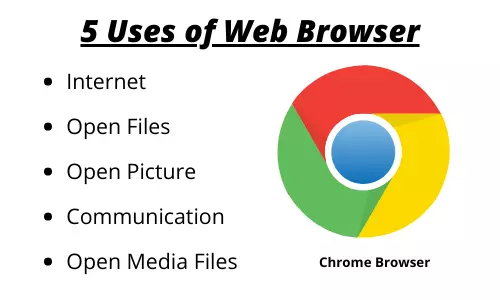
- Browsing Websites: The primary purpose of web browsers is to access and browse websites. Whether you’re looking for information, reading news articles, watching videos, shopping online, or using web-based applications, you need a web browser to view and interact with web content.
- Accessing Online Services: Many online services and platforms are accessible through web browsers. This includes email services, social media platforms, cloud storage, online banking, and more. Web browsers provide a convenient way to log in, communicate, and use these services.
- Research and Information Retrieval: When you’re conducting research or looking for specific information, you can use web browsers to search for websites, articles, and resources related to your topic of interest.
- E-Commerce: If you want to shop online, browse product catalogs, compare prices, and make purchases, you’ll need a web browser to access e-commerce websites.
- Communication and Collaboration: Web browsers enable you to use various communication tools, such as email, video conferencing, messaging apps, and collaborative platforms, all of which are often accessed through web-based interfaces.
- Education and Learning: Many educational resources, online courses, tutorials, and e-learning platforms are accessible through web browsers, allowing learners to access educational content from anywhere.
- Entertainment and Media: Streaming videos, music, podcasts, and other forms of online entertainment are typically accessed through web browsers on various platforms.
- Accessing Government and Official Websites: Government websites, official announcements, and public services are often available through web browsers, making it easier for citizens to access important information and services.
- Web-Based Applications: Web browsers allow you to use web-based applications, which are software programs that run entirely within the browser without needing to be installed on your computer. These applications can range from office productivity tools to creative software and more.
- Development and Testing: Web developers use web browsers extensively for designing, coding, and testing websites and web applications. They can use browser developer tools to inspect and debug their code.
In essence, the WWW and web browsers are integral to our daily online activities, enabling us to access, consume, and interact with a wide range of digital content and services available on the internet.
4who required WWW And Web Browser

The World Wide Web (WWW) and web browsers are used by a wide range of individuals and organizations for various purposes. Here are some examples of who requires the WWW and web browsers:
- Individual Users: Everyday people use web browsers to access information, communicate with others, shop online, watch videos, read news, and engage in social media. The WWW and web browsers have become an essential part of modern life for personal, educational, and entertainment purposes.
- Businesses: Businesses use the WWW to establish an online presence through websites, e-commerce platforms, and online marketing. Web browsers are crucial tools for business professionals to research competitors, analyze market trends, manage online marketing campaigns, and communicate with customers.
- Educational Institutions: Schools, colleges, and universities utilize the WWW and web browsers for e-learning platforms, online courses, research databases, and virtual classrooms. Both educators and students rely on web browsers to access educational content and resources.
- Government Agencies: Governments around the world maintain official websites that provide citizens with information, services, and resources. Web browsers enable citizens to access government services, pay taxes online, access official documents, and stay informed about policies and regulations.
- Nonprofit Organizations: Nonprofits often use the WWW to raise awareness, promote their missions, and engage with supporters. They rely on web browsers to communicate their initiatives, fundraise online, and share resources with their communities.
- Media and Journalism: News organizations and journalists use the WWW to publish articles, videos, and multimedia content. Web browsers are vital tools for journalists to research, fact-check, and gather information for their reporting.
- Researchers and Academics: Scholars and researchers rely on the WWW to access academic journals, research papers, and databases. Web browsers are essential for staying up to date with the latest research and sharing findings with the academic community.
- Developers and Designers: Web developers and designers use web browsers to create and test websites and web applications. They leverage browser developer tools to inspect and debug code, ensuring optimal performance and user experience.
- Healthcare Providers: Healthcare professionals use the WWW and web browsers to access medical resources, journals, patient records (in secure environments), and telemedicine platforms for remote consultations.
- Entertainment and Media Industry: The entertainment industry uses web browsers for streaming services, online gaming, music platforms, and other forms of digital entertainment.
- Travel and Tourism: Travelers use web browsers to research destinations, book flights, hotels, and activities, and access travel-related information and services.
- Financial and Banking Sector: Banks and financial institutions provide online banking services and financial information through the WWW and web browsers, allowing customers to manage their accounts and conduct transactions.
These are just a few examples, but the WWW and web browsers are pervasive tools that impact nearly every aspect of our personal and professional lives in the digital age.
5.how required WWW And Web Browser

The World Wide Web (WWW) and web browsers are essential components of the modern digital landscape, facilitating a wide range of activities and services. Here’s how and why they are required:
World Wide Web (WWW) Necessity:
- Information Access: The WWW is a global information repository that houses a vast array of data, resources, and knowledge. It’s required to access information on virtually any topic, from academic research and news articles to tutorials and entertainment content.
- Communication: The WWW provides various means of communication, including email, social media, and instant messaging. It’s necessary for staying connected with friends, family, colleagues, and clients across the world.
- E-Commerce: Online shopping and e-commerce platforms operate on the WWW. Consumers use it to browse products, compare prices, make purchases, and track shipments.
- Education and Learning: Many educational institutions offer online courses, tutorials, and resources through the WWW. It’s essential for accessing educational content and furthering one’s knowledge.
- Entertainment: The WWW hosts a wide range of entertainment options, such as streaming videos, music, games, and interactive content.
- Services and Applications: Numerous web-based services and applications, including cloud storage, productivity tools, and collaboration platforms, are accessible through the WWW.
- Government and Public Services: Government websites offer official information, services, and resources to citizens, such as tax filing, license renewals, and official announcements.
- Research and Development: Researchers and professionals rely on the WWW to access scientific papers, research findings, patents, and other intellectual property.
- News and Media: Online news outlets, blogs, and multimedia platforms provide up-to-date information and insights via the WWW.
Web Browser Necessity:
- Interface to the WWW: A web browser serves as a user-friendly interface for accessing the WWW. It interprets web content, renders web pages, and enables navigation through hyperlinks.
- Interactivity: Web browsers allow users to interact with web content through forms, buttons, and other elements. This is crucial for activities like submitting forms, making transactions, and participating in online forums.
- Multimedia Playback: Web browsers support the playback of multimedia elements such as videos, audio, animations, and interactive graphics.
- Security and Privacy: Modern web browsers implement security features like encryption and secure connections (HTTPS) to protect users’ sensitive data. They also offer private browsing modes to enhance privacy.
- Extensions and Add-ons: Web browsers can be customized and enhanced with extensions and add-ons, adding extra functionality such as ad blockers, password managers, and developer tools.
- Accessibility Tools: Web browsers include features to aid users with disabilities, making online content accessible to a wider audience.
- Developer Tools: For web developers and designers, web browsers provide tools for inspecting and debugging code, testing website responsiveness, and optimizing performance.
- User Experience: Web browsers contribute significantly to the overall user experience, including page loading speed, responsiveness, and ease of navigation.
In summary, the WWW is the foundation of online information and services, while web browsers act as the gateway through which users interact with and utilize the resources available on the WWW. They are indispensable tools for various aspects of work, communication, education, entertainment, and more in today’s digital age.
.
case study on WWW And Web Browser
Case Study: Impact of the World Wide Web (WWW) and Web Browsers on Modern Education
In recent years, the integration of the World Wide Web (WWW) and web browsers has transformed the landscape of education, enhancing learning experiences and expanding access to knowledge. This case study explores how the WWW and web browsers have revolutionized education through a specific example: online learning platforms.
Background: Traditionally, education was confined to physical classrooms, limiting access to learning opportunities for those unable to attend in-person. However, with the advent of the WWW and web browsers, a new era of education has emerged, enabling people around the world to access quality learning materials, courses, and resources online.
Case Study: Online Learning Platforms
Scenario: Sarah’s Educational Journey
1. Access to Diverse Learning Materials: Sarah, a high school student in a rural area, aspires to pursue a career in astronomy. However, her local school lacks specialized science courses. Through the WWW and web browsers, Sarah discovers online learning platforms like Coursera, Khan Academy, and edX. These platforms offer a wide range of courses, including astrophysics and astronomy, allowing Sarah to explore her passion.
2. Flexibility and Personalized Learning: Sarah’s daily schedule is packed with school, chores, and family responsibilities. Online courses on these platforms are asynchronous, allowing her to learn at her own pace. Web browsers enable her to access course materials, watch video lectures, and complete assignments whenever her schedule permits. This flexibility accommodates her responsibilities and allows her to personalize her learning experience.
3. Global Collaboration: Sarah’s interest in astronomy leads her to an online forum hosted by a web browser-based platform. Here, she interacts with students, educators, and professionals from around the world who share her passion. Through discussions, collaborative projects, and peer reviews, she gains valuable insights and forms connections that enrich her learning journey.
4. Multimedia-rich Content: A significant part of astronomy education involves visualizing celestial phenomena. Online courses provide interactive simulations, 3D models, and virtual observatories, enhancing Sarah’s understanding. Web browsers enable her to access and interact with multimedia-rich content seamlessly, bridging the gap between theoretical concepts and real-world observations.
5. Lifelong Learning: After completing high school, Sarah decides to pursue a degree in astronomy. The WWW and web browsers continue to play a pivotal role in her higher education. She enrolls in online college courses, accesses research papers, and participates in virtual conferences, expanding her horizons and staying updated with the latest developments in her field.
Outcome: Empowered Education
Through the integration of the WWW and web browsers, Sarah’s educational journey is transformed. She overcomes geographical barriers, gains access to specialized knowledge, interacts with a global community, and tailors her learning to fit her unique circumstances. The impact of the WWW and web browsers on online learning platforms has not only empowered Sarah but also revolutionized education by making it more accessible, flexible, and inclusive.
This case study highlights how the WWW and web browsers have revolutionized education by facilitating online learning platforms, enabling individuals like Sarah to pursue their passions and educational goals in a digital and interconnected world.
7.white paper on Web Browser and WWW
Title: Revolutionizing Information Access and Interaction: The Symbiotic Relationship Between Web Browsers and the World Wide Web (WWW)
Abstract: This white paper delves into the intricate relationship between web browsers and the World Wide Web (WWW) and highlights their profound impact on modern information access and interaction. By examining the evolution of web browsers, their key functionalities, and the dynamic nature of the WWW, we explore how this symbiotic partnership has transformed the way we navigate, communicate, and engage with online content. Through real-world examples and insights, we demonstrate how web browsers have become the gateway to the vast realm of the WWW, enabling seamless exploration and interaction with digital resources.
- Introduction:
- Overview of the essential roles played by web browsers and the WWW in modern digital life.
- The symbiotic relationship between web browsers and the WWW as the foundation of online experiences.
- Evolution of Web Browsers:
- Historical development of web browsers from early text-based interfaces to modern graphical browsers.
- Emergence of key browser features such as tabbed browsing, extensions, and developer tools.
- Foundations of the World Wide Web:
- Explanation of the fundamental components of the WWW, including hypertext, URLs, and HTTP.
- Exploration of the interconnected nature of the web through hyperlinks.
- The Browser’s Journey Through the Web:
- The role of web browsers in translating HTML, CSS, and JavaScript into visually engaging web pages.
- Discussion on rendering engines and their influence on web page presentation.
- Accessing and Navigating Web Content:
- User interaction with the WWW via web browsers, including URL entry, bookmarking, and history tracking.
- Examination of user interfaces and design principles for intuitive navigation.
- Enabling Rich Multimedia Experiences:
- How web browsers facilitate the integration of multimedia elements such as images, videos, and interactive content.
- The rise of web standards and technologies like HTML5 for enhancing user experiences.
- Beyond Browsing: Web Applications:
- Transformation of web browsers into platforms for running web-based applications.
- Case studies of web applications in various domains, including e-commerce, productivity, and entertainment.
- Privacy, Security, and User Empowerment:
- Web browsers’ role in safeguarding user data through encryption, secure connections, and privacy settings.
- Exploring the balance between user empowerment and protecting against online threats.
- Challenges and Future Directions:
- Examination of challenges such as browser compatibility, security vulnerabilities, and information overload.
- Speculation on future trends, including advancements in AI-driven browsing, virtual reality, and the decentralized web.
- Conclusion:
- Recap of the intertwined relationship between web browsers and the WWW.
- Reflection on the ongoing evolution of this partnership and its potential to shape the digital landscape.
This white paper underscores the pivotal role played by web browsers as the gateway to the expansive realm of the World Wide Web. It demonstrates how this symbiotic relationship has transformed information access, communication, and interaction, empowering users and shaping the future of digital experiences. The evolution of web browsers and the dynamic nature of the WWW stand as a testament to the ever-evolving landscape of the modern internet.